
Alpha Channel Extractor vs Adobe Photoshop
Alpha Channel Extractor is the baseline in this comparison: Extract an image alpha channel into a grayscale mask, see transparent and semi-transparent pixel percentages, and download the mask as PNG when transparency exists.
Compare TextFaker Alpha Channel Extractor with Adobe Photoshop for alpha masks, channels, selections, and transparency inspection.
Quick verdict
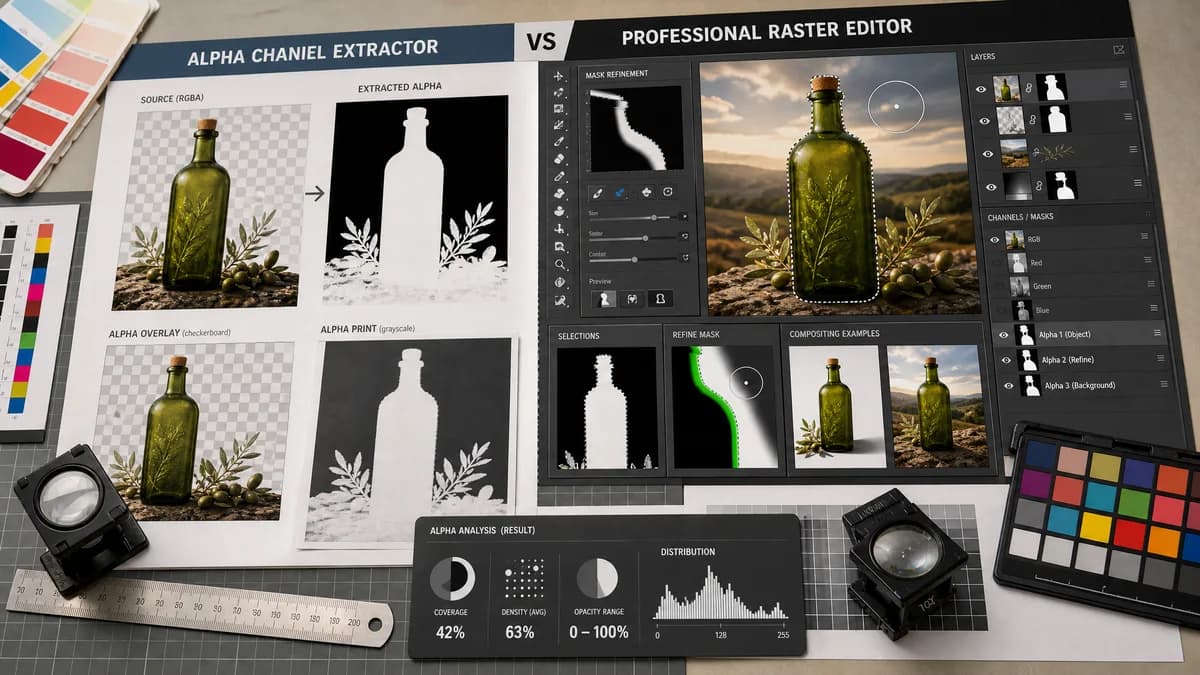
Photoshop is far more capable for editing. TextFaker is better for quick alpha inspection and export when the user only needs to extract and verify a transparency mask.
How Alpha Channel Extractor fits
TextFaker is a lightweight browser-local extractor for users who want the alpha mask and basic statistics without opening a full editor. It does not attempt to replace Photoshop's editing, channel, selection, and compositing features.
How Adobe Photoshop fits
Photoshop supports alpha channels and masks as grayscale editable data, lets users save selections as alpha channels, paint and refine masks, and perform complex image editing around those masks.
Side-by-side comparison
| Decision point | Alpha Channel Extractor | Adobe Photoshop | Takeaway |
|---|---|---|---|
| Primary workflow | Our workflowUpload one image and extract the existing alpha channel into a grayscale PNG mask with statistics. | Competitor workflowOpen an image in a full raster editor, use Channels, selections, masks, painting tools, and filters to create or refine alpha channels. | Photoshop is for editing; TextFaker is for fast extraction and inspection. |
| Setup | Our workflowRuns in the browser with no desktop application setup. | Competitor workflowRequires access to Photoshop and familiarity with its Channels and masking panels. | TextFaker is easier for one-off checks. |
| Editing depth | Our workflowPlanned output is extraction, preview, reporting, and download, not manual mask editing. | Competitor workflowOfficial docs describe painting and editing masks like grayscale images. | Photoshop wins when the alpha needs correction. |
| Statistics | Our workflowReports transparent, semi-transparent, and opaque pixel counts and percentages. | Competitor workflowPhotoshop focuses on visual editing and channel workflows, not a simple alpha distribution report on the cited page. | TextFaker can be better for QA metrics. |
| Export target | Our workflowDownloads a standalone grayscale PNG alpha mask when useful. | Competitor workflowCan save selections as alpha channels and use masks inside image documents and export workflows. | Photoshop offers richer document workflows; TextFaker gives a direct mask file. |
| Missing alpha | Our workflowNo transparency becomes an informational result and does not consume a free use. | Competitor workflowPhotoshop can create channels or masks even when the original file lacks transparency. | Photoshop can build new masks; TextFaker clearly say when no existing alpha was found. |
Use Alpha Channel Extractor when
- Quick alpha mask extraction without installing or launching a full editor.
- Developers and designers checking exported transparent assets.
- Users who need a simple copyable transparency summary.
Use Adobe Photoshop when
- Professional retouching, compositing, selections, and mask painting.
- Users who need to create or edit alpha channels, not just extract them.
- Creative teams already working in Adobe workflows.
Detailed comparison
Quick Verdict
Photoshop is the professional choice for creating, editing, and refining masks. TextFaker is positioned as the fast diagnostic tool that extracts what is already in the file.
- Use TextFaker for inspection and export.
- Use Photoshop for manual mask work.
Channels And Masks
Adobe's documentation treats masks and alpha channels as grayscale structures that can be painted and edited. That confirms the correct mental model for TextFaker's grayscale preview, but TextFaker's scope remains extraction rather than authoring.
- White means visible or opaque in common mask workflows.
- Black means hidden or transparent in common mask workflows.
QA Use Case
A production user may only need to know whether a transparent export contains soft edges, unexpected transparent pixels, or no alpha at all. A browser report with counts and percentages is faster than opening a large editor for that question.
- Show semi-transparent count for antialiasing and shadow checks.
- Include image dimensions in the copied result text.
Where Photoshop Wins
Photoshop remains the better fit when users must repair halos, paint a mask, save selections, composite images, or manage layered documents. The comparison avoids implying TextFaker replaces those workflows.
- Acknowledge Photoshop's editing depth.
- Frame TextFaker as a narrow utility.
Research notes
- Adobe's official page documents alpha channels, saved selections, masks, painting tools, and filters.
- Photoshop is adjacent rather than direct because it provides a full editing environment.
- TextFaker does not claim Photoshop lacks alpha extraction; the distinction is speed and scope.
- The comparison mentions Photoshop only once as the outbound official source in an implemented page.
Official source
The only outbound competitor link on this page is placed here for source checking after the comparison.
Official Adobe Photoshop source