
Alpha Channel Extractor vs GIMP
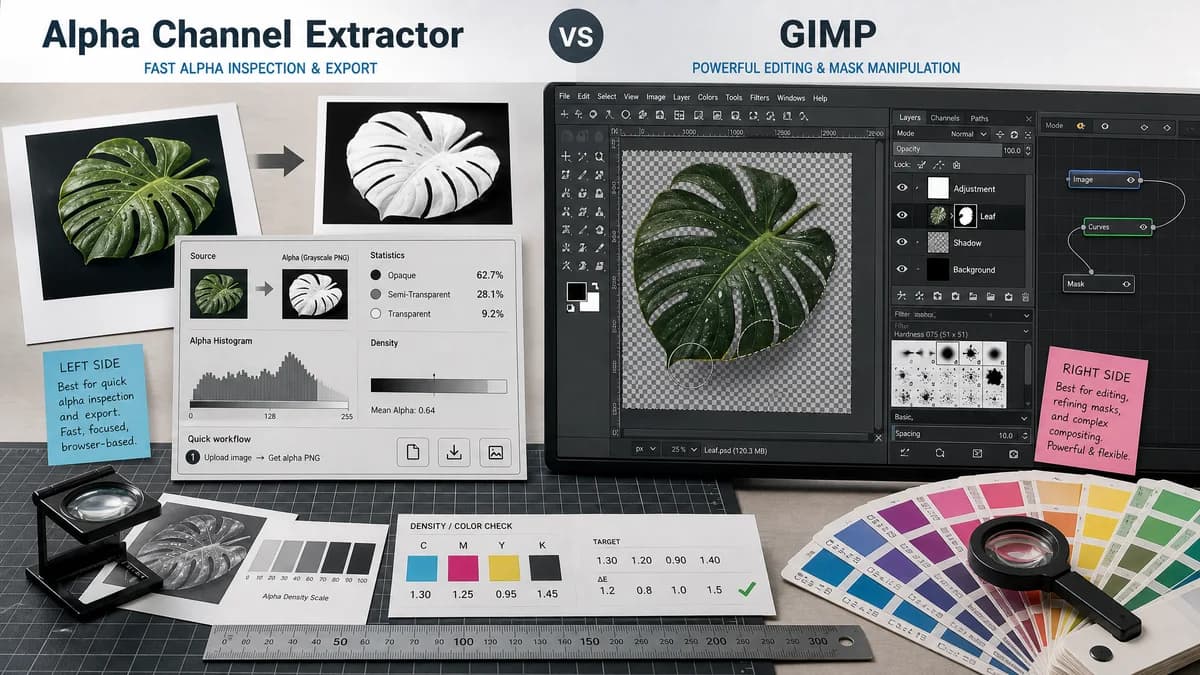
Alpha Channel Extractor is the baseline in this comparison: Extract an image alpha channel into a grayscale mask, see transparent and semi-transparent pixel percentages, and download the mask as PNG when transparency exists.
Compare TextFaker Alpha Channel Extractor with GIMP for extracting, inspecting, and working with alpha masks.
Quick verdict
GIMP is stronger for open-source editing and mask manipulation. TextFaker is stronger for a quick browser-local alpha inspection and export task.
How Alpha Channel Extractor fits
TextFaker gives users a no-install browser utility for extracting an existing image alpha channel into a grayscale PNG and copyable statistics. It is not intended to replace GIMP's open-source image editing workflow.
How GIMP fits
GIMP supports layer masks for selective transparency and its developer API documents creating masks from a layer's alpha channel. It is a full desktop editor for manual image manipulation.
Side-by-side comparison
| Decision point | Alpha Channel Extractor | GIMP | Takeaway |
|---|---|---|---|
| Installation | Our workflowRuns in a browser with no desktop install. | Competitor workflowDesktop application that must be installed and opened for editing workflows. | TextFaker is more convenient for occasional checks. |
| Source model | Our workflowTextFaker is described as browser-based unless a public source license is proven. | Competitor workflowGIMP is an open-source image editor with official documentation and developer APIs. | GIMP wins for users specifically requiring open-source desktop software. |
| Alpha-to-mask behavior | Our workflowExtracts existing alpha into a standalone grayscale PNG mask. | Competitor workflowGIMP's developer reference lists mask creation from a layer's alpha channel among supported mask types. | Both can work from existing alpha, but GIMP does it inside an editor. |
| Manual editing | Our workflowNo planned mask painting or layer editing. | Competitor workflowOfficial tutorials describe layer masks as non-destructive transparency controls users can edit. | Use GIMP when the mask needs work. |
| Statistics | Our workflowReports fully transparent, semi-transparent, and opaque pixel categories. | Competitor workflowGIMP is not presented in the cited docs as a one-click alpha statistics reporter. | TextFaker is better for measurable inspection. |
| Export simplicity | Our workflowOne downloaded alpha mask PNG when useful. | Competitor workflowExports depend on GIMP document and image workflows. | TextFaker provides fewer choices and faster completion. |
Use Alpha Channel Extractor when
- Users who do not want to install or open a desktop editor for one alpha check.
- Web developers validating PNG or WebP transparency before use.
- Design QA tasks that need counts and percentages.
Use GIMP when
- Users who need open-source desktop image editing.
- Users who want to create, refine, invert, paint, or apply masks.
- Users with repeated image-editing workflows beyond alpha extraction.
Detailed comparison
Quick Verdict
GIMP is the practical open-source editing comparison. TextFaker is positioned as a narrow browser utility that can complement GIMP by producing a mask file quickly.
- Use TextFaker for quick alpha extraction.
- Use GIMP for editing and open-source desktop workflows.
Open-Source Context
Because GIMP is open source and mature, the comparison must avoid weak claims. The meaningful distinction is not openness; it is the difference between a focused web utility and a full editor.
- Do not imply TextFaker is open source unless verified.
- Emphasize no-install convenience instead.
Mask Handling
GIMP's documentation supports the idea of layer masks controlling transparency and masks being created from alpha. TextFaker uses that standard workflow language but keep the result independent as a downloaded grayscale PNG.
- Alpha extraction is reversible by importing the mask into editors.
- Semi-transparent edge values remain intact.
Where GIMP Wins
GIMP is better for painting masks, editing layers, correcting transparency problems, and combining multiple image operations. TextFaker is better when the user only wants to inspect and export alpha data.
- Acknowledge GIMP's editing power.
- Keep TextFaker's tool UI simple.
Research notes
- Official GIMP tutorial explains layer masks as selective opacity controls.
- Official GIMP developer API documents creating a layer mask from a layer alpha channel.
- GIMP is a strong open-source alternative but not a direct web-tool competitor.
- TextFaker is framed as no-install extraction rather than an editor replacement.
Official source
The only outbound competitor link on this page is placed here for source checking after the comparison.
Official GIMP source