
Alpha Channel Extractor vs ImageMagick
Alpha Channel Extractor is the baseline in this comparison: Extract an image alpha channel into a grayscale mask, see transparent and semi-transparent pixel percentages, and download the mask as PNG when transparency exists.
Compare TextFaker Alpha Channel Extractor with ImageMagick for extracting and manipulating image alpha channels from scripts or terminal workflows.
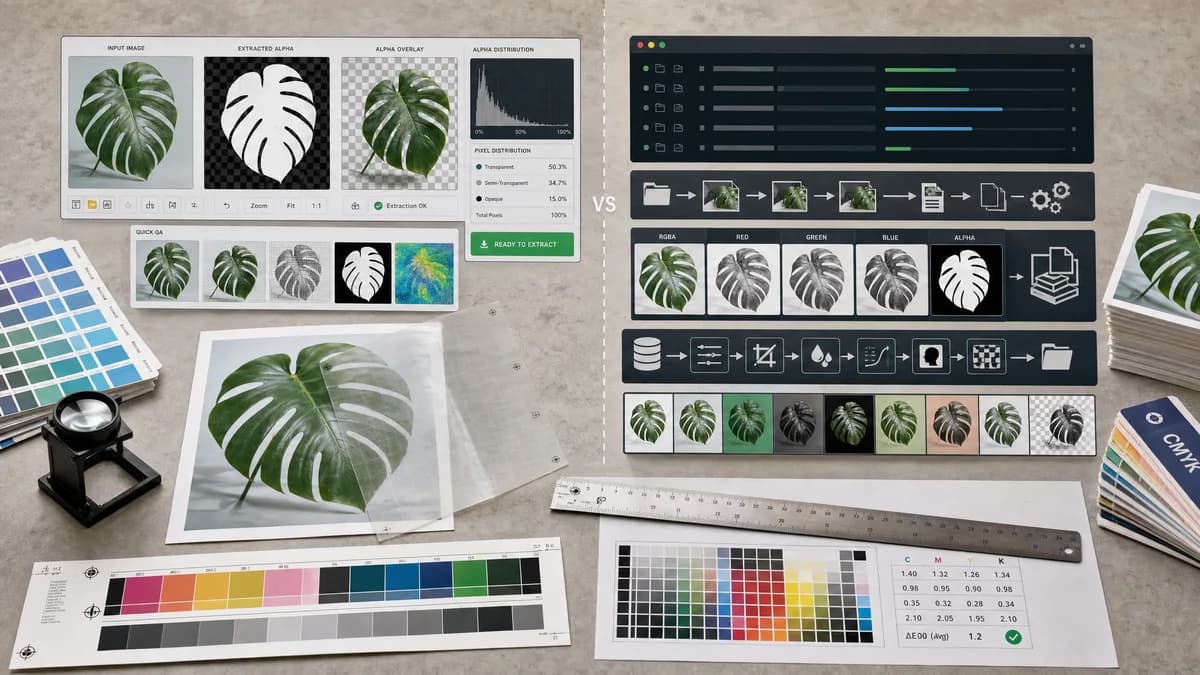
Quick verdict
ImageMagick is better for automated and repeatable pipelines. TextFaker is better for visual one-off extraction, QA, and non-terminal users.
How Alpha Channel Extractor fits
TextFaker provides a visual browser workflow for extracting an existing alpha channel and reporting alpha distribution without command syntax. It is intended for users who want the result immediately rather than a scripted pipeline.
How ImageMagick fits
ImageMagick is a command-line image processing suite with alpha channel controls and channel operations. Official documentation describes alpha handling, channel selection, and channel exchange or extraction behavior.
Side-by-side comparison
| Decision point | Alpha Channel Extractor | ImageMagick | Takeaway |
|---|---|---|---|
| Interface | Our workflowVisual upload, preview, result card, copy-all text, and download button. | Competitor workflowCommand-line operations and scriptable image commands. | TextFaker is easier for interactive use; ImageMagick is better for automation. |
| Automation | Our workflowNot intended as a batch scripting engine. | Competitor workflowStrong fit for shell scripts, batch processing, and repeatable transformations. | ImageMagick wins for large or repeated jobs. |
| Alpha controls | Our workflowExtracts alpha into a grayscale mask and reports alpha distribution. | Competitor workflowOfficial docs include alpha channel options and channel operations for manipulating image channels. | ImageMagick is deeper and more flexible. |
| Setup | Our workflowNo installation beyond a modern browser. | Competitor workflowRequires installing ImageMagick or having it available in the execution environment. | TextFaker lowers setup for occasional users. |
| Preview | Our workflowShows the alpha mask preview immediately in the page. | Competitor workflowPreview requires opening output files or using separate display tooling. | TextFaker is better for visual confirmation. |
| No-alpha handling | Our workflowShould return a clear informational result and avoid consuming a successful use. | Competitor workflowCommand behavior depends on chosen options and input files; users must understand alpha-channel semantics. | TextFaker can provide friendlier diagnostics for non-experts. |
Use Alpha Channel Extractor when
- Users who want to inspect an image manually and download one mask.
- Designers and QA users who prefer a browser interface.
- Cases where copyable result text is useful for handoff notes.
Use ImageMagick when
- Developers automating alpha extraction across many files.
- Build scripts, CI image processing, and server-side pipelines.
- Users comfortable with command-line syntax and image operators.
Detailed comparison
Quick Verdict
ImageMagick is the technical benchmark for scriptable alpha channel work. TextFaker does not compete with it on power; it competes on immediacy, visual feedback, and human-readable reporting.
- TextFaker for interactive inspection.
- ImageMagick for automated processing.
Command-Line Depth
Official ImageMagick documentation covers alpha controls and channel operations that go beyond extraction. That depth matters for pipelines that need transformation, replacement, compositing, or multiple output images.
- Avoid claiming TextFaker has ImageMagick parity.
- Use the comparison to clarify UI versus scripting.
QA Reporting
ImageMagick can be used to compute detailed results, but doing so requires commands and interpretation. TextFaker can make the common audit values visible immediately after upload.
- Transparent pixel count.
- Semi-transparent pixel count.
- Opaque pixel count.
Implementation Implication
Because ImageMagick users expect precise channel behavior, TextFaker's extraction is byte-faithful. The mask PNG stores alpha values as grayscale intensity, not approximate from composited colors.
- Read alpha from decoded RGBA pixels.
- Do not infer alpha from checkerboard previews.
Research notes
- ImageMagick's official command-line options document alpha controls and channel operations.
- The comparison treats ImageMagick as scriptable infrastructure, not a consumer web app.
- TextFaker's advantage is visual and no-install, not feature depth.
- The implementation preserves alpha byte values to satisfy technical users.
Official source
The only outbound competitor link on this page is placed here for source checking after the comparison.
Official ImageMagick source