
Open Source Alternatives to Adobe Photoshop
Alpha Channel Extractor is a browser-based alternative for users who need this focused result without installing a proprietary desktop app or entering a larger hosted workflow.
This research compares that workflow with Adobe Photoshop while keeping the outbound source link at the bottom after the analysis.
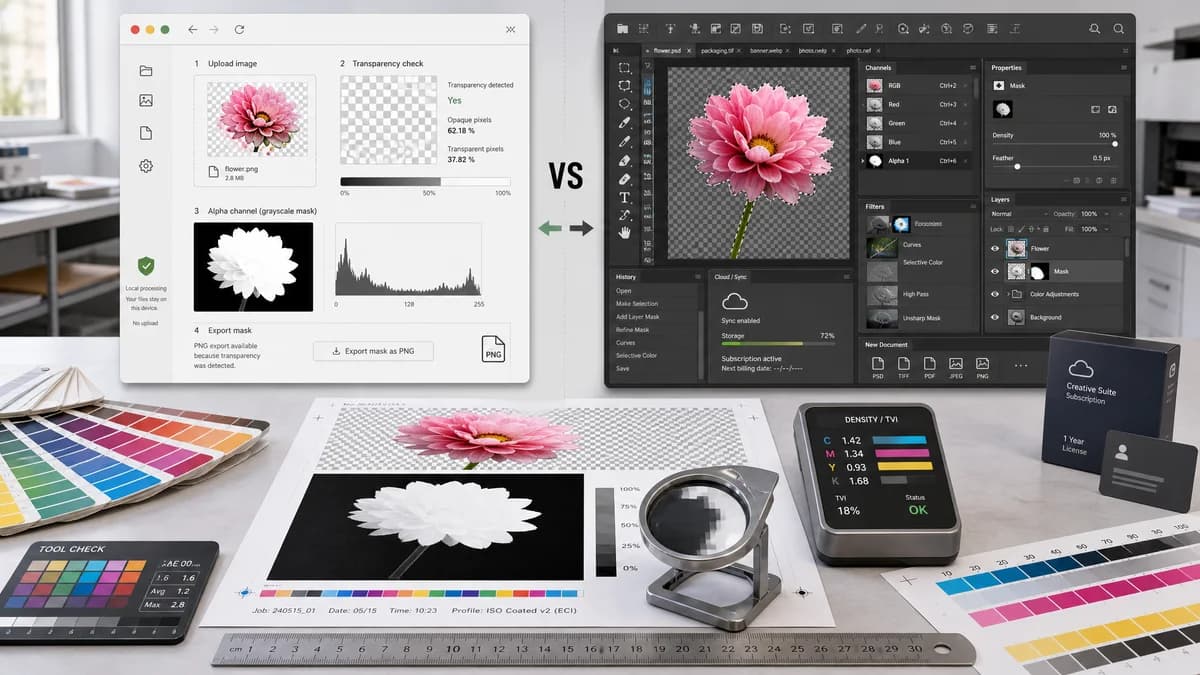
Why Alpha Channel Extractor fits
TextFaker Alpha Channel Extractor focuses on a narrower browser-local job: upload an image, inspect the existing alpha values, create a grayscale alpha mask preview, and export the mask as PNG when transparency exists.
What Adobe Photoshop offers
Photoshop is a comprehensive image editor with channels, selections, masks, painting tools, filters, and document formats for complex editing workflows.
Open alternative signals
Processing model
Alpha Channel ExtractorBrowser-local pixel decoding and alpha analysis
Adobe PhotoshopFull Adobe editing environment and document workflow
Primary output
Alpha Channel ExtractorGrayscale alpha mask PNG plus copyable alpha statistics
Adobe PhotoshopEditable masks, selections, alpha channels, and layered files
Best workflow shape
Alpha Channel ExtractorSingle-purpose upload, inspect, export
Adobe PhotoshopMulti-step creative editing and compositing
Privacy posture
Alpha Channel ExtractorDesigned so source image analysis can happen locally in the browser
Adobe PhotoshopDepends on installed app, Creative Cloud account, and chosen workflow
Decision guide
Quick alpha inspection, transparency statistics, and mask export without opening a full editor or uploading the file.
Complex retouching, manual mask painting, compositing, selection refinement, layered files, and professional production editing.
Side-by-side open source alternative comparison
| Decision point | Alpha Channel Extractor | Adobe Photoshop | Takeaway |
|---|---|---|---|
| Alpha extraction | Our workflowDirectly converts the image alpha channel into a grayscale mask preview and downloadable PNG. | Proprietary workflowCan view and edit channels, but extraction is part of a broader manual workflow. | TextFaker is faster for users who only need the alpha mask. |
| Statistics | Our workflowReports fully transparent, semi-transparent, and opaque counts and percentages. | Proprietary workflowPhotoshop exposes channel editing tools but does not present this narrow alpha audit as the main result. | TextFaker can make QA and handoff checks more explicit. |
| Access | Our workflowBrowser-based workflow with no full editor setup for simple inspection. | Proprietary workflowRequires Photoshop access and familiarity with channels and masks. | Photoshop is stronger for editing; TextFaker is simpler for inspection. |
| No-alpha behavior | Our workflowMissing alpha is informational and does not consume a successful extraction use. | Proprietary workflowA full editor can still create masks manually even when no alpha exists. | TextFaker keeps billing/access tied to value-producing extraction. |
| Copy/export | Our workflowOne copy-all result button and mask PNG export when useful. | Proprietary workflowExports depend on channel, selection, layer, and file-format choices. | TextFaker can reduce handoff friction for alpha QA. |
| Learning curve | Our workflowPurpose-built result labels for alpha values and transparency categories. | Proprietary workflowRequires understanding channels, masks, selections, and export formats. | TextFaker is approachable for designers, developers, and QA reviewers. |
Detailed research
Why compare it
Photoshop is the reference point for many users who know alpha channels as masks in a professional editor. A TextFaker alternative page acknowledges that Photoshop is much more capable, while making clear that the Alpha Channel Extractor solves a smaller inspection and export job faster.
- Useful for checking whether a PNG or WebP really contains transparent pixels.
- Useful for exporting a matte without manually navigating a channels panel.
- Useful for communicating alpha statistics to a designer, developer, or print vendor.
Positioning angle
The strongest angle is not replacing Photoshop. It is avoiding a full creative editing session when the user only needs to inspect, quantify, copy, and export the existing alpha channel.
- Mention browser-local processing.
- Mention grayscale mask output.
- Mention that no-transparency results are informational, not a paid extraction.
Implementation notes
Use Canvas ImageData to scan alpha bytes and create a grayscale mask where alpha 0 is black and alpha 255 is white. Keep the extracted mask full resolution and export it as lossless PNG.
- Count alpha value 0 as fully transparent.
- Count alpha values 1 through 254 as semi-transparent.
- Count alpha value 255 as opaque.
SEO intent
The page targets users searching for alpha channel extractor, extract alpha channel from image, alpha mask extractor, and image alpha channel extractor. These users usually want a utility result, not a tutorial about masks.
Research notes
- Adobe's official documentation says masks and channels are grayscale images and that selections can be saved as alpha channels.
- This is proprietary software with broad editing scope, so TextFaker does not compete as a full editor.
- The comparison emphasizes fast inspection of existing alpha data rather than manual mask creation.
Official source
The proprietary product link is included once here for source checking after the alternative analysis.
Official Adobe Photoshop source