
Open Source Alternatives to Affinity Photo
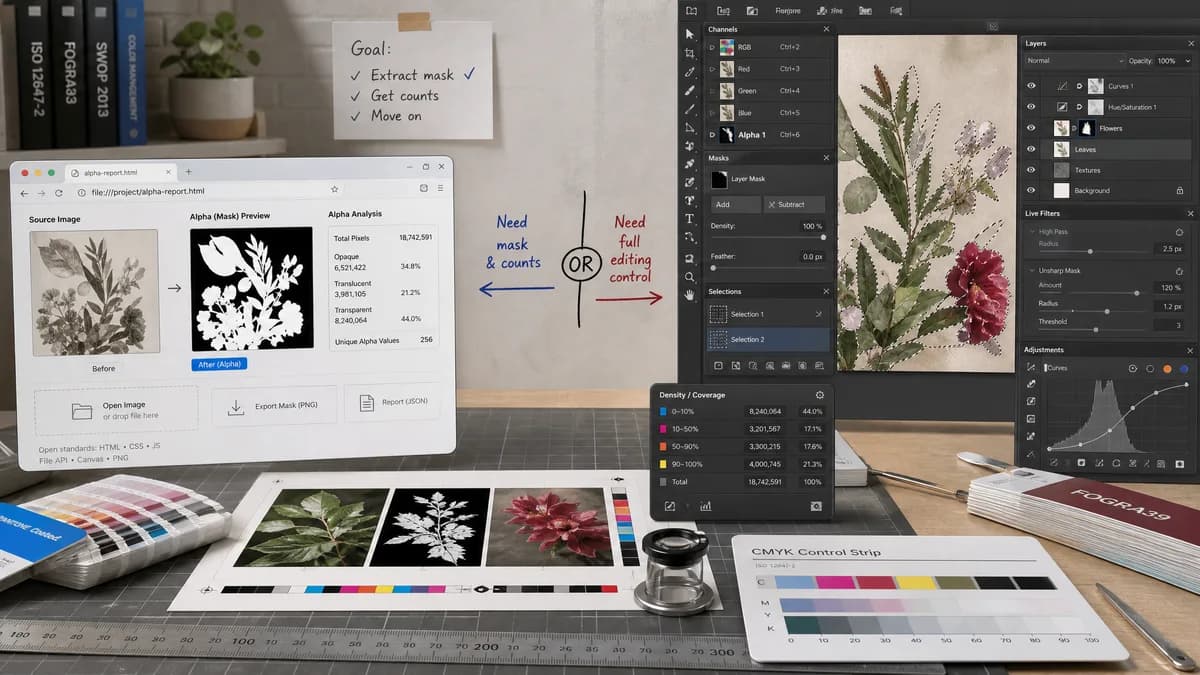
Alpha Channel Extractor is a browser-based alternative for users who need this focused result without installing a proprietary desktop app or entering a larger hosted workflow.
This research compares that workflow with Affinity Photo while keeping the outbound source link at the bottom after the analysis.
Why Alpha Channel Extractor fits
TextFaker provides a focused alpha extraction and reporting workflow for users who need the mask and counts without opening a professional editor.
What Affinity Photo offers
Affinity Photo is a full photo editor with channels, masks, selections, live filters, adjustments, and professional document editing.
Open alternative signals
Alpha access
Alpha Channel ExtractorAutomatically scans alpha on upload
Affinity PhotoAlpha appears in a Channels panel inside an editor
Output
Alpha Channel ExtractorMask preview, PNG download, and text report
Affinity PhotoEditable channels, selections, masks, and document state
Skill requirement
Alpha Channel ExtractorLow: upload and read the result
Affinity PhotoModerate: understand channels and mask workflows
Tool scope
Alpha Channel ExtractorUtility for inspection and export
Affinity PhotoFull creative editor
Decision guide
A fast alpha-channel mask export and numeric transparency audit for a single image.
Professional editing, retouching, complex masks, selections, and layered compositions.
Side-by-side open source alternative comparison
| Decision point | Alpha Channel Extractor | Affinity Photo | Takeaway |
|---|---|---|---|
| Workflow speed | Our workflowAlpha report appears after local decode and scan. | Proprietary workflowUser must navigate editor panels and export choices. | TextFaker is better for quick checks. |
| Precision reporting | Our workflowShows exact alpha category counts and percentages. | Proprietary workflowChannels are editable but not framed as an audit report. | TextFaker can provide clearer diagnostics. |
| Editing power | Our workflowLimited to extracting and exporting alpha mask data. | Proprietary workflowSupports detailed editing and mask manipulation. | Affinity Photo is better when the alpha needs manual repair. |
| File privacy | Our workflowDesigned for browser-local processing. | Proprietary workflowDesktop workflows can be local, but collaboration or cloud storage depends on user setup. | Both can support local work; TextFaker keeps it explicit. |
| Successful value | Our workflowOnly transparency-producing extraction triggers the shared access flow. | Proprietary workflowLicensing is unrelated to whether the specific file contains alpha. | TextFaker can align access with the result. |
| Handoff | Our workflowCopy-all result text can be pasted into QA notes. | Proprietary workflowThe editor output is more visual and file-based. | TextFaker makes alpha findings easy to communicate. |
Detailed research
Why compare it
Affinity Photo users may search for channel workflows when dealing with game textures, masks, and transparent PNGs. TextFaker targets the simpler case: extract the alpha channel that already exists.
- Useful before importing a texture into a larger editor.
- Useful when checking vendor-provided transparent assets.
- Useful when confirming whether an alpha mask has soft edges.
Positioning angle
The page states that Affinity Photo is better for editing and repairing masks. TextFaker is better for quick mask extraction, statistics, and export from a browser.
- Avoid broad replacement claims.
- Emphasize single-purpose clarity.
- Mention exact alpha categories.
Result design
Show dimensions, alpha-present status, transparent count, semi-transparent count, opaque count, percentages, and exported mask dimensions. The visual preview makes black, gray, and white meaning obvious through labels, not tutorial text inside the app.
Risk
Canvas decoding can normalize some formats or color handling, so tests focus on supported browser-decoded images and known PNG/WebP alpha fixtures.
- Document supported formats clearly.
- Handle decode failure cleanly.
Research notes
- Affinity's official help says the Channels panel displays color channels and the alpha channel for the whole image and selected layer.
- Affinity Photo is proprietary software with a much broader editing scope than a web utility.
- The alternative page highlights direct extraction and transparent pricing/access behavior.
Official source
The proprietary product link is included once here for source checking after the alternative analysis.
Official Affinity Photo source