
Open Source Alternatives to Corel PaintShop Pro
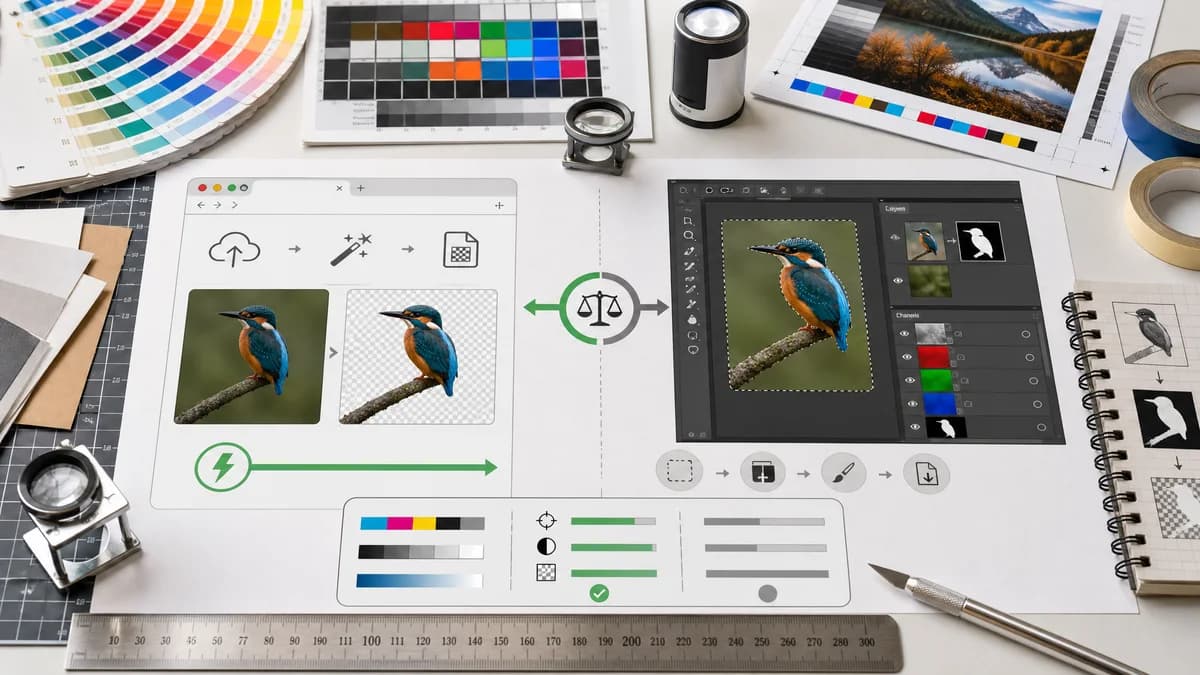
Alpha Channel Extractor is a browser-based alternative for users who need this focused result without installing a proprietary desktop app or entering a larger hosted workflow.
This research compares that workflow with Corel PaintShop Pro while keeping the outbound source link at the bottom after the analysis.
Why Alpha Channel Extractor fits
TextFaker provides immediate alpha-channel extraction from an existing image without requiring mask-layer setup or a desktop editor workflow.
What Corel PaintShop Pro offers
PaintShop Pro is a desktop photo editor with mask layers, selections, alpha channel storage, and image editing tools.
Open alternative signals
Mask workflow
Alpha Channel ExtractorReads alpha from a file automatically
Corel PaintShop ProCreates and saves masks through editor commands
Output
Alpha Channel ExtractorGrayscale alpha PNG and copyable stats
Corel PaintShop ProMask files, alpha channels, and editor documents
Best user
Alpha Channel ExtractorReviewer needing a quick alpha answer
Corel PaintShop ProEditor building or modifying a mask
Install need
Alpha Channel ExtractorBrowser tool
Corel PaintShop ProDesktop application
Decision guide
Quickly extracting a grayscale alpha mask and transparency percentages for design or QA review.
Creating, editing, saving, and reusing masks inside a larger image editing project.
Side-by-side open source alternative comparison
| Decision point | Alpha Channel Extractor | Corel PaintShop Pro | Takeaway |
|---|---|---|---|
| Existing alpha | Our workflowDetects and extracts existing alpha from decoded pixels. | Proprietary workflowCan store and manage masks and alpha channels in documents. | TextFaker is simpler for checking a finished asset. |
| Mask creation | Our workflowDoes not invent a new subject mask. | Proprietary workflowSupports mask creation and editing workflows. | PaintShop Pro is better for authoring masks. |
| Reporting | Our workflowGives transparent, semi-transparent, and opaque percentages. | Proprietary workflowDocumentation focuses on saving masks, not pixel-level alpha reports. | TextFaker can make transparency QA more explicit. |
| Export target | Our workflowExports the alpha channel as a grayscale PNG. | Proprietary workflowCan save masks to disk or alpha channels inside supported formats. | TextFaker keeps output format straightforward. |
| Access | Our workflowNo-alpha result is informational and does not consume successful extraction access. | Proprietary workflowDesktop licensing does not depend on file alpha outcome. | TextFaker can provide fairer behavior for diagnostic misses. |
| Learning curve | Our workflowNo need to understand PaintShop Pro mask menus. | Proprietary workflowRequires editor-specific mask commands. | TextFaker is better for occasional users. |
Detailed research
Why compare it
PaintShop Pro represents a classic desktop photo-editor workflow where alpha channels are tied to masks and selections. TextFaker is framed as a smaller utility for users who already have an image file and need the alpha mask extracted.
- Good comparison for users searching mask-to-alpha concepts.
- Good comparison for Windows photo-editing audiences.
- Good opportunity to explain alpha as grayscale opacity data.
Positioning angle
The copy says that PaintShop Pro is useful when you need to create or edit masks, while TextFaker is useful when you need to verify and export the existing alpha channel.
- Focus on speed and clarity.
- Do not overstate editing capabilities.
- Include QA and handoff examples.
Feature notes
The implementation displays alpha counts even when the image is fully opaque, but reserve paid or free-use consumption for value-producing extraction where transparency exists.
Content sections
Useful sections include how alpha masks work, why semi-transparent edge pixels matter, and when an image has no alpha channel despite looking transparent on a checkerboard background.
- Checkerboard backgrounds can be baked into RGB.
- JPEG outputs are normally opaque after browser decode.
- PNG and WebP are common transparency formats.
Research notes
- Corel's official documentation says masks can be saved to disk or to an alpha channel and explains that alpha channels store mask and selection data.
- Corel PaintShop Pro is proprietary software for broader photo editing.
- TextFaker differentiates existing alpha extraction from mask authoring.
Official source
The proprietary product link is included once here for source checking after the alternative analysis.
Official Corel PaintShop Pro source