
Open Source Alternatives to Photopea
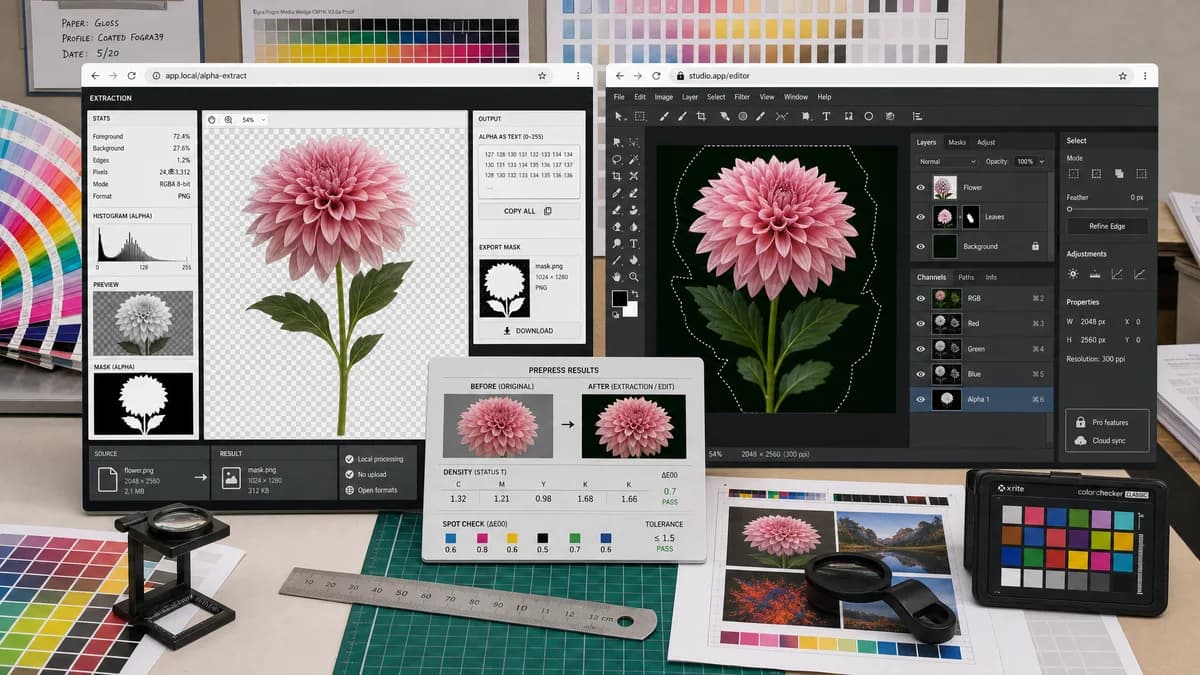
Alpha Channel Extractor is a browser-based alternative for users who need this focused result without installing a proprietary desktop app or entering a larger hosted workflow.
This research compares that workflow with Photopea while keeping the outbound source link at the bottom after the analysis.
Why Alpha Channel Extractor fits
TextFaker offer a narrower browser-local alpha extraction flow with statistics, preview, copy-all text output, and mask PNG export.
What Photopea offers
Photopea supports channel viewing, channel editing, masks, selections, and full image editing inside the browser.
Open alternative signals
Processing model
Alpha Channel ExtractorBrowser-local single-purpose alpha scan
PhotopeaBrowser-based full image editor
Primary output
Alpha Channel ExtractorAlpha mask preview, PNG export, and text statistics
PhotopeaEditable document with channels and masks
User intent fit
Alpha Channel ExtractorBest for alpha extraction and verification
PhotopeaBest for editing pixels, layers, and selections
Result complexity
Alpha Channel ExtractorOne upload creates one structured alpha result
PhotopeaRequires using editor panels and export choices
Decision guide
Fast extraction and reporting of alpha-channel data from an uploaded image.
Layer editing, PSD-style workflows, manual mask edits, and general-purpose browser image editing.
Side-by-side open source alternative comparison
| Decision point | Alpha Channel Extractor | Photopea | Takeaway |
|---|---|---|---|
| Channel visibility | Our workflowAlpha mask is presented directly as the main result. | Proprietary workflowChannels are available inside an editor panel. | TextFaker can remove navigation steps for users who only need alpha. |
| Transparency metrics | Our workflowShows exact counts and percentages for transparent, semi-transparent, and opaque pixels. | Proprietary workflowPhotopea focuses on editing, not a statistics-first alpha report. | TextFaker can serve QA and developer workflows better. |
| Editing scope | Our workflowDoes not aim to edit the image beyond exporting the alpha mask. | Proprietary workflowSupports painting, adjustments, filters, masks, and layer editing. | Photopea remains better for creative changes. |
| Download result | Our workflowExports a grayscale alpha mask PNG when useful. | Proprietary workflowOutput depends on document and export workflow. | TextFaker keeps export direct and predictable. |
| Access flow | Our workflowSuccessful extraction is the value-producing event; no-alpha images are informational. | Proprietary workflowGeneral editor access does not map to this exact extraction outcome. | TextFaker access logic matches the narrower utility value. |
| Copy results | Our workflowProvides one copy-all result button for alpha details. | Proprietary workflowUsers typically inspect or export visually from the editor. | TextFaker can make results easier to paste into tickets or handoff notes. |
Detailed research
Why compare it
Photopea is likely to appear in searches from users who want Photoshop-like browser channel tools. The comparison emphasizes that TextFaker is not a full image editor; it is a direct alpha-channel extractor.
- Photopea is stronger for editing.
- TextFaker is stronger for one-click alpha reporting.
- Both are browser-accessible, but the workflows are different.
Positioning angle
A strong page can explain that users who only need an alpha mask do not need to learn a channels panel. TextFaker provides a clean grayscale result and precise alpha counts immediately after upload.
- Use upload, decode, scan, preview, export language.
- Avoid claiming open-source status for TextFaker itself.
- Use open-source-powered and browser-based phrasing.
Content cautions
Photopea is highly capable, so the copy does not frame it as inferior. The practical distinction is scope: editor versus utility.
Test ideas
Include fixtures with fully opaque JPEG-like output, PNG with binary transparency, and PNG with anti-aliased semi-transparent edges. Verify that no-alpha results do not count as paid extractions.
- Assert copy-all contains dimensions and alpha counts.
- Assert mask PNG appears only when useful.
- Assert semi-transparent percentages round consistently.
Research notes
- Photopea's official documentation states that a channel is a raster image with one value per pixel and that transparency values can be part of an image.
- Photopea is proprietary software even though it runs in the browser.
- The alternative page avoids implying TextFaker has Photopea's full editing feature set.
Official source
The proprietary product link is included once here for source checking after the alternative analysis.
Official Photopea source