
Open Source Alternatives to Pixelmator Pro
Alpha Channel Extractor is a browser-based alternative for users who need this focused result without installing a proprietary desktop app or entering a larger hosted workflow.
This research compares that workflow with Pixelmator Pro while keeping the outbound source link at the bottom after the analysis.
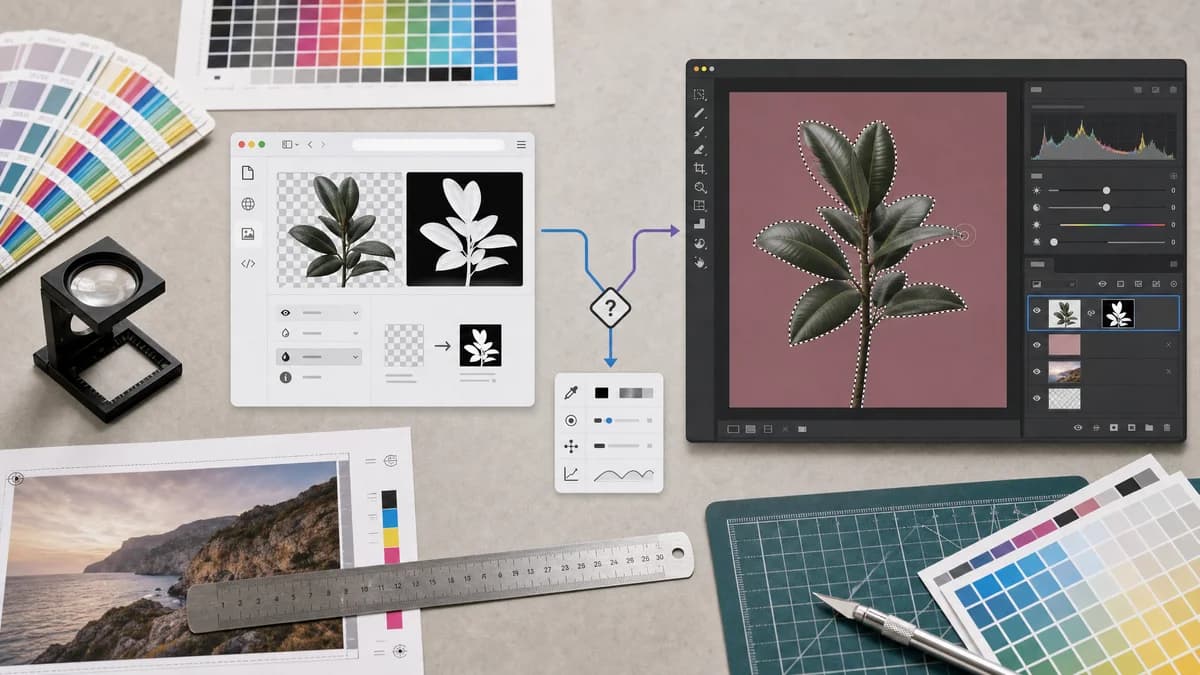
Why Alpha Channel Extractor fits
TextFaker serves users who only need to extract and inspect the alpha channel from an image in the browser.
What Pixelmator Pro offers
Pixelmator Pro is a Mac image editor with masks, selections, machine-learning editing tools, and layered image workflows.
Open alternative signals
Platform
Alpha Channel ExtractorBrowser-based
Pixelmator PromacOS desktop app
Workflow
Alpha Channel ExtractorUpload, scan alpha, preview mask, export PNG
Pixelmator ProLayer and mask editing inside a Mac editor
Output focus
Alpha Channel ExtractorDiagnostic result and extracted mask
Pixelmator ProEdited image documents and exports
Use frequency
Alpha Channel ExtractorGood for occasional checks
Pixelmator ProGood for ongoing editing work
Decision guide
Alpha mask extraction, transparency reporting, and browser-local QA for a single image file.
Mac-native editing, mask refinement, retouching, and creative image work.
Side-by-side open source alternative comparison
| Decision point | Alpha Channel Extractor | Pixelmator Pro | Takeaway |
|---|---|---|---|
| Alpha inspection | Our workflowReports alpha existence and pixel categories immediately. | Proprietary workflowMask tools exist inside a broader editing workflow. | TextFaker is more direct for inspection. |
| Mask editing | Our workflowDoes not provide manual brush or selection refinement. | Proprietary workflowProvides editor controls for modifying masks. | Pixelmator Pro is better for fixing the asset. |
| Export | Our workflowExports extracted alpha as grayscale PNG. | Proprietary workflowExports edited images from the editor workflow. | TextFaker output is narrower and easier to reason about. |
| Access model | Our workflowBrowser utility that does not charge for no-transparency diagnostics. | Proprietary workflowCommercial app access is independent of per-file outcome. | TextFaker can align value with extraction success. |
| Collaboration | Our workflowCopy-all text result supports simple handoff. | Proprietary workflowHandoff typically happens through exported images or project files. | TextFaker can be better for tickets and asset-review notes. |
| Setup | Our workflowNo Mac app workflow required. | Proprietary workflowRequires Pixelmator Pro and user familiarity. | TextFaker is easier for non-editors. |
Detailed research
Why compare it
Pixelmator Pro is relevant for Mac users who know masks from photo editing but only need to inspect transparency in a supplied file. The TextFaker page keeps the distinction clear.
- Editor for changing masks.
- Utility for extracting existing alpha.
- Browser workflow for quick asset checks.
Positioning angle
The best positioning is practical: when you need a quick grayscale matte and alpha statistics, use TextFaker; when you need to paint, refine, or redesign the mask, use an editor.
- Use transparent, semi-transparent, opaque terminology.
- Mention PNG export for the extracted mask.
- Mention local image handling.
UI expectations
The result shows original image preview and alpha mask preview side by side or through a clear toggle. Download is disabled or absent when no useful mask exists.
SEO note
Search copy includes alpha mask extractor and extract alpha channel from image because users may not search for a Mac editor by name when they only need this conversion.
Research notes
- Pixelmator's official support guide documents mask workflows in Pixelmator Pro.
- Pixelmator Pro is proprietary software and is not just an alpha inspection utility.
- The comparison focuses on mask extraction versus mask editing.
Official source
The proprietary product link is included once here for source checking after the alternative analysis.
Official Pixelmator Pro source