
Character Counter
Character Counter is a focused browser tool for writers, product teams, and support teams that counts characters with space-aware and trimmed views without opening a full writing suite.
Paste text, review character totals for drafts, fields, and message limits, and use the result as a repeatable checkpoint before editing, publishing, or sharing.
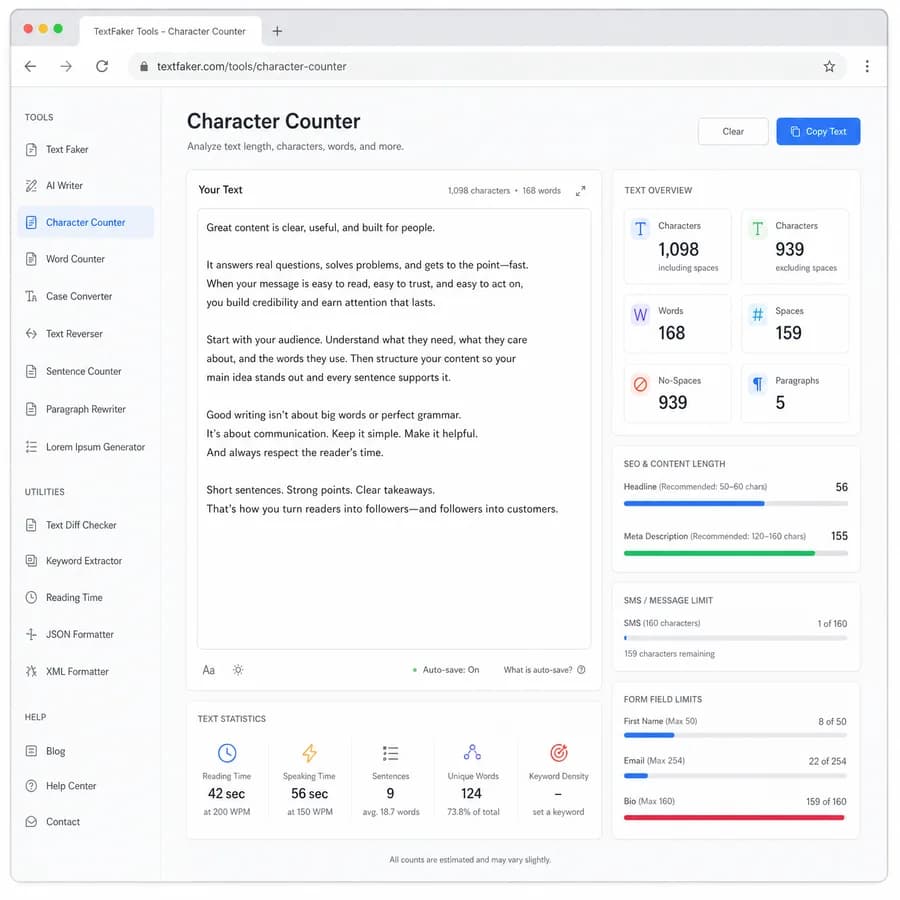
Character Counter Guide
How Character Counter Works
Character Counter accepts pasted text, counts characters with space-aware and trimmed views, and presents character totals for drafts, fields, and message limits in a compact browser workflow.
- Review character totals before publishing or sending.
- Compare drafts using the same measurement rules.
- Keep the calculation separate from rewriting decisions.
When To Use It
Use the tool when writers, product teams, and support teams need a quick, repeatable check before moving text into an editor, CMS, social composer, or review queue.
What To Check Next
After the character result is known, compare the draft against the relevant limit, style rule, or readability target. The metric is a decision aid, not a replacement for editorial judgment.
Compare Character Counter
Review this tool beside related online utilities, dedicated apps, and adjacent workflows.
Compare Character Counter with other toolsOpen Source Alternatives
Compare this focused browser workflow with proprietary software and online tools that solve similar jobs.
View Character Counter open source alternatives