
DPI/PPI Metadata Checker
DPI/PPI Metadata Checker helps you check embedded image density metadata such as DPI, PPI, JFIF density, EXIF resolution, TIFF resolution, and PNG pHYs values.
Check image DPI online before printing, uploading, exporting, or handing off files, and see when an image has pixel dimensions but no real DPI/PPI metadata.
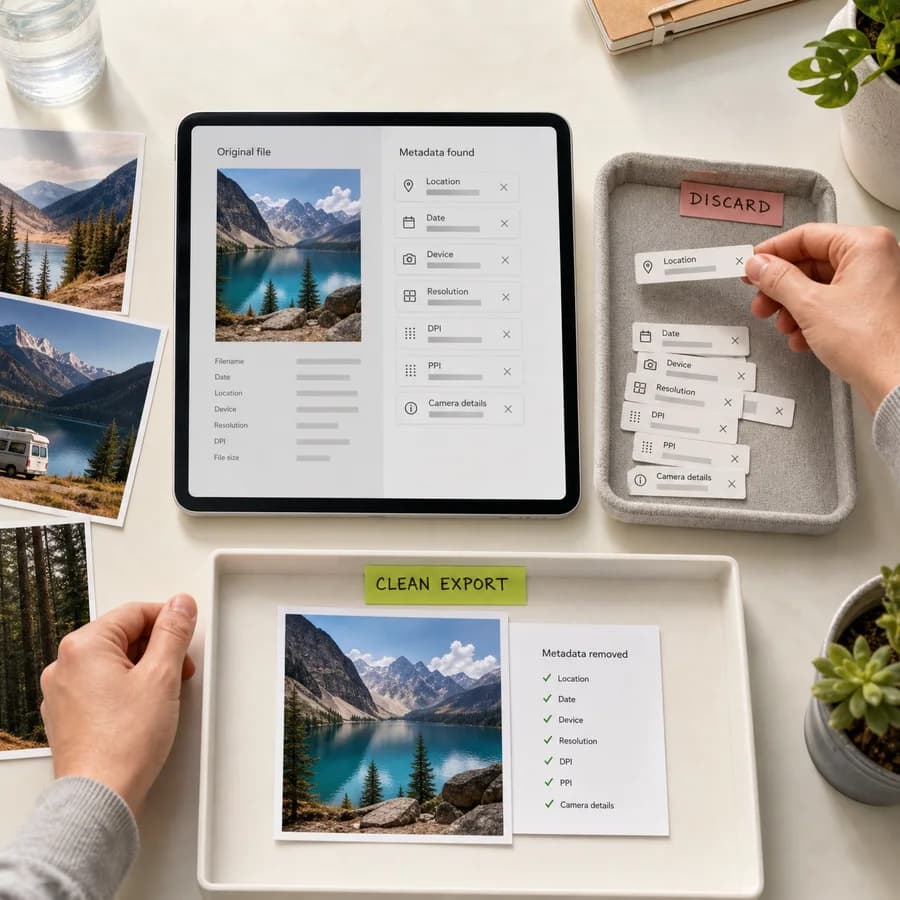
Supported image types
DPI/PPI metadata can come from different image containers. This checker reads density tags where the selected file format stores them.
Choose an image
JPG, JPEG, PNG, WebP, TIFF, and TIF files up to 100 MB.
DPI/PPI result
Pixel size, embedded density metadata, and print-size estimates.
DPI/PPI Metadata Guide
What DPI/PPI metadata means
Raster images always have pixel dimensions, but they may or may not store density metadata. DPI and PPI metadata is a scale hint that tells print and layout software how many image pixels should map to an inch or centimeter. It does not add detail to the pixels and it does not prove that an image is sharp enough for a particular print size.
Different image formats store this hint in different places. JPEG files can carry JFIF density and EXIF XResolution, YResolution, and ResolutionUnit tags. PNG files can carry pHYs pixels-per-unit values, usually pixels per meter. TIFF files use resolution tags directly, and WebP can carry EXIF resolution metadata.
- JPG and JPEG: JFIF density plus EXIF resolution tags when present.
- PNG: pHYs physical pixel dimensions, converted from pixels per meter to PPI when the unit is meters.
- TIFF and TIF: XResolution, YResolution, and ResolutionUnit tags.
- WebP: EXIF resolution tags when the WebP file carries an EXIF chunk.
How to read the result
The most useful result is the converted PPI value when the file stores an absolute unit such as inches, centimeters, or meters. If the result says aspect ratio or no absolute unit, the file has a density-like record but not a real DPI/PPI value. If no density metadata is found, the image can still be perfectly valid; it simply does not tell print software a preferred physical size.
Print-size estimates are calculated from pixel dimensions and the detected or assumed PPI. For example, a 3000 pixel wide image is 10 inches wide at 300 PPI, but 20 inches wide at 150 PPI. Changing only the DPI/PPI metadata changes the suggested physical size, not the number of pixels.
- Use pixel dimensions to judge available detail.
- Use embedded PPI to understand the file's suggested print scale.
- Use 300 PPI and 150 PPI estimates as practical print-planning references.
- Treat missing DPI/PPI as a normal metadata result, not automatically as a bad image.
Limits of browser DPI/PPI checking
This checker reads common density metadata from supported image containers. It does not resample the image, change the DPI/PPI tag, convert color profiles, validate print quality, or guarantee how every design, print, or upload platform will interpret the file. Some apps ignore embedded density metadata and use their own defaults.
For production print work, confirm the required pixel dimensions, target physical size, color profile, bleed, and export settings with the receiving print or design workflow. DPI/PPI metadata is only one part of that handoff.
- A high PPI tag does not make a low-pixel image sharper.
- A missing PPI tag does not mean the image has no pixels or no quality.
- Some web platforms strip or rewrite density metadata during optimization.
- Keep the original file when print size or metadata interpretation matters.