
Grayscale Converter vs BeFunky
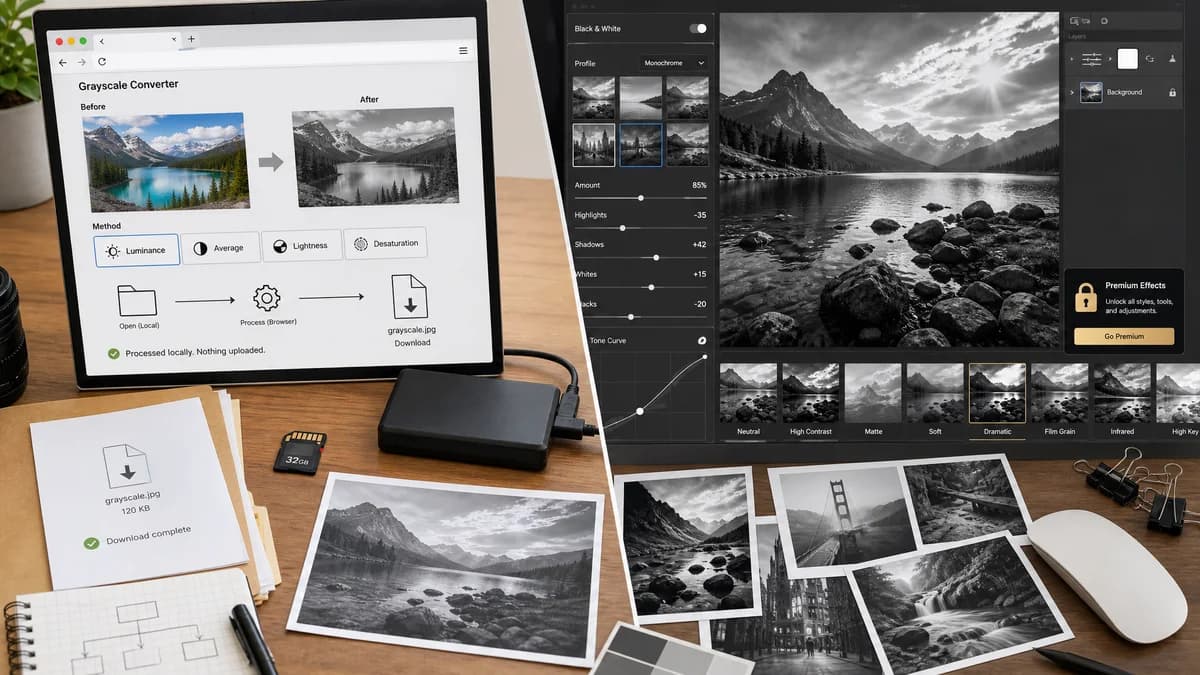
Grayscale Converter is the baseline in this comparison: Convert an uploaded image to grayscale in your browser, compare the original and converted result, then download the black-and-white output without sending the file to a server.
BeFunky offers customizable Black and White effects inside its Photo Editor, with the documented feature available to Plus subscribers.
Quick verdict
BeFunky is better for premium creative black-and-white effects. TextFaker is better for simple local conversion and technical grayscale method clarity.
How Grayscale Converter fits
TextFaker Grayscale Converter provides a direct browser-local grayscale utility with deterministic options and a download path, rather than a subscription photo-effect workflow.
How BeFunky fits
BeFunky's help center documents Black and White effects with several styles, intensity adjustment, settings such as highlights and shadows, and notes that the tool is available for BeFunky Plus subscribers.
Side-by-side comparison
| Decision point | Grayscale Converter | BeFunky | Takeaway |
|---|---|---|---|
| Access | Our workflowshared TextFaker access/paywall flow | Competitor workflowHelp page states Black and White tool is available for Plus subscribers | Both may have access considerations; compare what users receive. |
| Effect style | Our workflowDeterministic grayscale formulas implemented | Competitor workflowSeveral creative Black and White effects | BeFunky is more stylistic; TextFaker is more utility-focused. |
| Adjustments | Our workflowCore conversion controls, with optional simple adjustments if scoped | Competitor workflowAmount, tone, highlights, and shadows controls documented | BeFunky has more photo-editing controls. |
| Processing model | Our workflowbrowser-local conversion | Competitor workflowPhoto editor workflow; local-only conversion is not established by the cited help page | TextFaker makes privacy easier to understand. |
| Preview | Our workflowbefore/after conversion preview | Competitor workflowPreview inside the editor before applying effects | Both rely on visual judgment, but TextFaker can keep it simpler. |
| Audience | Our workflowPeople who need a converted image file quickly | Competitor workflowPeople editing the look and mood of a photo | The comparison is designed to separate conversion from creative treatment. |
Use Grayscale Converter when
- Direct utility conversion
- Users who do not need a creative effect library
- Formula-based grayscale output
- Privacy-focused image handling
Use BeFunky when
- Creative photo effects
- Multiple black-and-white styles
- Highlight and shadow adjustments
- BeFunky Plus users
Detailed comparison
Creative Effects
BeFunky is not just converting pixels to gray; its documented workflow includes stylized effects and photo-adjustment controls. TextFaker avoids pretending to be a full photo editor.
- Position TextFaker as a utility.
- Credit BeFunky for creative controls.
Access Comparison
Because BeFunky documents the Black and White tool as a Plus feature, TextFaker's shared access flow is designed to be explained clearly and not hidden behind confusing UI states.
- Show locked states consistently.
- Use shared access/paywall components.
- Keep preview behavior predictable.
Technical Difference
TextFaker can add value by describing how luminance and average conversion differ, which is different from a subjective black-and-white photo effect.
- Add formula tooltips or concise explanations.
- Show output metadata after conversion.
Verification
Tests is designed to ensure conversion output does not depend on visual filters alone; pixel data must be updated before download.
- Inspect canvas output in tests.
- Verify all RGB channels are equal after conversion.
- Verify alpha preservation where supported.
Research notes
- BeFunky help center states the Black and White tool is available for Plus subscribers and includes effect settings.
- The comparison distinguishes grayscale conversion from creative black-and-white effects.
- Generated images can show a neutral utility result, not stylized film looks that imply BeFunky-like effect depth.
Official source
The only outbound competitor link on this page is placed here for source checking after the comparison.
Official BeFunky source