
Grayscale Converter vs GrayscaleImage.org
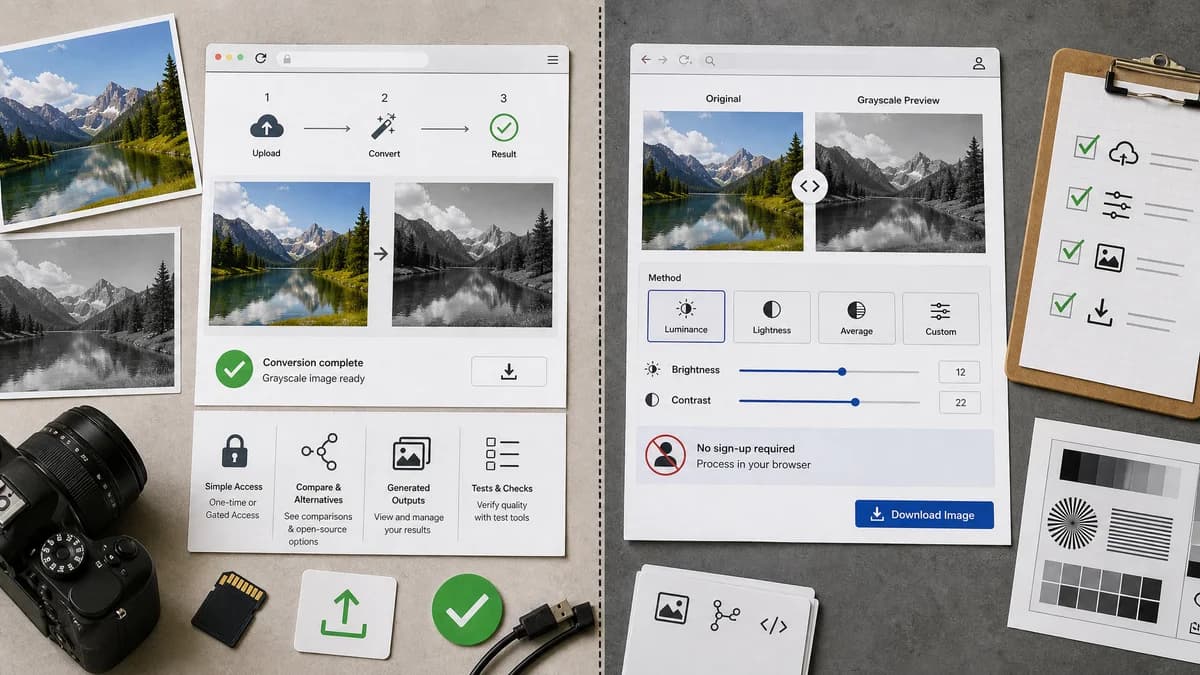
Grayscale Converter is the baseline in this comparison: Convert an uploaded image to grayscale in your browser, compare the original and converted result, then download the black-and-white output without sending the file to a server.
GrayscaleImage.org is a dedicated browser-based grayscale converter with multiple methods and side-by-side preview.
Quick verdict
This is one of the closest direct competitors. TextFaker must compete through polish, trustworthy implementation, clear access flow, richer comparison content, and verified behavior.
How Grayscale Converter fits
TextFaker Grayscale Converter matches the dedicated utility pattern while integrating with TextFaker's shared upload, access/paywall, SEO, comparisons, open-source alternative pages, generated imagery, tests, and verification workflow.
How GrayscaleImage.org fits
GrayscaleImage.org states that it processes images in the browser, supports JPG, PNG, and WebP, shows original and grayscale versions side by side, offers four conversion methods, brightness and contrast controls, and requires no signup.
Side-by-side comparison
| Decision point | Grayscale Converter | GrayscaleImage.org | Takeaway |
|---|---|---|---|
| Directness | Our workflowdedicated grayscale converter | Competitor workflowDedicated grayscale converter | The comparison is close and is designed to be specific. |
| Local processing | Our workflowbrowser-local conversion | Competitor workflowOfficial page states browser processing and no upload | TextFaker cannot rely on privacy alone to differentiate. |
| Methods | Our workflowluminance and average-style methods when appropriate | Competitor workflowOfficial page states four conversion methods | TextFaker is designed to name and explain its method set clearly. |
| Adjustments | Our workflowOptional brightness or contrast controls are outside the current focused scope if they fit scope | Competitor workflowIncludes brightness and contrast controls | TextFaker defines whether it is a converter only or includes light correction. |
| Preview | Our workflowbefore/after preview | Competitor workflowSide-by-side original and grayscale preview | TextFaker needs equivalent preview quality. |
| Ecosystem | Our workflowPart of TextFaker registry with comparisons, alternatives, tests, and verification | Competitor workflowStandalone utility page | TextFaker can differentiate through content depth and tool consistency. |
Use Grayscale Converter when
- Users already using TextFaker tools
- Shared tool ecosystem and access flow
- Tested local conversion behavior
- SEO pages with comparisons and alternatives
Use GrayscaleImage.org when
- Users wanting a dedicated no-signup grayscale converter
- Browser-local conversion with multiple methods
- Brightness and contrast adjustments
- Simple side-by-side conversion
Detailed comparison
Closest Match
GrayscaleImage.org overlaps strongly with the proposed TextFaker tool: local processing, multiple methods, preview, and download. The comparison page is designed to be factual and avoid weak differentiation.
- Acknowledge that both are dedicated utilities.
- Focus on TextFaker's shared ecosystem and verification.
Must-Have Features
To be credible against this competitor, TextFaker includes before/after preview, method choices, and no confusing editor workflow.
- Add side-by-side preview.
- Add method switcher.
- Add direct download.
Optional Controls
Brightness and contrast adjustments appear in the competing utility. TextFaker can either include them as secondary controls or explicitly stay focused on pure grayscale conversion.
- If included, test adjustment order.
- If excluded, explain the tool is for conversion rather than retouching.
Content Strategy
The SEO page can be stronger by explaining formulas, privacy, file formats, alpha channel behavior, and limitations.
- Create comparison pages.
- Create open-source alternatives pages.
- Use generated before/after images that demonstrate formulas.
Research notes
- Official page states no signup, no upload, no watermarks, JPG/PNG/WebP support, four methods, and side-by-side preview.
- Because this competitor is so close, implementation quality and test coverage are important differentiators.
- Do not claim a unique local-processing advantage against this competitor; it also markets local processing.
Official source
The only outbound competitor link on this page is placed here for source checking after the comparison.
Official GrayscaleImage.org source