
Grayscale Converter vs PNGMaster
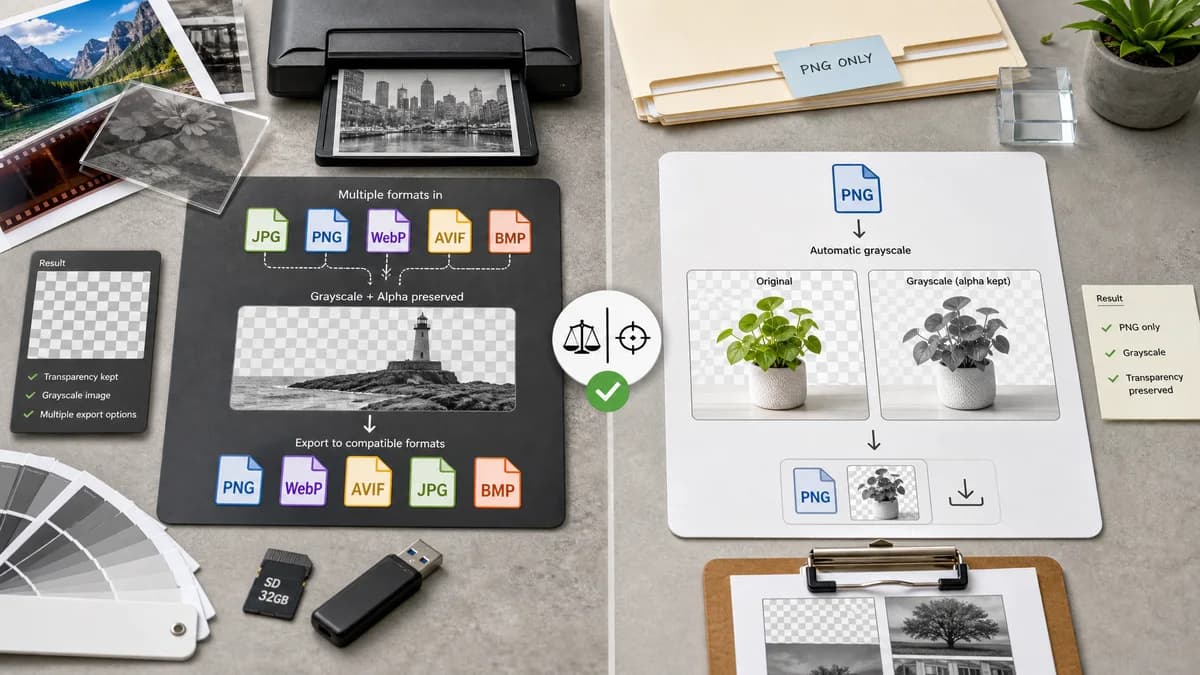
Grayscale Converter is the baseline in this comparison: Convert an uploaded image to grayscale in your browser, compare the original and converted result, then download the black-and-white output without sending the file to a server.
PNGMaster offers a grayscale PNG tool focused on converting PNG files while retaining PNG format and transparency.
Quick verdict
PNGMaster is a good fit for PNG-only grayscale conversion. TextFaker is broader by supporting JPG, PNG, WebP, AVIF, and BMP where feasible, while still handling alpha carefully.
How Grayscale Converter fits
TextFaker Grayscale Converter uses common image inputs beyond PNG where browser decoding allows, while preserving transparency for formats with alpha when exporting to compatible outputs.
How PNGMaster fits
PNGMaster's page describes uploading a PNG, automatic grayscale processing, previewing the original and grayscale PNG, downloading the result, and retaining the PNG format including transparency.
Side-by-side comparison
| Decision point | Grayscale Converter | PNGMaster | Takeaway |
|---|---|---|---|
| Format focus | Our workflowsupport for multiple browser-decodable raster formats | Competitor workflowPNG-focused grayscale conversion | TextFaker can serve a wider set of inputs. |
| Transparency | Our workflowShould preserve alpha where supported by canvas export | Competitor workflowOfficial page says PNG transparency is retained | TextFaker must test alpha preservation. |
| Conversion modes | Our workflowluminance and average-style modes | Competitor workflowAutomatic grayscale conversion described | TextFaker can expose more technical control. |
| Preview | Our workflowbefore/after preview | Competitor workflowOfficial page describes original and grayscale preview | Both is designed to satisfy visual review needs. |
| Output control | Our workflowShould offer appropriate output choices such as PNG for alpha-sensitive images | Competitor workflowKeeps PNG output | TextFaker guides users toward PNG when transparency matters. |
| Audience | Our workflowGeneral image utility users | Competitor workflowPNG tool-suite users | The comparison emphasizes generality versus PNG specialization. |
Use Grayscale Converter when
- Users converting common image formats, not only PNG
- People who want formula choices
- Browser-local conversion with shared TextFaker UI
- Users comparing before and after across file types
Use PNGMaster when
- PNG-only conversion
- Users who care about PNG transparency retention
- Simple upload-convert-download flow
- People using a PNG-focused tool suite
Detailed comparison
PNG Specialty
PNGMaster is useful for users who specifically need grayscale PNG output. TextFaker can compete by supporting more input formats without neglecting PNG alpha behavior.
- Mention PNGMaster's transparency strength.
- Make TextFaker's format support explicit.
Alpha Handling
A grayscale conversion is designed to change RGB channels while leaving alpha unchanged. This is especially important for PNG assets, logos, overlays, and UI images.
- Test fully transparent pixels.
- Test semi-transparent pixels.
- Prefer PNG output when transparency exists.
UX Notes
TextFaker detects source transparency where possible and warn users before exporting to a format that drops alpha.
- Show output format selector.
- Show dimensions and output size.
- Disable invalid download states.
SEO Notes
The comparison page can target PNG grayscale and transparent PNG grayscale searches while explaining that TextFaker also handles non-PNG inputs.
- Add transparent PNG FAQ content.
- Add file format limitations.
- Link to related image tools in the registry.
Research notes
- PNGMaster official page states PNG upload, preview, download, and transparency retention.
- This is an adjacent specialized competitor rather than a full general grayscale converter.
- TextFaker tests includes alpha channel preservation to compete credibly.
Official source
The only outbound competitor link on this page is placed here for source checking after the comparison.
Official PNGMaster source