
Open Source Alternatives to Adobe Photoshop
Grayscale Converter is a browser-based alternative for users who need this focused result without installing a proprietary desktop app or entering a larger hosted workflow.
This research compares that workflow with Adobe Photoshop while keeping the outbound source link at the bottom after the analysis.
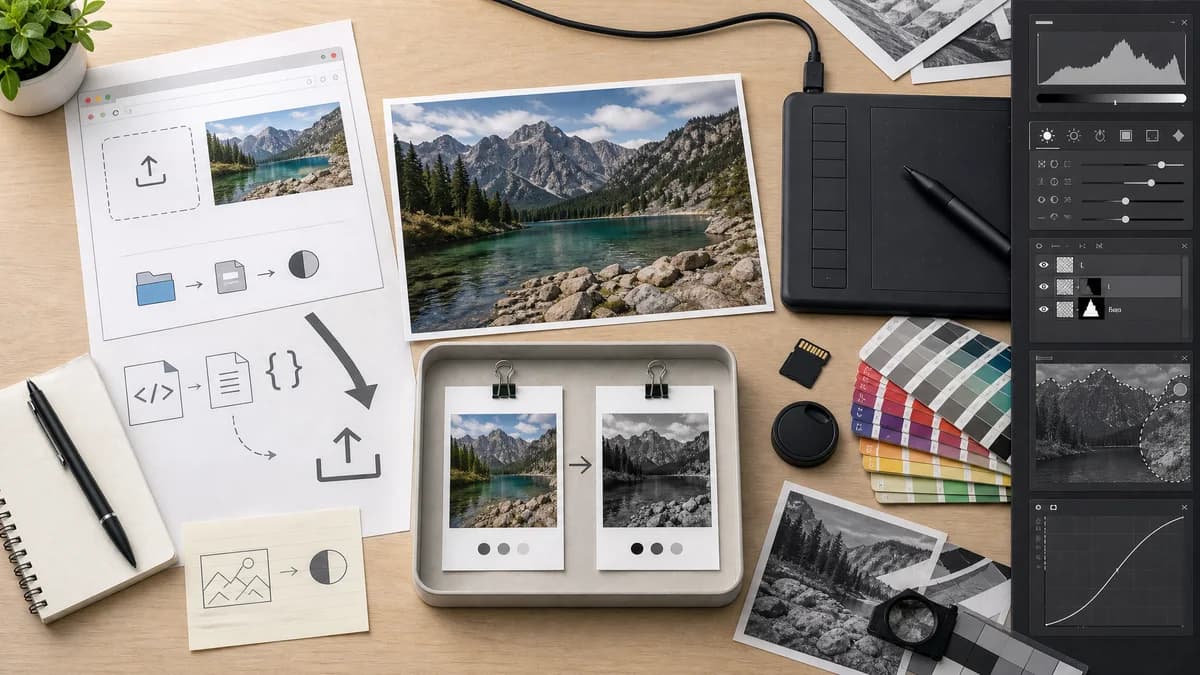
Why Grayscale Converter fits
TextFaker provides a fast grayscale export path for users who simply need a converted image. It is designed to not claim to match Photoshop's professional selection, adjustment, masking, and color-management capabilities.
What Adobe Photoshop offers
Adobe Photoshop provides black-and-white conversion through professional image adjustment workflows documented by Adobe.
Open alternative signals
Source and openness
Grayscale ConverterBrowser-based and open-source-powered through standard Canvas, File, and image APIs; no full public source or self-hosted distribution is claimed here.
Adobe PhotoshopProprietary product or hosted editor workflow.
Deployment and setup
Grayscale ConverterRuns from the Grayscale Converter page in a web browser with no desktop editor install for the conversion step.
Adobe PhotoshopUses the proprietary product workspace, hosted editor, or installed application.
Pricing shape
Grayscale ConverterOne free anonymous successful use, one more after signup, then one lifetime unlock for all TextFaker tools.
Adobe PhotoshopUses the proprietary product pricing, subscription, account, or free-tier model.
Data control
Grayscale ConverterImage pixels are decoded and converted locally in the browser for the core grayscale workflow.
Adobe PhotoshopFile handling follows the proprietary product or hosted editor model.
Product depth
Grayscale ConverterSingle-purpose grayscale converter.
Adobe PhotoshopProfessional image editing application.
Workflow
Grayscale ConverterBrowser upload, conversion mode, before/after preview, download.
Adobe PhotoshopDesktop editing workflow with adjustments and layers.
Decision guide
Quick browser-local conversion with simple options and a downloadable result.
Professional retouching, layered edits, adjustment controls, masks, and production image workflows.
Side-by-side open source alternative comparison
| Decision point | Grayscale Converter | Adobe Photoshop | Takeaway |
|---|---|---|---|
| Feature scope | Our workflowFocused on grayscale conversion only. | Proprietary workflowFull professional image editing suite. | Photoshop is more powerful; TextFaker is faster for the narrow task. |
| Installation | Our workflowRuns in the browser. | Proprietary workflowDesktop application workflow. | A web utility removes setup for occasional conversions. |
| Precision controls | Our workflowformula-based modes for predictable output. | Proprietary workflowAdvanced black-and-white adjustment tools with creative control. | Photoshop wins on nuanced editing; TextFaker wins on simplicity. |
| Privacy | Our workflowCore conversion is local in the browser. | Proprietary workflowPhotoshop runs locally as desktop software, with Adobe ecosystem integrations depending on user workflow. | Do not overstate privacy versus desktop software; emphasize browser convenience and no server-side conversion. |
| Output speed | Our workflowDirect converted file download after preview. | Proprietary workflowSave/export through a professional editor. | TextFaker is more direct for one file. |
| Testing | Our workflowFormula output can be tested with fixed pixels. | Proprietary workflowPhotoshop adjustment behavior is proprietary and richer. | TextFaker tests deterministic behavior rather than emulate Photoshop. |
Detailed research
Why compare Photoshop and TextFaker
Photoshop is a major reference point for black-and-white conversion, and Adobe provides official documentation for the workflow. Many users, however, do not need a professional editor just to make an image grayscale.
- Be explicit that TextFaker is not a full Photoshop replacement.
- Compare only the grayscale conversion use case.
- Mention browser convenience and direct output.
Implementation implications
TextFaker is designed to provide predictable conversion rather than Photoshop-style creative adjustment depth. Luminance and average modes are enough for the utility, especially with before/after preview.
Content notes
The alternative page can explain that professional editors are better for layered image work, masking, local adjustments, and print production, while TextFaker is better for simple browser conversion.
Verification notes
Tests avoids snapshotting visual claims against Photoshop. Instead, verify TextFaker's own formula output, UI states, and download generation.
Research notes
- Adobe's official Photoshop help documents converting color images to black and white.
- Photoshop is a broad professional proprietary software product, so the comparison must be limited to the grayscale conversion use case.
- TextFaker uses open web standards for pixel conversion but is designed to not be described as a complete Photoshop alternative.
Official source
The proprietary product link is included once here for source checking after the alternative analysis.
Official Adobe Photoshop source