
ID Photo Print Sheet Maker
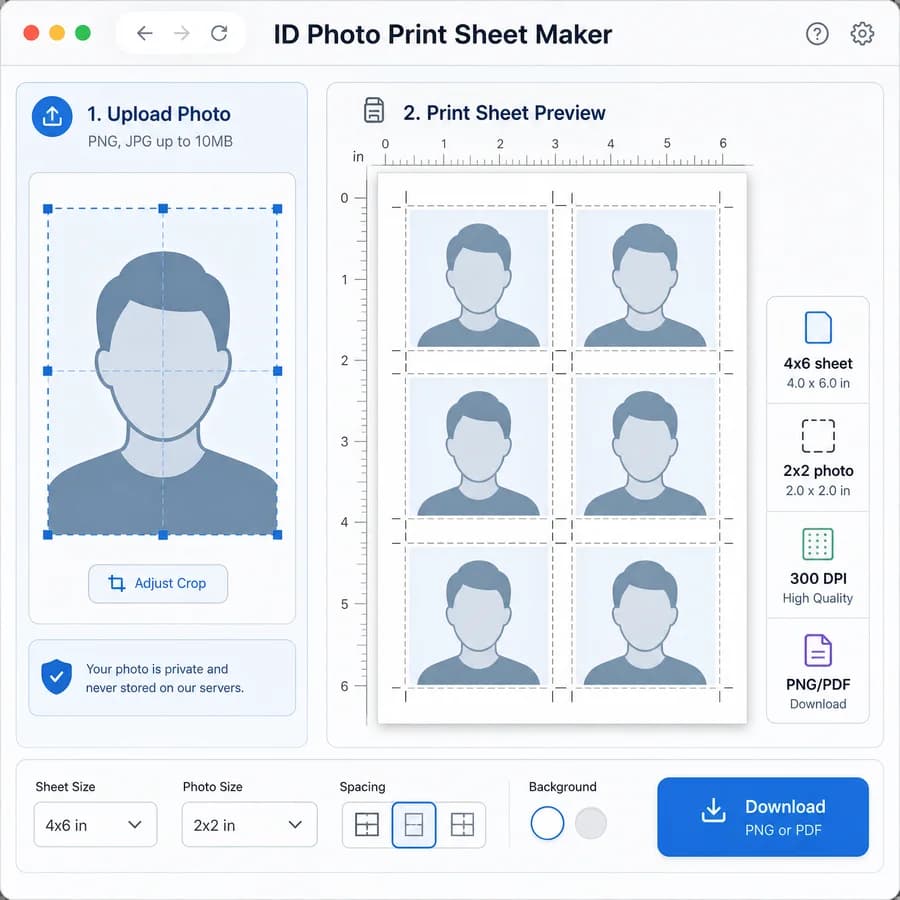
ID Photo Print Sheet Maker turns one prepared ID photo into a print-ready sheet with repeated copies sized in inches or millimeters.
Choose a document preset, paper size, DPI, margins, spacing, cut guides, and export format, then download a deterministic PNG or PDF without uploading the photo.
Choose prepared ID photo
JPG, PNG, WebP, AVIF, GIF, or BMP images up to 50 MB.
Drop an image here or click to choose
The photo stays local while the print sheet is rendered.
Print sheet result
Exact output size, copies, layout cells, and download.
No ID photo selected
Choose one prepared portrait to calculate a print sheet.
Browser-local print layout
The selected photo is decoded, arranged, rendered, previewed, and downloaded in this browser. Unsupported files and failed exports do not consume a free use.
Make Exact-Size ID Photo Sheets
Choose The ID Photo Size
Start from common printed photo sizes such as US 2 x 2 inch passport photos, UK-style 35 x 45 mm photos, or Canada-style 50 x 70 mm photos. The tool should also allow custom width and height so users can match visa, school, employee badge, or other document instructions.
- Show both physical dimensions and computed pixel dimensions at the selected DPI.
- Keep the image crop separate from the print layout so users can confirm the source photo is already prepared before making the sheet.
- Warn that the sheet maker creates print geometry but does not guarantee government acceptance of pose, background, lighting, or facial proportions.
Lay Out A Printable Sheet
Users need a simple way to place multiple exact-size copies onto common print paper without fighting photo-app contact sheets, printer scaling, or store kiosk defaults. The layout engine should calculate how many copies fit from paper size, margins, spacing, and rotation settings.
- Support common paper presets including 4 x 6 in, 5 x 7 in, Letter, and A4, plus custom paper dimensions.
- Display copy count, rows, columns, remaining margin, final pixel size, and physical output size before export.
- Offer optional cut lines, corner marks, safe borders, labels, and background color for easier trimming.
Export For Home Or Store Printing
The main output should be a flat sheet image or PDF that can be printed at 100 percent scale. A clear measurement summary helps users check that photo labs, home printers, and mobile print dialogs are not resizing the file.
- Export PNG for photo-lab upload and PDF for direct printing.
- Include a printable calibration ruler or scale check option that can be turned on for home printing.
- Name files predictably, such as id-photo-sheet-4x6-300dpi.png or id-photo-sheet-letter-300dpi.pdf.
Privacy And Local Processing
ID photos are sensitive personal images, so the tool should decode, crop, compose, and export entirely in the browser. No server upload is needed for the core workflow.
- Use browser image decoding, canvas rendering, and client-side PDF generation.
- Remove original metadata from exported sheets by rendering a fresh raster output.
- Keep mobile controls usable with large upload, preset, spacing, and export controls.
Compare ID Photo Print Sheet Maker
Review this tool beside related online utilities, dedicated apps, and adjacent workflows.
Compare ID Photo Print Sheet Maker with other toolsOpen Source Alternatives
Compare this focused browser workflow with proprietary software and online tools that solve similar jobs.
View ID Photo Print Sheet Maker open source alternatives