
Image Transparency Checker vs FFprobe
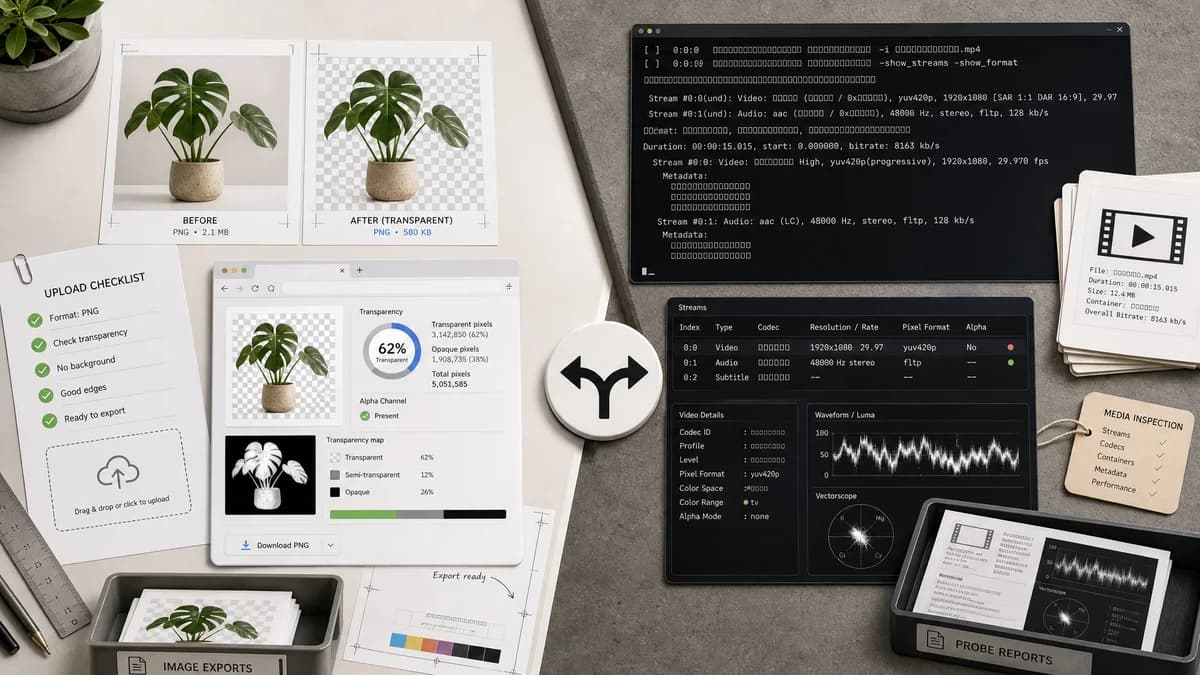
Image Transparency Checker is the baseline in this comparison: Check whether an uploaded image has transparent or semi-transparent pixels, with local alpha counts, percentages, and a checkerboard preview.
FFprobe is part of FFmpeg and probes multimedia streams, which can help technical users inspect pixel formats and alpha-capable media streams.
Quick verdict
FFprobe is better for video and stream diagnostics. TextFaker is better for a one-image transparency checker experience.
How Image Transparency Checker fits
TextFaker should focus on still-image transparency diagnostics for browser users, returning pixel counts, percentages, and a preview without requiring stream or pixel-format knowledge.
How FFprobe fits
FFprobe is a technical media inspection tool. It is adjacent for checking whether media streams use pixel formats that include alpha, but it does not provide a simple still-image transparency pixel report by default.
Side-by-side comparison
| Decision point | Image Transparency Checker | FFprobe | Takeaway |
|---|---|---|---|
| Media focus | Our workflowStatic image upload and pixel alpha report. | Competitor workflowMultimedia stream probing across many input types. | FFprobe is broader but less focused on this search intent. |
| Alpha evidence | Our workflowCounts actual alpha values per decoded pixel. | Competitor workflowCan expose stream and pixel-format information, which may imply alpha support. | TextFaker directly answers whether transparent pixels exist. |
| Interface | Our workflowBrowser UI with drag-and-drop and preview. | Competitor workflowCommand-line output. | TextFaker is better for casual checks. |
| Video alpha | Our workflowNot intended for video alpha unless a separate future tool is added. | Competitor workflowBetter fit for video alpha and media stream analysis. | Keep TextFaker's scope to images. |
| Copy output | Our workflowOne copy-all result with image facts. | Competitor workflowMachine-readable probe output can be configured by technical users. | Both can produce portable output, but for different audiences. |
| Testing reference | Our workflowTest fixtures should verify still-image alpha calculations. | Competitor workflowFFprobe can be a reference for media metadata, but not pixel counting. | Do not use FFprobe as a core browser implementation reference. |
Use Image Transparency Checker when
- Still image transparency checks
- Non-command-line users
- Copy-ready reports
- Visual checkerboard confirmation
Use FFprobe when
- Video and media stream probing
- Inspecting pixel formats
- Automation and scripts
- Technical users already using FFmpeg
Detailed comparison
Adjacent Technical Tool
FFprobe appears in transparency discussions because alpha support is often encoded in pixel formats. For still images, users usually need actual pixel transparency rather than stream metadata.
Scope Control
The TextFaker tool should not drift into video alpha checking. Existing TextFaker has separate photo and video GPS tools, so image and video transparency would also deserve separation if video is added later.
User Messaging
Make clear that the checker reads the uploaded image as decoded pixels and reports transparency in the rendered result.
Alternative Positioning
FFprobe belongs in open-source alternatives for advanced users, especially when they need to inspect animated or video assets.
Research notes
- FFprobe official documentation describes media probing rather than browser UI checking.
- FFmpeg documentation lists many image formats and notes alpha support for some formats such as PAM.
- This is an adjacent competitor for technical users and video alpha workflows.
Official source
The only outbound competitor link on this page is placed here for source checking after the comparison.
Official FFprobe source