
Image Transparency Checker vs pngcheck
Image Transparency Checker is the baseline in this comparison: Check whether an uploaded image has transparent or semi-transparent pixels, with local alpha counts, percentages, and a checkerboard preview.
pngcheck is a PNG, JNG, and MNG validation and inspection utility that prints chunk-level information and checks file integrity.
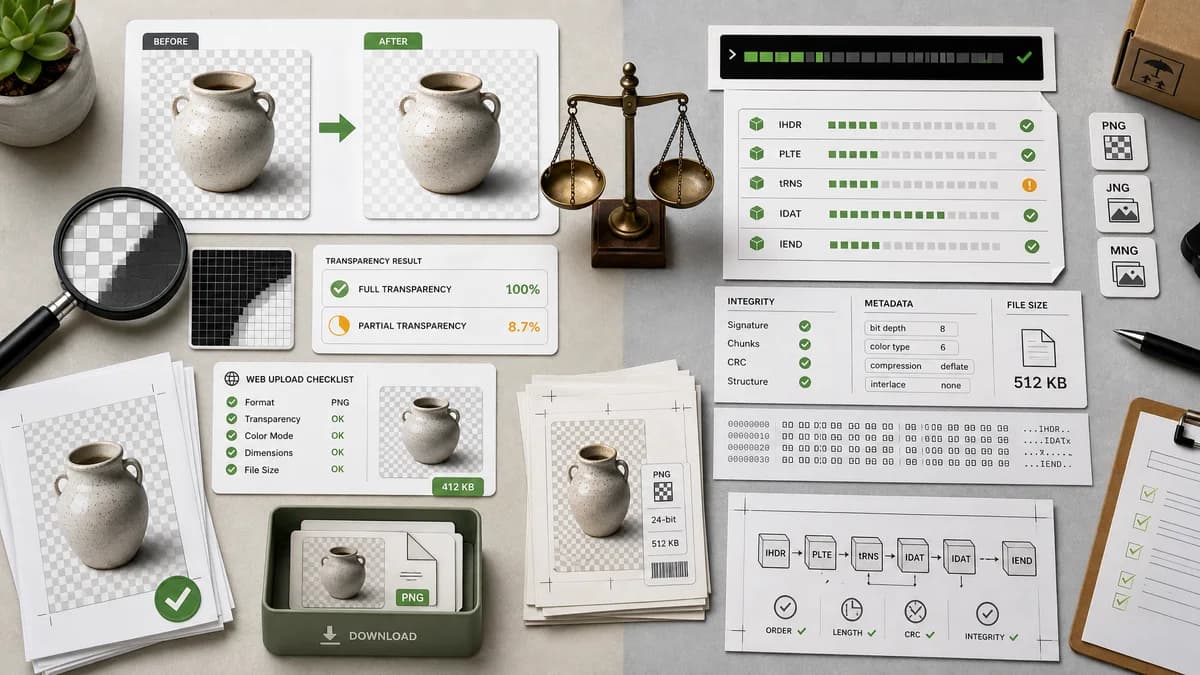
Quick verdict
pngcheck is better for PNG file-format validation. TextFaker is better for visual and numeric transparency checks across browser-decodable images.
How Image Transparency Checker fits
TextFaker should inspect decoded image pixels for transparency, not just validate PNG structure. It can explain whether the final rendered pixels contain full or partial transparency.
How pngcheck fits
pngcheck is useful for PNG structure, chunk, and integrity diagnostics. It is adjacent because PNG transparency can be represented through alpha data or transparency chunks, but it is not a general browser transparency-report tool.
Side-by-side comparison
| Decision point | Image Transparency Checker | pngcheck | Takeaway |
|---|---|---|---|
| Scope | Our workflowRendered pixel transparency checker for images. | Competitor workflowPNG, JNG, and MNG file checker focused on file structure and chunks. | The tools answer different technical layers. |
| Format coverage | Our workflowShould support common browser-decodable image formats, with clear limits. | Competitor workflowFocused on PNG-family formats. | TextFaker is broader for user-facing image checks. |
| Transparency basis | Our workflowCounts decoded RGBA alpha values after image load. | Competitor workflowCan reveal PNG transparency-related chunks and metadata, depending on file content and options. | Decoded pixel checks are easier for users to understand. |
| User interface | Our workflowDrag-and-drop upload with preview and copy-all report. | Competitor workflowCommand-line program. | TextFaker is lower-friction for non-developers. |
| Validation | Our workflowNot a PNG conformance validator unless separately implemented. | Competitor workflowDesigned to check PNG integrity and report structural details. | Do not market TextFaker as a pngcheck replacement. |
| Best output | Our workflowCounts, percentages, and plain summary. | Competitor workflowChunk and format diagnostics. | TextFaker should stay outcome-focused. |
Use Image Transparency Checker when
- Checking rendered transparency from an uploaded image
- Users who need no command-line setup
- Comparing fully transparent and semi-transparent pixel counts
- Checking non-PNG formats when the browser can decode them
Use pngcheck when
- PNG chunk inspection
- File integrity validation
- Developers debugging PNG internals
- Open-source command-line workflows
Detailed comparison
Spec Layer
pngcheck belongs at the file-format layer, while TextFaker should operate at the decoded pixel layer. That distinction matters because users care about what will show through when composited.
PNG Specification Link
The PNG specification states that if no alpha channel or transparency chunk is present, pixels are treated as fully opaque. TextFaker can explain this in user-facing terms.
Alternative Page Fit
pngcheck is a strong open-source alternative page candidate for technical users who need PNG validation rather than a browser checker.
Implementation Caution
Do not rely only on file extension. A browser-decoded pixel pass gives the most user-relevant answer for displayed transparency.
Research notes
- pngcheck's official page describes checking PNG, JNG, and MNG files.
- The PNG specification says images without alpha or tRNS transparency are treated as fully opaque.
- TextFaker should mention chunk-level tools as adjacent technical alternatives, not direct UI competitors.
Official source
The only outbound competitor link on this page is placed here for source checking after the comparison.
Official pngcheck source