
Instagram 4:5 Feed Crop Preview
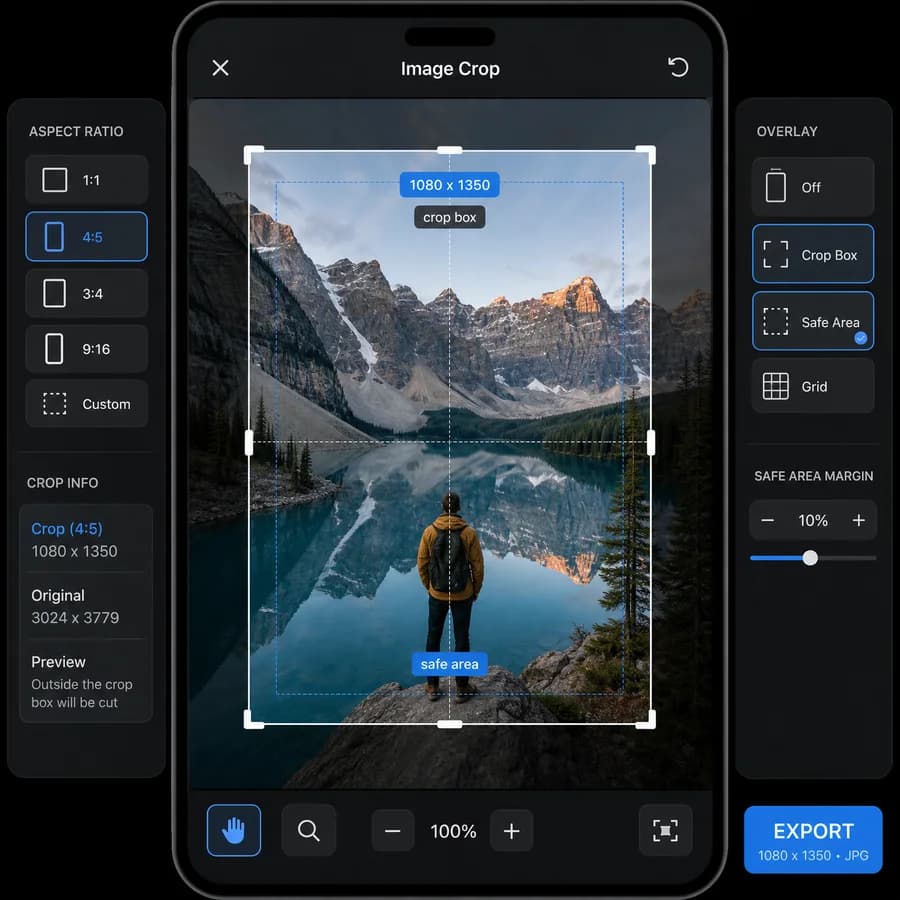
Instagram 4:5 Feed Crop Preview shows exactly what a photo loses when it is fitted into a vertical Instagram feed frame.
Upload an image to calculate the 4:5 crop box, edge loss, output dimensions, fit status, and a downloadable preview without sending the file to a server.
Choose one image
JPG, PNG, WebP, AVIF, GIF, or BMP images up to 50 MB.
Drop an image here or click to choose
The crop preview and export stay in this browser.
Crop position
Move the focal point before generating the export. Wider images use horizontal position; taller images use vertical position.
No crop preview yet
Choose one image to see the exact 4:5 crop box, hidden edges, output dimensions, and browser-local download.
Preview Instagram Feed Crops Before Posting
What the tool should show
The result should make crop decisions measurable, not subjective. After upload, the page should display the original image dimensions, simplified aspect ratio, whether the image already matches 4:5, and the exact crop rectangle needed to create a 4:5 feed image.
- Report crop box as x, y, width, and height in source-image pixels.
- Show pixels removed from top, right, bottom, and left.
- Show final export size options such as original-scale 4:5 and 1080 x 1350.
- Warn when important edges may be removed by center crop, based only on measurable crop percentages.
Useful creator controls
The core workflow should stay simple on mobile: choose a photo, pick center/top/bottom or manual focal offset, then export a feed-ready file. Manual adjustment can still be deterministic by storing the crop box values generated from the selected offset.
- Center crop, top-align, bottom-align, left-align, right-align, and focal-point presets.
- Optional square and 3:4 preview overlays for users comparing profile-grid behavior.
- Download PNG or JPEG output with verified MIME type, filename, dimensions, and file size.
- Copy a text summary with original dimensions, crop rectangle, removed pixels, and export dimensions.
Validation messages
Automated checks should explain whether the image is already suitable, needs cropping, or needs padding. The tool should avoid vague advice such as 'looks good' unless it is backed by exact measurements.
- Pass when width divided by height equals 0.8 within a small integer tolerance.
- Crop-needed when the source aspect ratio is wider or taller than 4:5.
- Too-small warning when the 4:5 crop is below 1080 x 1350 pixels.
- Export-ready message when the generated file decodes to the requested dimensions.
Compare Instagram 4:5 Feed Crop Preview
Review this tool beside related online utilities, dedicated apps, and adjacent workflows.
Compare Instagram 4:5 Feed Crop Preview with other toolsOpen Source Alternatives
Compare this focused browser workflow with proprietary software and online tools that solve similar jobs.
View Instagram 4:5 Feed Crop Preview open source alternatives