
Instagram Carousel Panorama Splitter vs Canva Image Splitter
Instagram Carousel Panorama Splitter is the baseline in this comparison: Split a wide photo or design into numbered Instagram carousel slides with browser-local crop math, dimensions, and downloads.
Compare TextFaker with Canva Image Splitter, a Canva app that splits images into grid or carousel formats inside the Canva design environment.
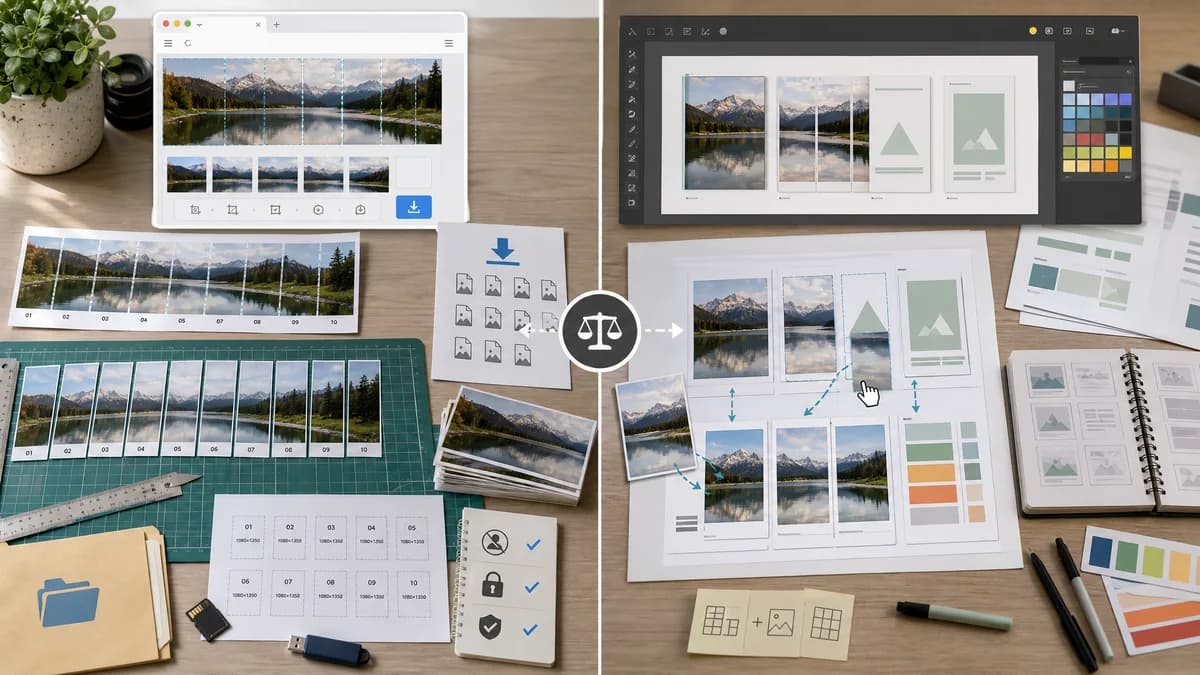
Quick verdict
Canva is stronger inside a full design workflow; TextFaker can be better for no-login, post-export, privacy-forward, testable splitting.
How Instagram Carousel Panorama Splitter fits
TextFaker is a standalone browser-local tool that accepts exported images and returns exact carousel slices with dimensions and downloadable files.
How Canva Image Splitter fits
Canva Image Splitter works inside Canva to split images into grid or carousel format and batch-add them to a design, making it convenient for users already designing in Canva.
Side-by-side comparison
| Decision point | Instagram Carousel Panorama Splitter | Canva Image Splitter | Takeaway |
|---|---|---|---|
| Workflow location | Our workflowStandalone browser page focused on uploaded source image. | Competitor workflowCanva app inside the Canva editor ecosystem. | TextFaker is simpler after a design is already final. |
| Account dependency | Our workflowCan work without account creation. | Competitor workflowCanva workflows generally happen inside a signed-in design platform. | TextFaker can reduce friction for one-off tasks. |
| Local processing promise | Our workflowDesigned around browser-local processing and explicit file handling. | Competitor workflowCanva app workflow is tied to Canva's platform environment. | TextFaker can make privacy and no-upload expectations clearer. |
| Output files | Our workflowExports ordered PNG, JPEG, or ZIP files. | Competitor workflowCan batch add split pieces to a Canva design. | Canva is useful before design export; TextFaker is useful for final posting assets. |
| Deterministic metadata | Our workflowReports dimensions, crop boxes, slice count, filenames, and validation messages. | Competitor workflowListing emphasizes convenience, not detailed metadata tables. | TextFaker is better for exact checks and automated tests. |
| Mobile use | Our workflowResponsive web controls for quick upload and download. | Competitor workflowCanva mobile experience may be powerful but heavier. | TextFaker can feel lighter for a single splitting job. |
Use Instagram Carousel Panorama Splitter when
- Users who already exported a final long design
- People who do not want to sign in or open a design platform
- Local processing with exact crop-box reporting
- Fast validation of Instagram-ready dimensions
Use Canva Image Splitter when
- Canva users who want splitting inside their design file
- Teams already collaborating in Canva
- Creators who need design edits and splitting together
- Users who prefer platform templates before export
Detailed comparison
Competitive Context
Canva is likely where many users create long carousel designs. A standalone splitter can complement that workflow by handling final slicing after export.
- Include copy that mentions exported long designs without depending on any one platform.
- Do not require templates or design editing to complete the task.
User Problem
A Reddit Canva tutorial describes making one long carousel canvas and then using an external splitter. That pattern supports a TextFaker tool specifically designed for the export-and-split step.
- Users need to multiply slide width by slide count.
- Users need the split lines to match the design boundaries.
Feature Recommendations
Offer a calculator mode before upload so users can see recommended source canvas sizes. After upload, compare actual source size against the target and report whether it matches.
- Show recommended total width for selected slide width and count.
- Flag one-pixel rounding mismatches.
- Offer exact crop-box export as copyable text.
Testing
Tests can cover the calculator and the file workflow separately. The calculator can be pure math; the file workflow can assert export dimensions.
- Assert 5 slides at 1080 x 1350 recommends 5400 x 1350.
- Assert mismatch warnings for a 5399 x 1350 source.
- Assert generated slices remain the requested output size.
Research notes
- Canva's app listing validates the grid/carousel image splitter category for general creators.
- Community tutorials show users designing a long canvas first, then needing a splitter.
- TextFaker can meet users at the final asset stage, not try to replace Canva.
Official source
The only outbound competitor link on this page is placed here for source checking after the comparison.
Official Canva Image Splitter source