
Instagram Carousel Panorama Splitter vs Unsquared
Instagram Carousel Panorama Splitter is the baseline in this comparison: Split a wide photo or design into numbered Instagram carousel slides with browser-local crop math, dimensions, and downloads.
Compare TextFaker with Unsquared, an iOS app for posting panoramic pictures in full size on Instagram by splitting them into pieces.
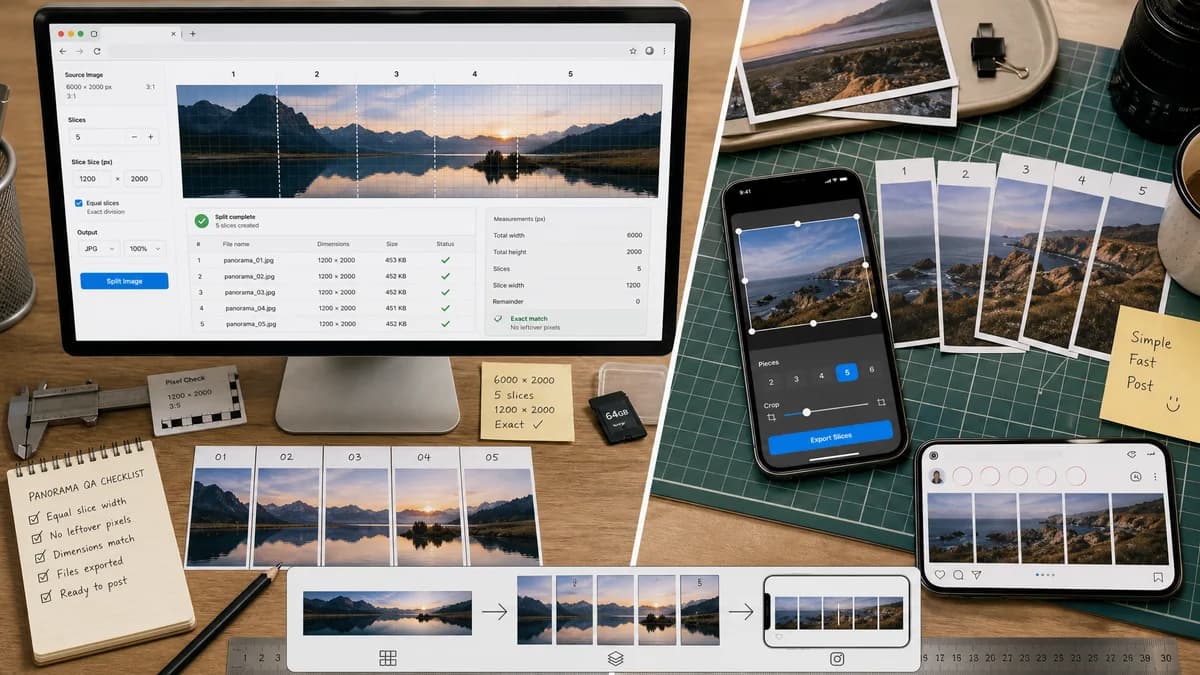
Quick verdict
Unsquared is close in simplicity, but TextFaker can differentiate by being install-free, cross-platform, and richer in deterministic reporting.
How Instagram Carousel Panorama Splitter fits
TextFaker is a free-style utility that runs in the browser, computes exact carousel slices, and reports every measurable output for QA.
How Unsquared fits
Unsquared is a simple iPhone app that lets users choose a photo, set the number of pieces, and adjust a cropping window to prepare dynamic Instagram panorama posts.
Side-by-side comparison
| Decision point | Instagram Carousel Panorama Splitter | Unsquared | Takeaway |
|---|---|---|---|
| Workflow complexity | Our workflowFocused upload, preset, slice count, export flow with numeric feedback. | Competitor workflowTwo-step mobile workflow with photo choice, piece count, and crop adjustment. | Both can be simple; TextFaker can emphasize verifiable output details. |
| Device support | Our workflowWorks anywhere a modern browser can decode and export the image. | Competitor workflowDistributed as an iOS app. | TextFaker can reach more users and shared devices. |
| Crop controls | Our workflowCan offer fit, fill, center crop, and manual crop with exact coordinate readout. | Competitor workflowOffers a cropping window according to the App Store listing. | TextFaker can turn crop adjustment into numeric data users can trust. |
| Output packaging | Our workflowCan export individual files and a ZIP with ordered names. | Competitor workflowMobile apps generally save pieces into the photo library for selection. | ZIP export is useful for desktop creators and schedulers. |
| Automation readiness | Our workflowEvery result can be asserted in Playwright or unit tests. | Competitor workflowNative app output is not designed around web test automation. | TextFaker is better aligned with TextFaker's deterministic tool standard. |
| Instagram guidance | Our workflowCan show preset explanations and warnings without requiring an account connection. | Competitor workflowFocused on making full-size panoramic Instagram posts. | TextFaker can educate while keeping the tool local and practical. |
Use Instagram Carousel Panorama Splitter when
- People who want the same tool on phone, desktop, Chromebook, or tablet
- Users preparing uploads for clients or scheduled posts
- Creators who need exact slide dimensions and crop coordinates
- Testing workflows that need stable validation messages
Use Unsquared when
- iPhone users who want a simple two-step app
- Users who prefer adjusting a crop window on a phone
- Casual posters making occasional panorama posts
- People already comfortable with iOS photo-library workflows
Detailed comparison
Demand Evidence
Unsquared's existence and marketplace copy show a consumer need for posting panoramas without squeezing them into one square frame. Reddit threads echo the same problem in plain language: users want wide panoramas split for carousel swiping.
- Users care about preserving the whole image.
- Users also care about selecting how many pieces the panorama becomes.
Differentiation
TextFaker can avoid competing on mobile polish alone. It can compete on exactness, transparency, and immediate access.
- No app-store install.
- No account required.
- No hidden design layer before export.
- Clear generated file list.
Validation UX
The UI can calculate whether the selected slice count and aspect ratio can be produced cleanly from the source. When scaling is needed, it can disclose the scale factor and final dimensions.
- Warn when source height is below the target export height.
- Warn when computed slices would exceed selected maximum count.
- Show whether crop is center, top, bottom, or custom.
Testing Plan
Use synthetic source images with known width and height to test all presets. Tests can assert the JSON-like result model before checking download blobs.
- Square preset: output width equals height.
- 4:5 preset: output width-to-height ratio equals 4:5.
- 3:4 preset: output width-to-height ratio equals 3:4.
- All crop rectangles are integer pixel rectangles.
Research notes
- Unsquared validates the simple consumer language: full-size panoramas on Instagram without squeezing into a square.
- TextFaker can provide the same simple outcome while exposing more details for repeatability.
- Public community demand suggests the crop-window result must be predictable, not just visually plausible.
Official source
The only outbound competitor link on this page is placed here for source checking after the comparison.
Official Unsquared source