
Instagram Grid Splitter
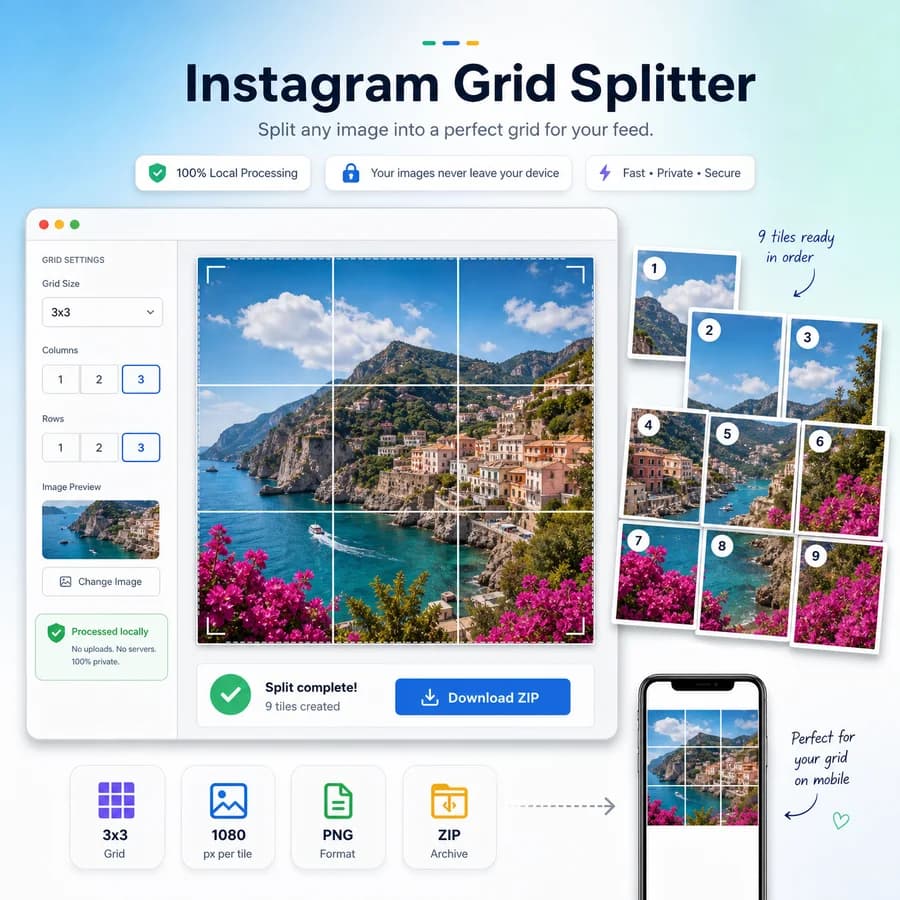
Instagram Grid Splitter turns one photo or design into a clean set of numbered tiles for Instagram profile grids, puzzle feeds, and swipeable panorama-style layouts.
Upload an image, choose rows and columns, preview the crop math, then download the slices without sending the file to a server.
Choose one image
JPG, PNG, WebP, AVIF, GIF, or BMP images up to 50 MB.
Drop an image here or click to choose
The image stays in this browser while tiles are generated.
Grid result
Tile count, crop boxes, posting order, and downloads.
Choose one image to preview grid dimensions and export tiles.
Browser-local grid splitting
Images are decoded, cropped, tiled, zipped, previewed, and downloaded locally in this browser. Unsupported files and failed exports do not consume a free use.
Split Images for Instagram Grids
Choose the grid size
Start with common layouts such as 3 x 1, 3 x 2, and 3 x 3, or enter custom rows and columns for larger mosaics. The tool shows the final tile count before export so creators know exactly how many posts they are preparing.
- Show total slices, columns, rows, and per-tile output size.
- Support square and portrait-oriented presets for current Instagram posting workflows.
- Warn when the selected grid exceeds practical posting limits or creates very small tiles.
Control the crop
A grid splitter is only useful when the joins line up. The crop step exposes exact source coordinates, fit mode, output aspect ratio, and safe-area guides so text, faces, and logos are not accidentally cut at tile boundaries.
- Offer cover, contain with padding, and exact-crop modes.
- Display crop box x, y, width, and height in source pixels.
- Report whether the crop divides evenly into the selected rows and columns.
- Let users choose PNG for sharp graphics or JPG/WebP for smaller photo exports when supported.
Download in posting order
Instagram grids usually need to be uploaded in a specific sequence so the final profile view reads correctly. The download bundle should name files with both tile position and recommended posting order.
- Generate filenames such as tile-r3-c1-post-01.png for bottom-left-first grid posting.
- Provide a ZIP download and individual tile downloads.
- Show a simple upload-order list that can be copied or checked by tests.
- Include optional carousel order for left-to-right panorama posts.
Keep the workflow private
Because the source image can contain unreleased campaigns, personal photos, or client creative, the splitter should run fully in the browser using image decoding, canvas drawing, Blob exports, and optional ZIP generation on the client side.
- Do not upload source images or generated tiles.
- Show source filename, MIME type, input dimensions, output dimensions, and generated file sizes.
- Clear object URLs and canvas buffers when the user removes the image.
Compare Instagram Grid Splitter
Review this tool beside related online utilities, dedicated apps, and adjacent workflows.
Compare Instagram Grid Splitter with other toolsOpen Source Alternatives
Compare this focused browser workflow with proprietary software and online tools that solve similar jobs.
View Instagram Grid Splitter open source alternatives