
JPG to PNG Converter
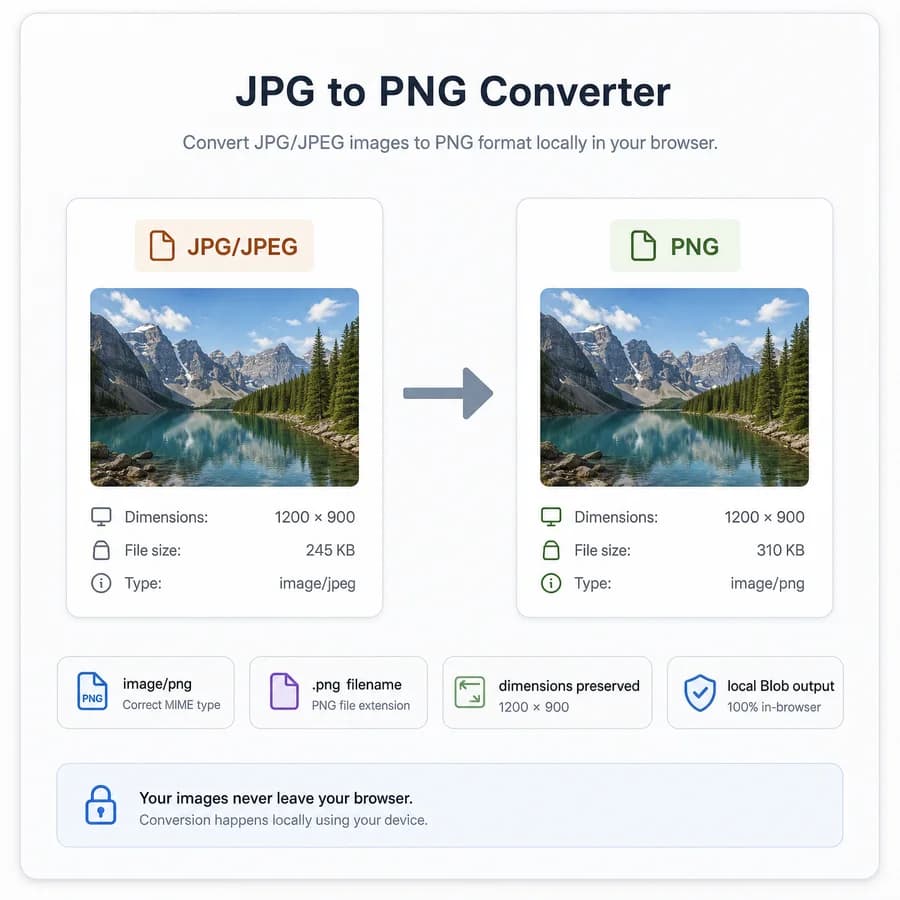
JPG to PNG Converter turns a selected JPG or JPEG image into a browser-local PNG file without uploading the original photo.
Use it when you need a .png copy for web assets, screenshots, design handoff, or tools that require image/png output, with clear MIME, filename, size, and dimension checks.
Choose a JPG or JPEG image
JPG, JPEG, JFIF, PJPEG, and PJP images up to 50 MB.
PNG output is locked for this dedicated JPG to PNG Converter.
image/png .png
PNG conversion result
image/png MIME, .png extension, preserved dimensions, file size, filename, and Blob checks.
No image selected
Choose a JPG or JPEG image to create a verified PNG output file.
JPG input and PNG output checks
Source images
Output checks
- MIME type matches the selected encoder.
- Download extension matches the output MIME.
- Decoded output dimensions match the source pixels.
- Blob generation succeeds with a nonzero file size.
How to convert JPG to PNG locally
What changes during conversion
A JPG or JPEG file uses lossy compression, so converting it to PNG cannot recover detail that was already discarded by the original JPEG encoding. The PNG output is a lossless PNG encoding of the browser-decoded pixels.
The converted file keeps the same pixel width and height by default. File size may increase because PNG is often larger for photographic images, especially when the source is a compressed camera photo.
- Input is limited to JPEG-family files such as .jpg, .jpeg, .jfif, .pjpeg, and .pjp when the browser can decode them.
- Output uses image/png MIME and a .png extension.
- The conversion changes the container and compression method; it does not improve the original JPEG quality.
- Canvas export may omit EXIF, GPS, ICC, XMP, and other original metadata.
Browser-local workflow
The tool decodes the selected JPEG with the browser image pipeline, draws the decoded bitmap to a canvas, and exports the canvas as image/png. The original file stays on your device for the conversion workflow.
After export, the result card shows source filename, output MIME, extension, dimensions, file size, exact download filename, and generated Blob status. These checks make the result easier to verify than a simple download link.
- PNG export is locked for this dedicated page.
- The generated filename follows the shared converter pattern and ends with .converted.png.
- The output Blob is re-decoded to verify that dimensions match the source pixels.
- Object URLs are used only for preview and download in the browser.
Validation rules
Browsers are required to support PNG canvas serialization, but the implementation still checks the generated Blob rather than assuming success. A conversion is treated as successful only after the output MIME, extension, dimensions, and size pass validation.
The copy-all button returns labeled result lines for the visible result: tool name, source file, target format, output MIME, extension, dimensions, sizes, output filename, and Blob generated status.
- Output Blob must exist and have a nonzero size.
- Output MIME must be image/png.
- Download filename must end with .png.
- Decoded output width and height must match the decoded source image.
When PNG is the right output
PNG is a good target when another workflow requires a PNG file, when exact decoded-pixel reproduction matters more than small photographic file size, or when the image will be used in UI, documentation, QA, or design tooling. It is not usually the smallest format for photos.
A JPEG input normally has no alpha channel, so the generated PNG is usually opaque. If you need real transparency, use a tool that creates or inspects alpha rather than expecting a JPG-to-PNG conversion to remove the background.
- Good fits include screenshots, documentation images, UI review files, upload forms that require PNG, and deterministic image test fixtures.
- Poor fits include reducing photo file size, restoring lost JPEG detail, preserving camera metadata, or creating transparent cutouts.
- Use the broader Image Format Converter when you need PNG, JPG, WebP, or AVIF output choices.
Compare JPG to PNG Converter
Review this tool beside related online utilities, dedicated apps, and adjacent workflows.
Compare JPG to PNG Converter with other toolsOpen Source Alternatives
Compare this focused browser workflow with proprietary software and online tools that solve similar jobs.
View JPG to PNG Converter open source alternatives