
Passport Photo Size Checker
Passport Photo Size Checker helps you verify whether a photo matches common passport and visa size rules before you submit it online or print it.
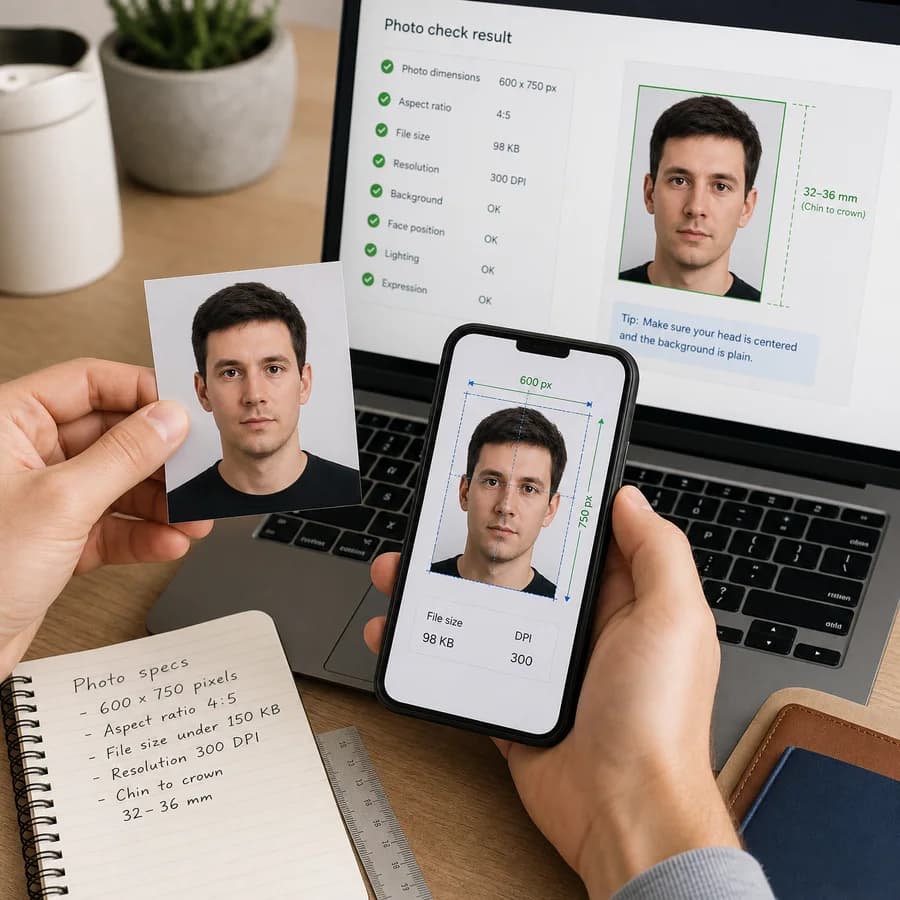
Passport photo dimensions checker results show deterministic pass, review, or needs-changes notes for pixels, aspect ratio, file size, print size, DPI metadata, and optional chin-to-crown measurements.
Checks the measurable U.S. digital image rules: square JPEG, 600-1200 px, and 54 KB to 10 MB file size.
Drop one passport photo here
JPG, PNG, or WebP up to 25 MB. The file is checked locally.
Enter the vertical pixel position for the top of head and chin if you want a deterministic chin-to-crown check.
Check a passport photo
Choose a preset and upload an image to compare measurable size, format, file-size, print-size, and optional head-height rules.
Check Passport Photo Dimensions Before Submitting
What this checker measures
The checker focuses on requirements that can be measured locally from an image file. It separates numeric size checks from subjective passport-photo rules such as expression, lighting, shadows, clothing, recency, and final authority review.
After you choose a preset, the tool compares the decoded image with that preset and shows the exact reason each measurable rule passes, needs review, or needs changes.
- Pixel width and height for digital upload requirements.
- Aspect ratio compared with the selected print or digital target.
- MIME type, filename extension, and file size.
- JPEG JFIF or PNG pHYs density metadata when present.
- Calculated print size from DPI/PPI metadata.
- Optional manual chin-to-crown measurement from two Y coordinates.
Included presets
The preset list is intentionally small and sourceable. It covers common U.S., UK, Canadian, and portal-style dimensions without claiming worldwide passport approval.
Use the result as a preflight report before uploading, printing, or asking a photo shop to adjust the file. Always follow the application form and the issuing authority when those instructions differ.
- US digital passport or visa photo: square JPEG, 600-1200 px, and 54 KB to 10 MB.
- US printed passport photo: 2 x 2 inches with optional 1 to 1 3/8 inch head-height measurement.
- UK printed passport photo: 35 x 45 mm with optional 29-34 mm crown-to-chin measurement.
- UK digital passport photo: at least 600 x 750 px and 50 KB to 10 MB.
- Canada printed passport photo: 50 x 70 mm with optional 31-36 mm face-height measurement.
- India-style digital upload: exact 630 x 810 px portrait preset for portal troubleshooting.
Privacy and local processing
Passport and visa photos are identity images, so the working checker runs in the browser. The selected image is decoded locally for dimensions and density metadata; it is not uploaded to TextFaker for analysis.
Local checking is useful when you only need to diagnose why a file may be too small, not square, the wrong format, missing DPI metadata, or outside a file-size limit.
- Use the file picker or drag and drop on desktop.
- Use the mobile browser file chooser for photos saved on your phone.
- Copy the full report when you need to send exact dimensions to support, a photo shop, or a family member helping with an application.
- Do not treat a pass result as official acceptance; this page checks measurable file facts only.
How to measure head height
Automatic face detection can be inconsistent across browsers and photos, so the first version uses manual marker numbers. Enter the Y coordinate for the top of the head and the Y coordinate for the chin, then recheck.
For percentage-based presets, the tool compares marker distance with total image height. For print-size presets, it maps the marker distance to the selected preset's physical photo height.
- Use any image editor, browser inspector, or crop tool that shows pixel coordinates.
- Top of head means the crown or top of hair where the authority defines the measurement.
- Chin means the bottom of the chin on the same vertical measurement line.
- Leave the markers blank if you only need file size, pixel dimensions, aspect ratio, format, and DPI checks.
Compare Passport Photo Size Checker
Review this tool beside related online utilities, dedicated apps, and adjacent workflows.
Compare Passport Photo Size Checker with other toolsOpen Source Alternatives
Compare this focused browser workflow with proprietary software and online tools that solve similar jobs.
View Passport Photo Size Checker open source alternatives