
Photo Collage Maker
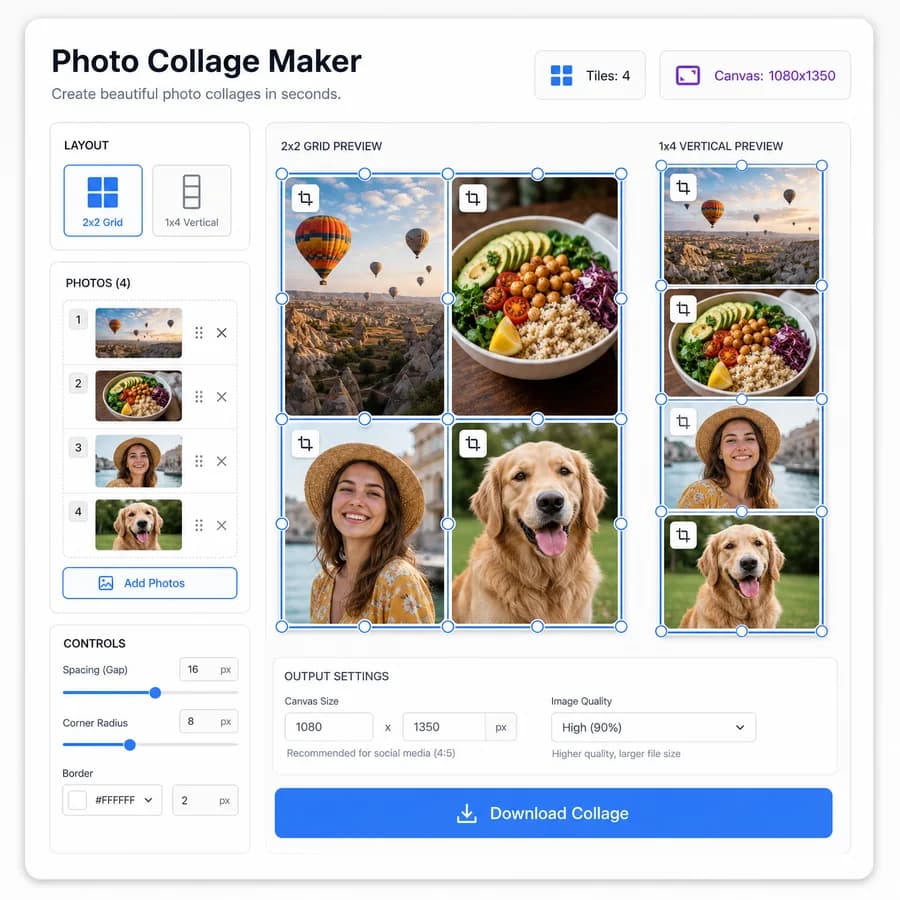
Photo Collage Maker turns multiple selected images into a clean photo grid or social collage locally in your browser.
Choose a collage maker online layout, set exact canvas dimensions, adjust spacing and crop fit, then download a PNG, JPEG, or WebP file with testable output details.
Choose collage photos
JPG, PNG, WebP, AVIF, GIF, or BMP images up to 50 MB each.
Drop images here or click to choose
Files stay local in your browser while the collage is rendered.
Collage result
Canvas dimensions, cell count, crop boxes, output file, and download.
No images selected
Choose images to prepare a browser-local collage layout.
Local collage rendering
Selected images are decoded, arranged, rendered, previewed, and downloaded in this browser. Unsupported files, missing images, and failed renders do not consume a free use.
Photo Collage Maker Guide
Choose the Right Layout
Start with a predictable grid so the collage is easy to share, print, or reuse in a social post. Common presets should include 2-up side by side, 3-across, 2 by 2, 3 by 3, story format, square post, and custom rows and columns.
- Show the required photo count for each preset before rendering.
- Allow fill, fit, and center-crop behavior per image so portrait and landscape photos do not stretch.
- Expose the calculated cell rectangles, gutter size, and final canvas width and height after every setting change.
Control Size and Spacing
A useful collage tool should make dimensions explicit instead of relying only on a visual preview. Users often need a square image, a story-sized image, or a custom pixel canvas that fits a platform, document, or print workflow.
- Support fixed presets such as 1080 x 1080, 1080 x 1350, 1080 x 1920, 1200 x 630, and custom pixel dimensions.
- Let users set outer padding, inner gap, background color, corner radius, and export format.
- Display validation messages when the image count does not match the selected template or when the requested canvas is too large for the browser.
Download and Verify Output
The page should produce a real file in the browser without uploading private photos. The result can be verified by MIME type, extension, image dimensions, file size, and a machine-readable layout summary.
- Generate the collage with Canvas APIs and export through Blob downloads.
- Provide a copyable JSON summary containing canvas size, rows, columns, cells, crop boxes, source filenames, export MIME type, and output byte size.
- Include reset, replace image, reorder image, and download controls that remain usable on mobile screens.
Compare Photo Collage Maker
Review this tool beside related online utilities, dedicated apps, and adjacent workflows.
Compare Photo Collage Maker with other toolsOpen Source Alternatives
Compare this focused browser workflow with proprietary software and online tools that solve similar jobs.
View Photo Collage Maker open source alternatives