
Photo Contact Sheet Maker vs Adobe Bridge Output Workspace
Photo Contact Sheet Maker is the baseline in this comparison: Create a printable grid of photos with filenames, spacing, page size, and PNG export without uploading images.
Adobe Bridge creates PDF contact sheets from selected images using templates and output settings in a desktop workflow.
Quick verdict
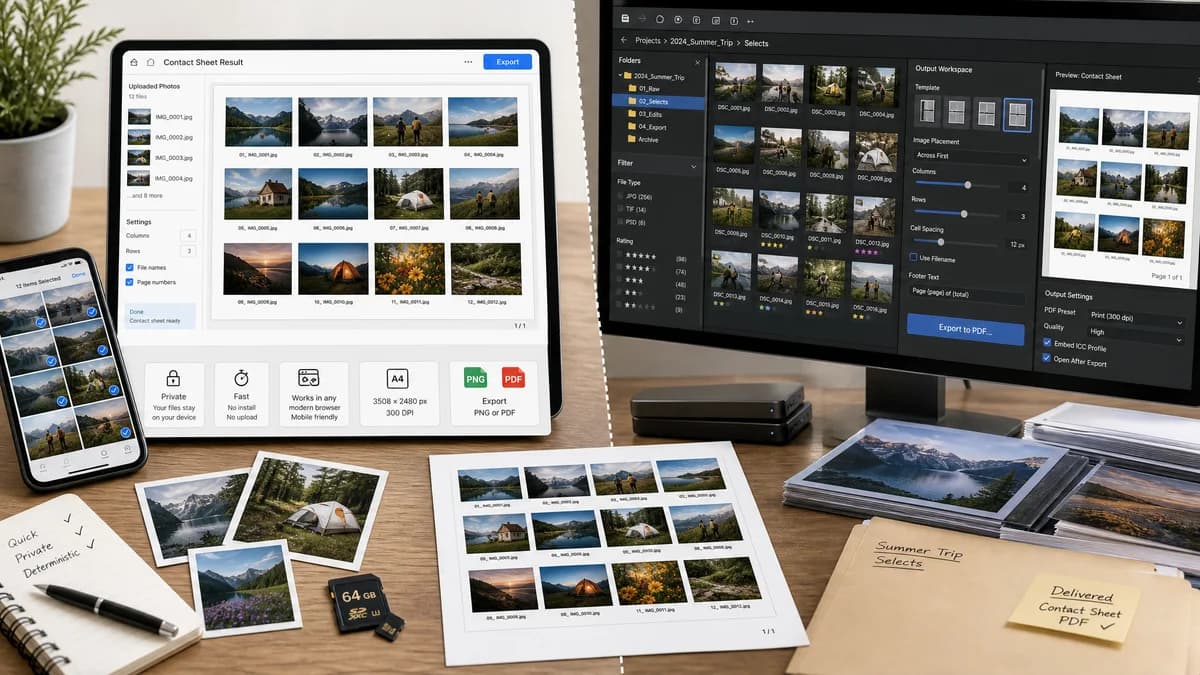
Bridge is better for Adobe-based production teams; TextFaker is better for quick private contact sheets on any modern browser, especially on mobile or shared computers.
How Photo Contact Sheet Maker fits
Photo Contact Sheet Maker provides a browser-local, no-install workflow for arranging uploaded images into deterministic PNG or PDF contact sheets with file labels, dates, dimensions, and machine-checkable layout data.
How Adobe Bridge Output Workspace fits
Adobe Bridge is strong for users already inside the Adobe ecosystem who manage folders of creative assets and need PDF output from a desktop application with template controls.
Side-by-side comparison
| Decision point | Photo Contact Sheet Maker | Adobe Bridge Output Workspace | Takeaway |
|---|---|---|---|
| Processing location | Our workflowRuns locally in the browser using selected files and canvas/PDF generation without server upload. | Competitor workflowRuns in the Adobe Bridge desktop application. | Both can be local, but TextFaker removes desktop software and account dependencies. |
| Installation | Our workflowNo install beyond a compatible browser. | Competitor workflowRequires Adobe Bridge installation. | TextFaker has lower friction for occasional users. |
| Output formats | Our workflowShould export PNG plus PDF, with explicit dimensions, rows, columns, margins, thumbnail boxes, and a layout JSON summary. | Competitor workflowFocuses on PDF contact sheet output through Bridge templates. | TextFaker can make validation and web sharing more explicit. |
| Caption controls | Our workflowCan expose deterministic filename, index, date, dimensions, and optional custom label fields. | Competitor workflowProvides template-based output settings for contact sheet PDFs. | TextFaker should prioritize simple, predictable caption rules over broad template complexity. |
| Mobile usability | Our workflowDesigned for touch selection, drag reorder, and responsive controls. | Competitor workflowDesktop-first Adobe application. | TextFaker can serve phone and tablet users better. |
| Automated validation | Our workflowTests can verify output MIME type, page/canvas size, image count, grid coordinates, label text, and row/column totals. | Competitor workflowOutput is user-generated through a GUI and not oriented around web test fixtures. | TextFaker should be easier to regression-test inside the site. |
Use Photo Contact Sheet Maker when
- Quick contact sheets without installing Adobe software
- Browser-local privacy for personal or client photos
- Deterministic outputs with visible layout metrics and downloadable test data
- Mobile-friendly review, reorder, and export workflows
Use Adobe Bridge Output Workspace when
- Adobe Creative Cloud users
- Desktop asset managers with large folder workflows
- PDF proof sheets tied to Bridge browsing and templates
- Teams already standardizing on Adobe applications
Detailed comparison
Demand Signal
Adobe's own documentation confirms contact sheet creation remains a supported Bridge workflow. Public Adobe Community posts also show users asking for very specific grids, such as 150 images arranged 15 by 10 on a poster, which maps well to precise layout controls.
- Users need contact sheets for proofing, inventory, and review.
- Grid size, print size, and predictable placement are recurring needs.
- A simpler browser tool can target people who do not live in Bridge.
Product Gap
Bridge is capable, but it assumes a desktop Adobe workflow. A TextFaker tool can be narrower: select images, choose rows and columns or thumbnail size, add labels, export, and show exact validation values.
- No account or Adobe install required.
- No folder indexing model to understand.
- Local-only behavior can be stated clearly for privacy-sensitive photos.
Implementation Guidance
Use browser image decoding and canvas composition for PNG export, with a PDF export path built from the same layout model. Keep one pure layout function that receives image metadata and settings, then returns page dimensions, cell rectangles, fitted image rectangles, caption rectangles, and overflow pages.
- Support filename, index, width x height, file size, and last modified date captions.
- Include sort modes: upload order, filename ascending, filename descending, date ascending, date descending, and manual order.
- Use fit modes: contain, cover, and no upscale.
- Expose page presets but store exact pixel dimensions in results.
Deterministic Validation
Automated tests should not judge whether a sheet looks nice. They should generate fixtures with known dimensions and colors, then assert layout coordinates, output dimensions, page count, caption strings, MIME type, and sampled pixels at known cell centers.
- Verify a 6-image, 3-column layout creates two rows.
- Verify margin and gap math exactly.
- Verify transparent PNGs flatten only when a matte is selected.
- Verify repeated inputs preserve upload order unless a sort mode is applied.
Research notes
- Official Adobe Bridge documentation describes PDF contact sheets in the Output workspace.
- Adobe Community demand shows users asking for exact large contact sheet grids, not just decorative collages.
- Bridge is a major competitor for professional desktop users, but not for people who want a quick mobile browser tool.
Official source
The only outbound competitor link on this page is placed here for source checking after the comparison.
Official Adobe Bridge Output Workspace source