
Photo Contact Sheet Maker vs Adobe Photoshop Contact Sheet II
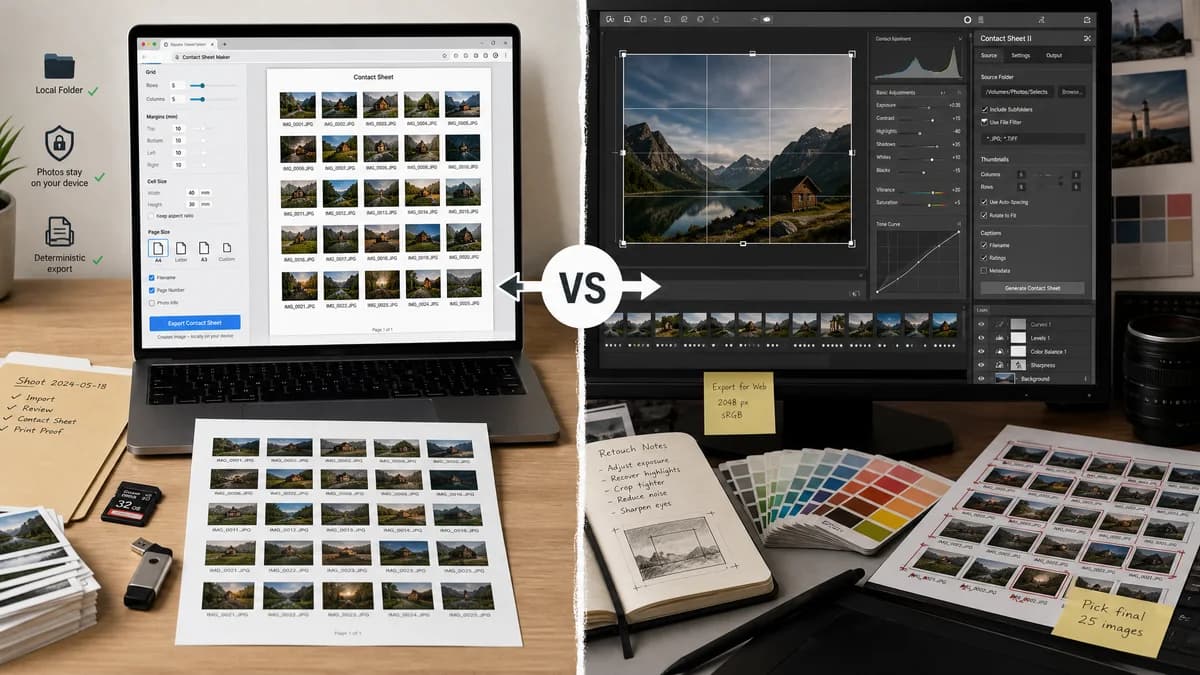
Photo Contact Sheet Maker is the baseline in this comparison: Create a printable grid of photos with filenames, spacing, page size, and PNG export without uploading images.
Photoshop includes Contact Sheet II, an automation feature that builds a contact sheet from a folder of images with document and thumbnail settings.
Quick verdict
Photoshop is better when contact sheets are part of a larger image-editing workflow; TextFaker is better when the task is simply to create a reliable proof sheet from local images.
How Photo Contact Sheet Maker fits
Photo Contact Sheet Maker makes the contact sheet task a dedicated browser-local workflow with visible grid settings, privacy-first file handling, and deterministic export checks.
How Adobe Photoshop Contact Sheet II fits
Photoshop is a broad professional editor with a contact sheet automation command for users who already own and understand Photoshop.
Side-by-side comparison
| Decision point | Photo Contact Sheet Maker | Adobe Photoshop Contact Sheet II | Takeaway |
|---|---|---|---|
| Scope | Our workflowSingle-purpose contact sheet maker. | Competitor workflowFull image editor with contact sheet automation. | TextFaker can be faster for users who do not need editing tools. |
| Input model | Our workflowDrag, select, reorder, and sort uploaded browser files. | Competitor workflowSelects a source folder through Photoshop automation. | TextFaker can feel more direct for mixed files gathered from downloads, camera roll, or cloud shares. |
| Cost and access | Our workflowCan be free to use in the browser. | Competitor workflowRequires access to Photoshop. | TextFaker reaches occasional and non-professional users. |
| Output predictability | Our workflowCan show exact page size, cell size, thumbnail scale, and caption rules before export. | Competitor workflowCreates a Photoshop document/contact sheet from dialog settings. | TextFaker can make validation data a first-class feature. |
| Privacy messaging | Our workflowCan explicitly state files stay in the browser and avoid upload. | Competitor workflowLocal desktop processing, but embedded in a cloud-subscription product ecosystem. | Both can avoid upload, but TextFaker can make privacy simpler to understand. |
| Mobile friendliness | Our workflowDesigned for responsive browser use. | Competitor workflowDesktop-first professional application. | TextFaker can support phone camera roll workflows better. |
Use Photo Contact Sheet Maker when
- Users who need only the contact sheet task
- Fast contact sheet creation from mobile or desktop browser uploads
- Simple file labels and predictable page geometry
- Public web tool tests that can verify output characteristics
Use Adobe Photoshop Contact Sheet II when
- Photoshop subscribers
- Designers who want layered or editable document workflows
- Users already batch-processing source images in Adobe tools
- Print workflows requiring Photoshop color and document controls
Detailed comparison
Demand Signal
Adobe maintains learning content for Contact Sheet II, which confirms the task is familiar enough to document separately. General users also ask in Apple and Windows forums for contact sheets without wanting a full creative suite.
- The task is narrow and repeatable.
- Users care about page count, thumbnails per page, and labels.
- A dedicated tool can avoid Photoshop's broader complexity.
Positioning
The TextFaker page should not claim to replace Photoshop. It should position itself as a quick, private contact sheet utility for proofing, inventory, and review.
- Use plain language: make a grid of photos, add filenames or dates, download PNG or PDF.
- Avoid template-heavy collage language on the primary workflow.
- Keep professional options available but not dominant.
Implementation Guidance
Build around a deterministic renderer rather than a design canvas. Let users choose page preset, orientation, columns, row gap, column gap, margins, caption field, font size, and background color.
- Support A4, Letter, square, and custom pixel output.
- Show computed thumbnails per page before export.
- Provide a copyable summary of settings.
- Avoid server-side image upload.
Test Strategy
Use generated fixture images with solid colors and fixed filenames. Render a known sheet and assert expected coordinates and output dimensions, then sample pixels from centers and margins.
- Check first, last, and overflow item placement.
- Check captions match selected caption template.
- Check export Blob MIME and extension.
- Check no visual judgment is required.
Research notes
- Photoshop's official page documents source folder, document settings, and thumbnail arrangement for Contact Sheet II.
- The TextFaker opportunity is not deeper editing; it is a more accessible single-task workflow.
- A browser-local renderer should avoid nondeterministic template shuffling so tests remain stable.
Official source
The only outbound competitor link on this page is placed here for source checking after the comparison.
Official Adobe Photoshop Contact Sheet II source