
Photo Contact Sheet Maker vs Apple Photos Contact Sheet Printing
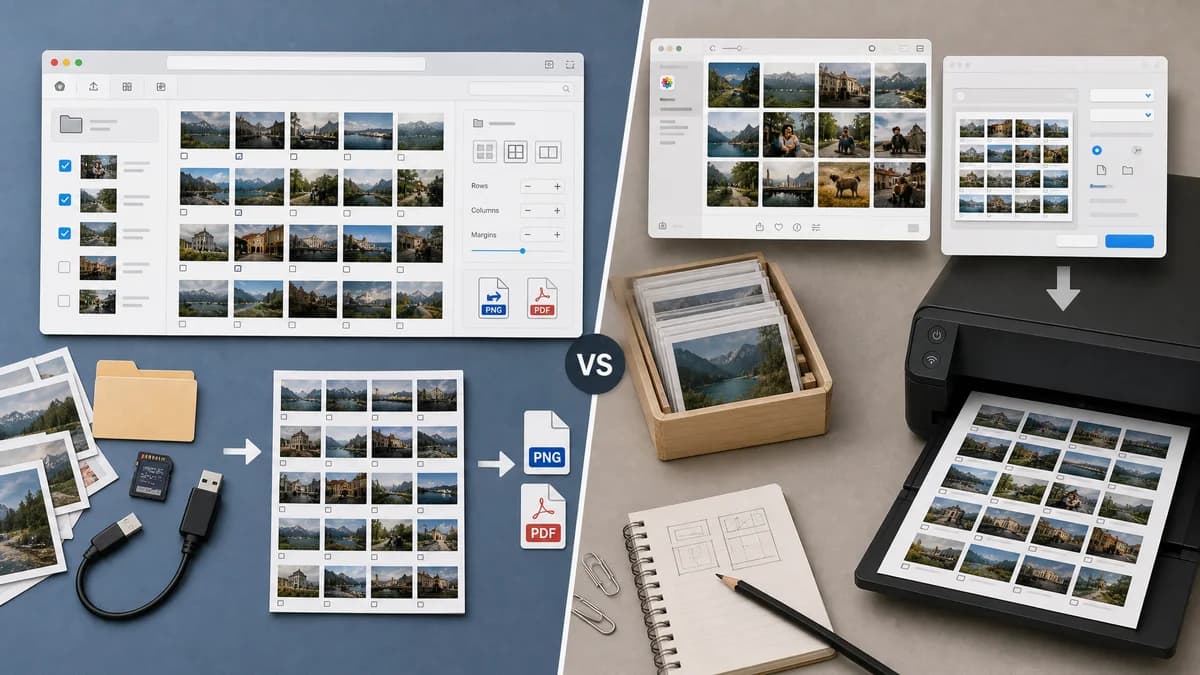
Photo Contact Sheet Maker is the baseline in this comparison: Create a printable grid of photos with filenames, spacing, page size, and PNG export without uploading images.
Apple Photos can print multiple photos per page using a Contact Sheet print format on Mac.
Quick verdict
Apple Photos is better for Mac library printing; TextFaker is better for web-based, cross-platform, downloadable contact sheets from arbitrary local files.
How Photo Contact Sheet Maker fits
Photo Contact Sheet Maker makes contact sheets available outside macOS Photos, with browser-local image selection, explicit PNG/PDF export, and deterministic layout details.
How Apple Photos Contact Sheet Printing fits
Apple Photos is convenient for Mac users whose images already live in the Photos library and who want a built-in print workflow.
Side-by-side comparison
| Decision point | Photo Contact Sheet Maker | Apple Photos Contact Sheet Printing | Takeaway |
|---|---|---|---|
| Source images | Our workflowAny browser-readable selected files. | Competitor workflowPhotos selected inside the Mac Photos app library. | TextFaker handles arbitrary file batches more directly. |
| Platform | Our workflowModern browser across platforms. | Competitor workflowMac Photos application. | TextFaker is broader. |
| Output | Our workflowPNG and PDF downloads with deterministic dimensions and file names. | Competitor workflowPrint workflow with contact sheet format. | TextFaker is better for digital sharing and automated validation. |
| Labels | Our workflowShould support filename, index, date, dimensions, and optional custom captions. | Competitor workflowApple's public support page emphasizes print format and resizing rather than detailed label templates. | TextFaker can solve label-specific requests more visibly. |
| Mobile | Our workflowCan support phone browser uploads if implemented responsively. | Competitor workflowDocumented contact sheet printing is for Mac Photos. | TextFaker can serve users with photos on mobile devices. |
| Testing | Our workflowCan verify layout data, page count, dimensions, MIME type, and sampled pixels. | Competitor workflowOS print workflows are not suitable for TextFaker's automated web test expectations. | TextFaker is easier to maintain as a deterministic web tool. |
Use Photo Contact Sheet Maker when
- Users outside the Apple Photos library
- Windows, Linux, Chromebook, Android, and web-first users
- Explicit downloads rather than print-dialog-centered workflows
- Contact sheets with filenames, dates, dimensions, and layout summaries
Use Apple Photos Contact Sheet Printing when
- Mac users printing from their Photos library
- People who want a built-in Apple workflow
- Simple print contact sheets from selected library photos
- Users who do not need exported layout metadata
Detailed comparison
Demand Signal
Apple Support Community questions show general users asking how to print contact sheets for hundreds of inventory photos and about 20 photos per page. This is strong non-developer demand from everyday photo organization work.
- Inventory photos are a practical use case beyond professional photography.
- Users ask for specific photos-per-page counts.
- The workflow should be easy for non-technical users.
Product Opportunity
Apple Photos proves contact sheets are common enough to be an OS-level photo printing format. TextFaker can extend this need to all browsers and produce downloadable artifacts, not just print jobs.
- Support arbitrary file selection.
- Offer print-friendly PDF and web-friendly PNG.
- Show exact thumbnails per page before export.
Implementation Guidance
Design the UI for touch and small screens because many users will start from a camera roll. Use a compact list view for selected images and a preview summary rather than requiring pixel-perfect editing on mobile.
- Add move up/down buttons alongside drag reorder.
- Include large tap targets for remove and rotate controls.
- Support page presets with orientation toggle.
- Show a clear warning when output is too large for mobile memory.
Validation Plan
Use mobile viewport tests to ensure controls fit and remain usable. Functional tests should not inspect visual taste; they should assert count, order, settings, and generated output metadata.
- Assert mobile upload list does not overflow horizontally.
- Assert changing columns recalculates rows and pages.
- Assert selected caption field appears in layout data.
- Assert generated PDF uses the selected page size.
Research notes
- Apple official documentation confirms Contact Sheet as a print format in Photos on Mac.
- Apple Support Community demand includes a shop inventory user with over 200 photos wanting about 20 per page.
- TextFaker should serve the same use case for users who are not on Mac Photos or who need downloadable output.
Official source
The only outbound competitor link on this page is placed here for source checking after the comparison.
Official Apple Photos Contact Sheet Printing source