
Photo Contact Sheet Maker vs FastStone Image Viewer
Photo Contact Sheet Maker is the baseline in this comparison: Create a printable grid of photos with filenames, spacing, page size, and PNG export without uploading images.
FastStone Image Viewer is a Windows image browser, converter, and editor with management and print-oriented workflows used by many photo organizers.
Quick verdict
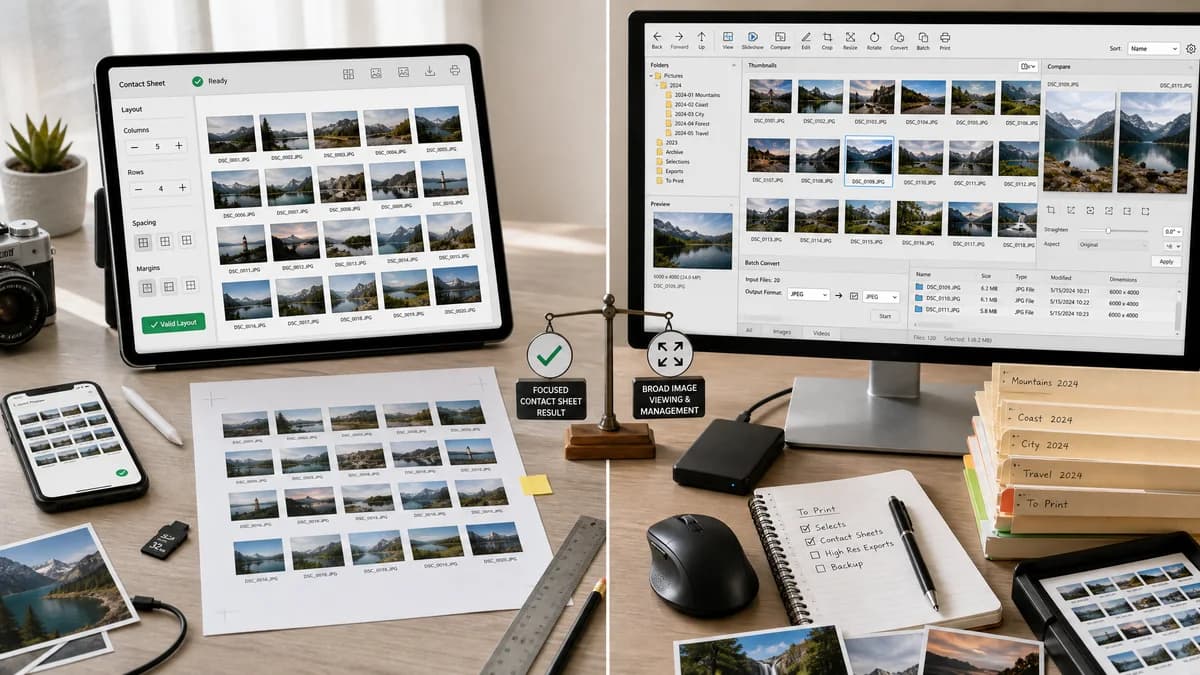
FastStone is better for Windows users needing a broad viewer/editor; TextFaker is better for a focused contact sheet workflow that works from any modern browser.
How Photo Contact Sheet Maker fits
Photo Contact Sheet Maker provides a dedicated, browser-local contact sheet generator rather than a full Windows image viewer, with explicit layout validation and mobile-friendly controls.
How FastStone Image Viewer fits
FastStone is useful for Windows users who need a fast desktop image browser with editing, conversion, comparison, and management features.
Side-by-side comparison
| Decision point | Photo Contact Sheet Maker | FastStone Image Viewer | Takeaway |
|---|---|---|---|
| Primary purpose | Our workflowContact sheet generation only. | Competitor workflowImage viewing, management, conversion, and editing. | TextFaker can be simpler and more focused. |
| Platform reach | Our workflowBrowser-based across devices. | Competitor workflowWindows desktop application. | TextFaker is more accessible on Mac, Linux, Chromebook, and mobile. |
| Output verification | Our workflowCan expose computed layout data and verify Blob outputs in tests. | Competitor workflowDesktop output is controlled through application UI and print workflows. | TextFaker aligns better with automated TextFaker testing. |
| Privacy | Our workflowLocal browser processing without upload. | Competitor workflowLocal desktop processing. | Both can be private; TextFaker should state this at upload time. |
| Batch handling | Our workflowShould support many files but manage memory through preview scaling and export warnings. | Competitor workflowDesktop apps can be efficient with large folders. | FastStone may be stronger for very large desktop libraries. |
| Ease for occasional users | Our workflowOpen page, choose images, configure grid, download. | Competitor workflowInstall and learn a general image viewer. | TextFaker is lower friction for occasional contact sheets. |
Use Photo Contact Sheet Maker when
- Users who want contact sheets without a desktop image manager
- Cross-platform and mobile browser access
- Deterministic output checks for page size and grid placement
- Simple PNG/PDF download from selected files
Use FastStone Image Viewer when
- Windows users managing photo folders locally
- People needing image viewing, editing, comparison, and conversion together
- Offline desktop users
- Users who already use FastStone for batch image tasks
Detailed comparison
Demand Signal
FastStone appears repeatedly in tutorials and user recommendations for making contact sheets or printing multiple images. Its broad viewer/editor positioning confirms contact sheets sit near common photo-management tasks.
- Users look for quick ways to print many photos per page.
- Desktop viewers are common alternatives but require installation.
- A web tool can meet occasional demand more directly.
Product Fit
A TextFaker tool should not attempt to become a file manager. It should focus on selected images, predictable ordering, and downloadable proof sheets.
- No folder tree required.
- No editing toolset required.
- No account or desktop install required.
Implementation Guidance
Use progressive decoding so the UI remains responsive when many images are selected. Build a visible queue with status for decoded, failed, and skipped files.
- Show unsupported files with clear error reasons.
- Let users export a CSV of filenames and page/cell positions.
- Add print-safe page presets.
- Add a memory estimate based on output pixel count.
Validation Plan
Automated tests should verify status handling as well as rendering. Include one unsupported file fixture and assert it is excluded with a deterministic error message.
- Assert decoded count and skipped count.
- Assert sheet geometry after skipped files.
- Assert generated filename includes page preset and file count.
- Assert output dimensions never exceed selected custom size.
Research notes
- Official FastStone documentation positions it as a Windows image browser, converter, editor, and management tool.
- FastStone is adjacent rather than a single-purpose contact sheet web competitor.
- TextFaker can win on focus, browser access, and deterministic validation.
Official source
The only outbound competitor link on this page is placed here for source checking after the comparison.
Official FastStone Image Viewer source