
Photo Contact Sheet Maker vs ImageMagick Montage
Photo Contact Sheet Maker is the baseline in this comparison: Create a printable grid of photos with filenames, spacing, page size, and PNG export without uploading images.
ImageMagick montage combines separate images into a tiled composite image with optional labels, borders, frames, and geometry settings.
Quick verdict
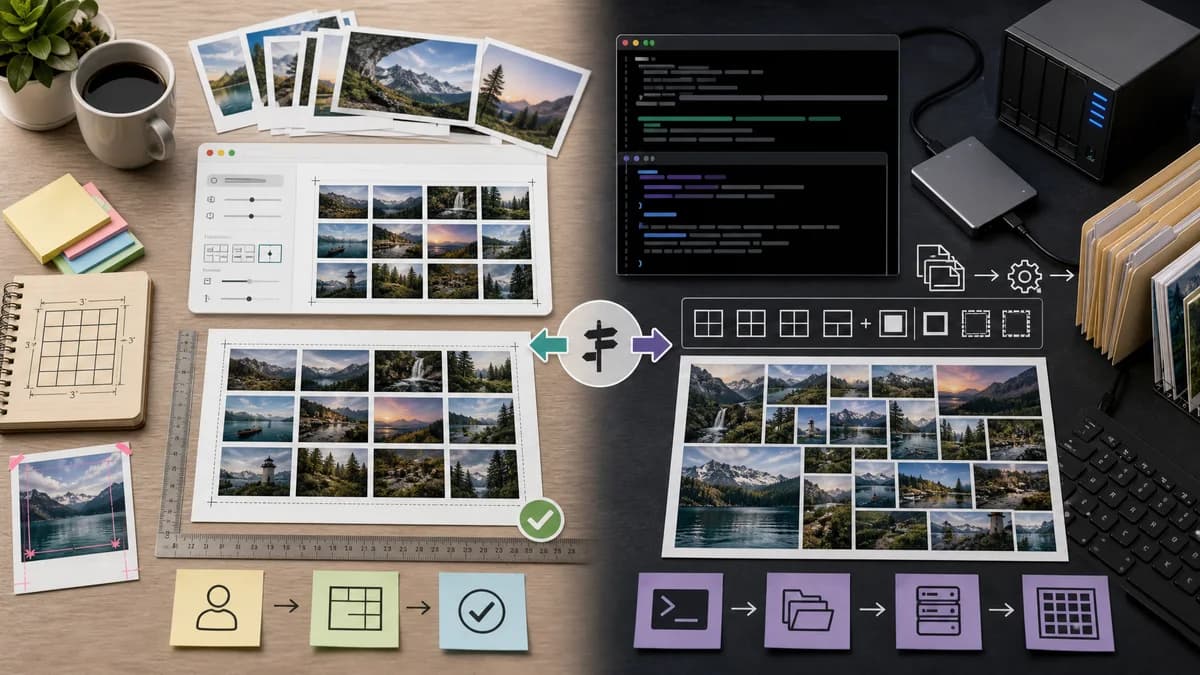
ImageMagick is better for scripted desktop or server workflows; TextFaker is better for general users who need a local browser tool without command syntax.
How Photo Contact Sheet Maker fits
Photo Contact Sheet Maker will expose common montage-style contact sheet needs through a visual, browser-local interface for non-technical users, while keeping deterministic layout math suitable for tests.
How ImageMagick Montage fits
ImageMagick montage is powerful for users comfortable with command-line image processing and repeatable scripts.
Side-by-side comparison
| Decision point | Photo Contact Sheet Maker | ImageMagick Montage | Takeaway |
|---|---|---|---|
| User interface | Our workflowGraphical browser controls with previews. | Competitor workflowCommand-line interface. | TextFaker is more approachable for general users. |
| Automation | Our workflowManual browser workflow plus copyable settings summary. | Competitor workflowHighly scriptable command-line tool. | ImageMagick is stronger for automated bulk jobs. |
| Installation | Our workflowNo install beyond browser. | Competitor workflowRequires ImageMagick installation or a host where it is available. | TextFaker is easier for occasional users. |
| Labeling | Our workflowStructured caption templates for filename, index, date, and dimensions. | Competitor workflowMontage supports labels and geometry options. | Both can label images; TextFaker should simplify common label fields. |
| Privacy | Our workflowLocal browser processing. | Competitor workflowLocal or server-side depending on where commands run. | TextFaker avoids server workflow ambiguity for end users. |
| Testing | Our workflowWeb tests can inspect layout data and sampled pixels. | Competitor workflowCommand output can be tested in scripts but is outside the TextFaker browser UI model. | TextFaker can combine user accessibility with internal determinism. |
Use Photo Contact Sheet Maker when
- Non-technical users making proof sheets visually
- Mobile or browser-only workflows
- Built-in preview, reordering, and download controls
- Deterministic outputs without command-line setup
Use ImageMagick Montage when
- Developers and technical photographers
- Batch scripts and automation pipelines
- Advanced command-line image transformations
- Server or desktop environments with ImageMagick installed
Detailed comparison
Demand Signal
Public photography and image-processing discussions use ImageMagick montage to create contact sheets, showing the job is important enough for people to write commands and share examples. That demand can be served better for non-technical users through a web UI.
- Users want tiled proof sheets from folders of images.
- Technical examples include labels and geometry settings.
- A browser tool can translate those choices into form controls.
Differentiation
The main difference is audience. ImageMagick is a power tool; TextFaker should be a practical consumer-facing tool with deterministic internals.
- Do not expose command syntax.
- Do expose equivalent settings in plain language.
- Keep output transparent and repeatable.
Implementation Guidance
The layout model can mirror common montage concepts: tile size, geometry gap, label area, background, border, and page size. Use browser canvas to render each page.
- Add columns x rows and thumbnail box size modes.
- Add optional border color and width.
- Add caption position below thumbnails.
- Add export settings that remain stable across browsers as much as possible.
Validation Plan
Because the ImageMagick comparison is deterministic, TextFaker should be equally deterministic. Tests should compare generated layout arrays and sample output pixels for known fixtures.
- Assert geometry gaps exactly match selected values.
- Assert border pixels match selected border color.
- Assert label area height matches caption settings.
- Assert contain and cover modes produce expected fitted rectangles.
Research notes
- Official ImageMagick montage documentation describes tiling separate images into composite images with optional labels and borders.
- Community posts show photographers using montage specifically to generate contact sheets.
- This competitor validates the layout model but also highlights a non-technical UX opportunity.
Official source
The only outbound competitor link on this page is placed here for source checking after the comparison.
Official ImageMagick Montage source