
Photo Contact Sheet Maker vs Photo Mechanic Contact Sheet View
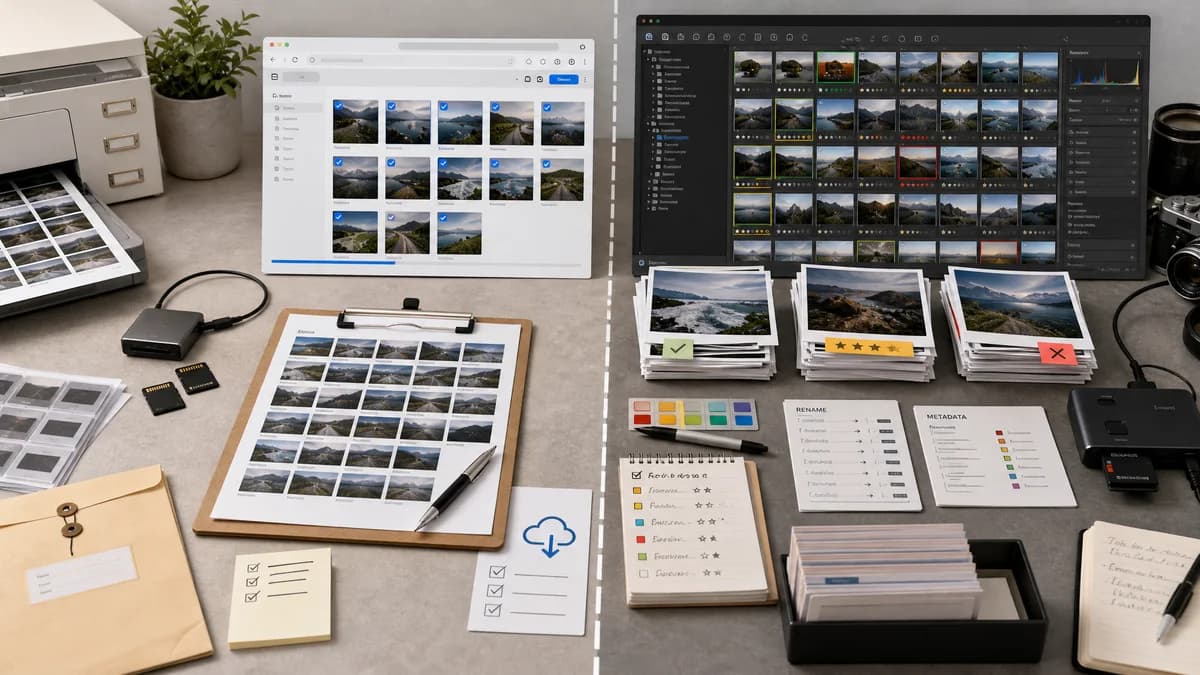
Photo Contact Sheet Maker is the baseline in this comparison: Create a printable grid of photos with filenames, spacing, page size, and PNG export without uploading images.
Photo Mechanic's Contact Sheet View is a fast thumbnail workspace for culling, rating, selecting, renaming, and applying metadata to images.
Quick verdict
Photo Mechanic is better for professional culling and metadata operations; TextFaker is better for generating shareable or printable contact sheet files without installing a workflow application.
How Photo Contact Sheet Maker fits
Photo Contact Sheet Maker will not replace a professional culling application; it will create downloadable proof sheets from selected files in a browser with local processing and deterministic output checks.
How Photo Mechanic Contact Sheet View fits
Photo Mechanic is built for professional photo ingestion, review, culling, rating, and metadata workflows where the contact sheet is an interactive workspace.
Side-by-side comparison
| Decision point | Photo Contact Sheet Maker | Photo Mechanic Contact Sheet View | Takeaway |
|---|---|---|---|
| Core concept | Our workflowCreates downloadable contact sheet documents or images. | Competitor workflowUses contact sheets as the main interactive thumbnail workspace. | They share terminology but differ in job-to-be-done. |
| Audience | Our workflowGeneral users, creators, sellers, archivists, and photographers needing proof outputs. | Competitor workflowProfessional photographers and production workflows. | TextFaker should remain accessible to non-professionals. |
| Installation | Our workflowRuns in browser. | Competitor workflowDesktop application. | TextFaker is lower friction for shareable proof sheets. |
| Metadata operations | Our workflowCaption display from available file metadata and browser file data. | Competitor workflowSelection, ratings, metadata templates, renaming, and workflow operations. | Photo Mechanic is much stronger for metadata management. |
| Output goal | Our workflowPNG/PDF sheets with page size, cells, labels, and downloadable files. | Competitor workflowFast review and organization, with print/export workflows around professional use. | TextFaker should focus on final artifacts. |
| Validation | Our workflowAutomated tests can verify layout and exports. | Competitor workflowInteractive desktop workflow is not designed for TextFaker's automated web validation. | TextFaker's simpler output contract is easier to test. |
Use Photo Contact Sheet Maker when
- Generating proof sheet files for sharing or printing
- Users who do not need culling, rating, or ingest workflows
- Browser-local contact sheets from arbitrary uploaded files
- Deterministic validation of exported pages
Use Photo Mechanic Contact Sheet View when
- Professional event and sports photographers
- Fast culling of large shoots
- Metadata-heavy newsroom or studio workflows
- Users who need thumbnail review as an interactive workspace
Detailed comparison
Demand Signal
Photo Mechanic's documentation calls the Contact Sheet View the main window for viewing thumbnails, culling, and rating. Camera Bits also publishes material about customizing contact sheet labels, confirming that metadata shown under thumbnails matters to real users.
- Professional users rely on contact-sheet-style thumbnail review.
- Labels and metadata can solve real selection problems.
- A simpler file-output tool can serve people who only need the sheet artifact.
Product Boundary
TextFaker should not try to become Photo Mechanic. The tool should stay focused on making contact sheet outputs, with optional captions that help users review or share a set.
- No rating database needed.
- No ingest workflow needed.
- No metadata writeback needed.
- Simple labels and order controls are enough.
Implementation Guidance
Use metadata display conservatively: browser File fields are reliable for name, size, and last modified date; image dimensions are reliable after decode; EXIF date can be optional only if an existing metadata parser is already available in the project.
- Avoid promising full professional metadata extraction unless implemented.
- Make all caption fields explicit.
- Show unavailable metadata as blank or omitted according to a deterministic rule.
- Keep export independent from any catalog state.
Validation Plan
Tests can validate that metadata-derived captions are handled deterministically. Use fixtures with known filenames and browser-provided synthetic File lastModified values.
- Assert caption field fallback rules.
- Assert missing dates do not break rendering.
- Assert filename labels remain readable or truncated according to settings.
- Assert image count and page count are stable after reorder.
Research notes
- Photo Mechanic is adjacent because its contact sheet is primarily an interactive culling view, not merely a generated proof document.
- Its label customization material reinforces demand for metadata beneath thumbnails.
- TextFaker should borrow the insight about useful labels while keeping the scope much smaller.
Official source
The only outbound competitor link on this page is placed here for source checking after the comparison.
Official Photo Mechanic Contact Sheet View source