
PNG Lossless Optimizer
PNG Lossless Optimizer helps reduce static PNG file size without changing the image pixels or converting the file to another format.
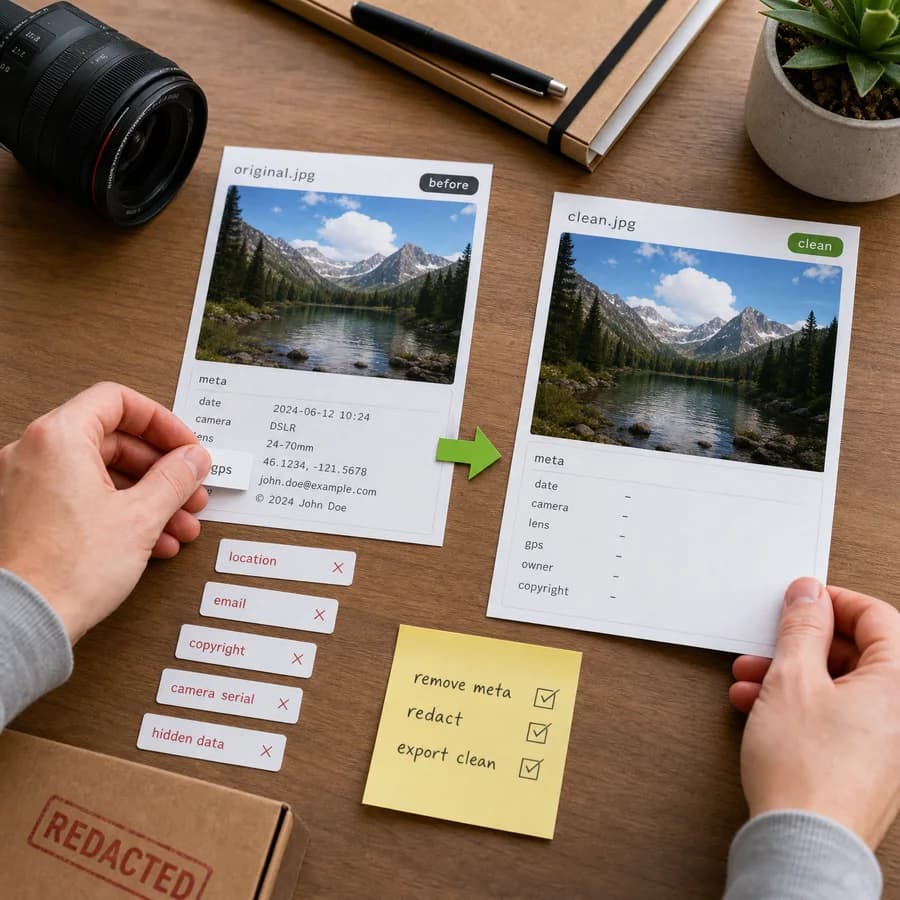
Compress PNG losslessly online by removing optional metadata chunks, preserving color and transparency chunks, and downloading a smaller PNG when savings are available.
Supported file type
This tool accepts static PNG files and keeps image pixels unchanged. It does not rewrite JPEG, WebP, AVIF, SVG, or animated PNG files.
Choose a PNG
Static PNG files up to 100 MB.
PNG optimization result
File savings, chunk changes, and download output.
PNG Lossless Optimization Guide
What lossless PNG optimization can safely change
A PNG file is made from ordered chunks. Critical chunks such as IHDR, PLTE, IDAT, and IEND define the image structure and pixel data. Ancillary chunks can store color management, transparency, physical density, timestamps, text, Exif metadata, and application-specific information. A careful optimizer can reduce file size by removing non-rendering metadata and by reducing chunk overhead while leaving the compressed image data intact.
This tool uses a conservative browser-local pass. It preserves critical image chunks and visual color or transparency chunks such as tRNS, gAMA, cHRM, sRGB, iCCP, sBIT, and related color-display records. It removes optional metadata chunks such as tEXt, zTXt, iTXt, eXIf, tIME, and pHYs, then combines split IDAT chunks into one IDAT chunk. Pixel data is not decoded, resampled, quantized, or converted.
- Kept: required PNG structure, palette data, image data, transparency, and color rendering chunks.
- Removed: text metadata, compressed text metadata, Exif metadata, timestamp metadata, and physical pixel density metadata.
- Optimized: multiple IDAT image-data chunks are combined to remove redundant PNG chunk overhead.
- Not changed: image width, image height, bit depth, color type, transparency pixels, and compressed IDAT byte stream.
When a PNG optimizer helps most
Lossless PNG optimization helps when a file carries metadata from editors, screenshots, cameras, design tools, CMS systems, or export pipelines. Small UI assets, screenshots, diagrams, icons, and product images can often contain text chunks, timestamps, density metadata, or repeated IDAT chunk wrappers that do not need to ship with the web image.
If a PNG is already stripped and has a single IDAT chunk, this optimizer may report no savings. That is a useful result: it means this safe pass did not find removable chunk overhead. Stronger tools may still reduce the file by recompressing scanlines, choosing different filters, or reducing palettes, but those workflows are slower and need more aggressive image analysis.
- Use it before uploading PNG assets to a website, CMS, email, marketplace, or documentation page.
- Use it when you want a smaller PNG but do not want JPEG, WebP, AVIF, palette reduction, or visible quality changes.
- Use the removed-chunks list to see exactly why the output changed.
- Keep the original file when metadata such as DPI/PPI, Exif, timestamps, or editor notes must be preserved.
Limits of this browser-local optimizer
This tool is intentionally conservative. It does not run expensive PNG filter search, zlib recompression, palette quantization, color reduction, or lossy conversion. That keeps the workflow fast and predictable in the browser, but it also means the savings depend on how much removable chunk metadata exists in the uploaded PNG.
Animated PNG files are not optimized by this tool because APNG uses extra animation control and frame data chunks. Removing or moving those chunks incorrectly can break animation. For animated files, use a dedicated APNG-aware optimizer and verify playback after optimization.
- No pixel decoding or canvas re-export is used, so the result avoids browser color-management side effects.
- No server upload is required; the file is read and rebuilt locally in the browser.
- Some files will show 0 B saved when they are already compact for this metadata-only pass.
- For maximum PNG compression, compare this output with dedicated desktop or command-line PNG optimizers.