
PNG to JPG Converter
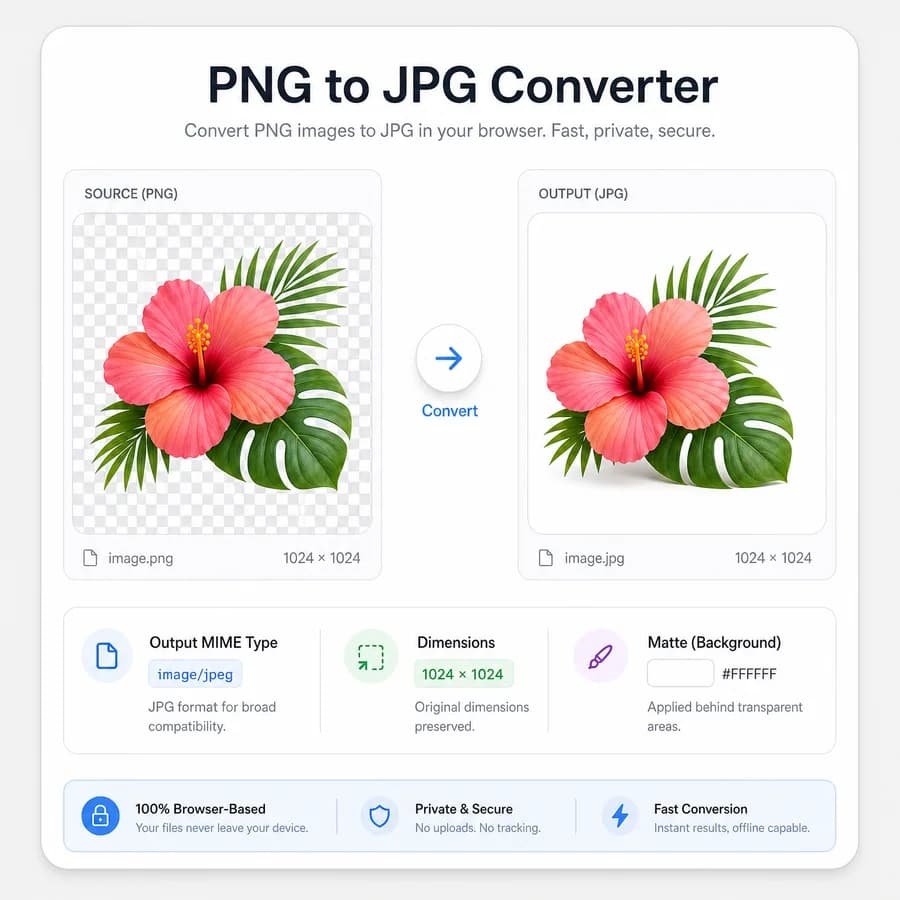
PNG to JPG Converter turns a selected PNG image into a browser-local JPG/JPEG file without uploading the original image.
Use it when you need a smaller photo-friendly .jpg copy, a JPEG upload target, or an opaque export from a transparent PNG with a clear matte color, MIME, filename, size, and dimension checks.
Choose a PNG image
PNG images up to 50 MB. Transparent pixels are flattened over the selected JPEG matte color.
JPG output is locked for this dedicated PNG to JPG Converter.
image/jpeg .jpg
Transparent pixels are flattened over this color for JPG output.
JPG conversion result
image/jpeg MIME, .jpg extension, preserved dimensions, file size, filename, matte color, and Blob checks.
No image selected
Choose a PNG image to create a verified JPG output file.
PNG input and JPG output checks
Source images
Output checks
- MIME type matches the selected encoder.
- Download extension matches the output MIME.
- Decoded output dimensions match the source pixels.
- Blob generation succeeds with a nonzero file size.
How to convert PNG to JPG locally
What changes during conversion
PNG is a lossless image format that can include full alpha transparency, while JPEG is a lossy photographic format that does not support an alpha channel. Converting PNG to JPG therefore changes both compression behavior and transparency behavior.
The output should keep the same decoded pixel width and height by default, but transparent and semi-transparent pixels need to be flattened onto an opaque matte color before JPEG encoding. A white matte is a practical default, and an explicit color picker gives users control for dark, colored, or brand-specific backgrounds.
- Input should be limited to PNG files that the browser can decode.
- Output MIME must be image/jpeg even though the visible filename extension should be .jpg.
- Output filename should follow the shared converter pattern and end with .converted.jpg.
- Transparent PNG pixels should be composited against the selected matte before export.
- Canvas export may omit EXIF, GPS, ICC, XMP, PNG chunks, and other original metadata.
Browser-local workflow
The implementation can reuse the existing Image Format Converter core: decode the selected PNG, draw an opaque matte to the canvas, draw the PNG over it, and export the canvas with image/jpeg and the selected quality value. That keeps this dedicated page small while preserving the shared validation and result-card behavior.
After export, the result card should show source filename, output MIME, extension, dimensions, original size, converted size, exact download filename, matte color, quality setting, and generated Blob status. These details make the tool more objective than a simple upload-and-download converter.
- Keep conversion locked to JPG/JPEG output on this dedicated page.
- Accept .png and image/png input only unless the shared adapter deliberately allows pasted PNG Blobs.
- Use object URLs only for browser preview and download, and revoke them when the selected file changes.
- Re-decode the generated Blob to confirm width and height match the decoded source PNG.
- Use deterministic copy text so tests can assert the exact result labels.
Transparency and matte handling
JPEG cannot preserve PNG transparency, so the tool should not imply that the JPG output remains transparent. Instead, show the selected matte as part of the output contract and explain that transparent areas become opaque pixels in the downloaded .jpg file.
A matte preview is important because the right background depends on the destination. White works for most documents and marketplace uploads, black can be better for dark UI mockups, and a custom HEX color helps designers match a website or product background.
- Default matte: white (#ffffff).
- Allow a user-selectable matte color before conversion.
- Composite semi-transparent pixels correctly, not just fully transparent pixels.
- Report the matte color in copy/download text and result details.
- Avoid background-removal or alpha-preservation claims on this page.
Validation rules
Browsers support canvas serialization to common image types, but the tool should still validate the actual Blob rather than trusting the requested MIME string. A conversion is successful only when the Blob exists, is nonzero, reports image/jpeg, uses a .jpg filename, and decodes back to the same dimensions.
The broader Image Format Converter already documents MIME fallback risk for unsupported outputs. This dedicated adapter should keep the same defensive checks even though image/jpeg canvas export is broadly available.
- Output Blob must exist and have a nonzero size.
- Output MIME must be image/jpeg.
- Download filename must end with .jpg.
- Decoded output width and height must match the decoded PNG source.
- Copy-all text must include tool name, source file, target format, output MIME, extension, dimensions, sizes, quality, matte color, output filename, and Blob generated status.
When JPG is the right output
JPG is usually a good target for photographs, large opaque web images, email attachments, social uploads, and forms that reject PNG files. It is not the right target when you need transparency, exact lossless pixels, line art with crisp edges, or metadata-preserving archival conversion.
For users who need other outputs, keep internal links close to the result area: Image Format Converter for PNG/JPG/WebP/AVIF choices, JPG to PNG Converter for the reverse direction, Remove Alpha Channel for matte-focused cleanup, and JPEG Quality Slider Compressor for file-size tuning after conversion.
- Good fits include photo previews, opaque screenshots, CMS uploads, marketplace images, and smaller shareable copies.
- Poor fits include transparent logos, UI icons that need alpha, exact pixel QA, and archival color-managed conversion.
- Quality should be adjustable, with a sensible default such as 0.9 or the shared converter default.
- The page should use JPG and JPEG wording because users search both spellings.
Compare PNG to JPG Converter
Review this tool beside related online utilities, dedicated apps, and adjacent workflows.
Compare PNG to JPG Converter with other toolsOpen Source Alternatives
Compare this focused browser workflow with proprietary software and online tools that solve similar jobs.
View PNG to JPG Converter open source alternatives