
QR Code Decoder from Image
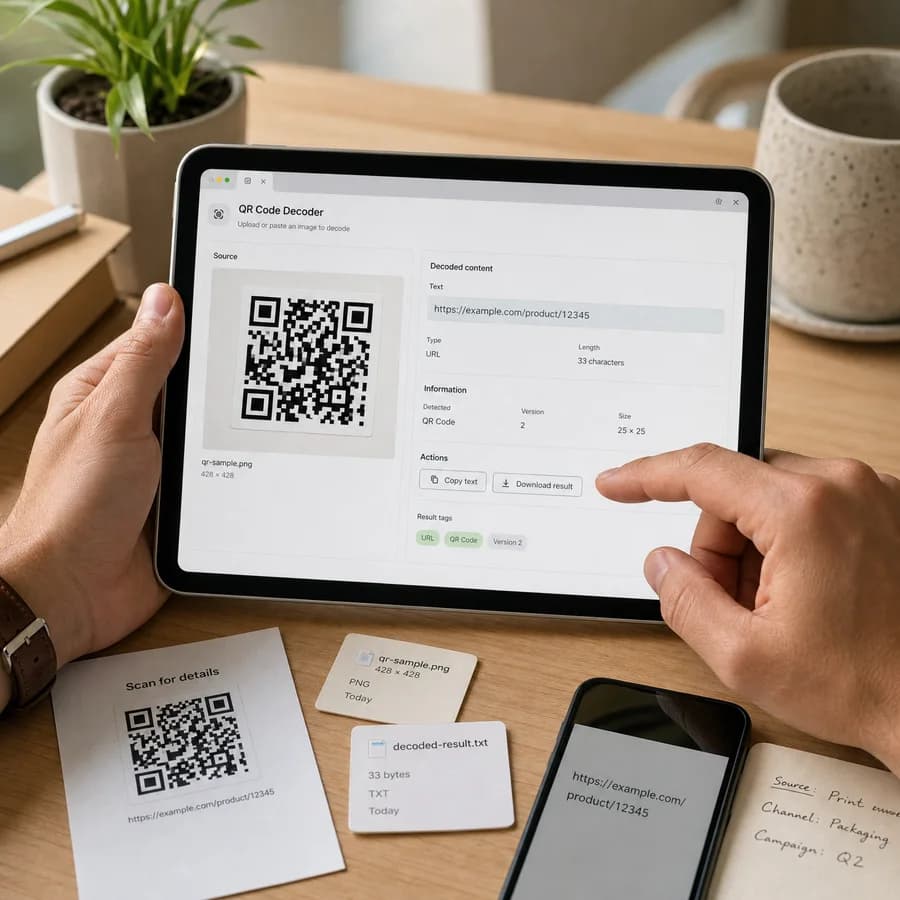
QR Code Decoder from Image reads a QR code from an uploaded picture, screenshot, or saved image file and returns the decoded data directly in your browser.
Use it to scan QR code from image files when you do not want to open a camera app, upload private files, or guess whether the code contains a URL, email, phone number, or plain text.
Choose a QR image
JPG, PNG, WebP, GIF, BMP, or AVIF files up to 50 MB.
Images are decoded locally in the browser. No QR found, unsupported files, and image errors do not consume a tool use.
Decoded QR data appears here
Upload a screenshot, photo, or saved QR image to read the payload, identify the likely type, and copy the result.
Decode a QR Code from an Uploaded Image
What this tool reads
The tool decodes the actual QR payload from image pixels, not file metadata. It is intended for screenshots, saved QR images, product labels, printed-code photos, and common browser-decodable image files.
After a successful decode, the result shows the exact payload, a practical type hint, QR version when reported by the decoder, image dimensions, file size, and a copy-all button for the visible result.
- URL, email, phone, SMS, Wi-Fi, vCard, geo URI, and plain text hints are detected conservatively.
- Decoded data is never auto-opened; links require an intentional click.
- No-code-found, unsupported image, and browser decode errors do not count as successful tool uses.
- The file is read locally through browser image and canvas APIs.
Result states
A successful QR decode is the only state that consumes a tool use. Loading an image is not enough, because users often test screenshots, cropped pictures, labels, or broken files that may not contain a readable QR code.
When no QR code is found, the page explains the normal retry options: use a sharper image, crop closer to the code, improve contrast, or choose a less distorted source image.
- Successful decode: decoded payload, type hint, copy-all button, and safe URL action when applicable.
- No QR code found: the image loaded, but the QR decoder could not locate a readable symbol.
- Unsupported file: the selected image type is outside the configured browser-decodable set.
- Decode error: the browser could not render the file into pixels for local QR scanning.
Privacy and safety
QR codes can contain login links, payment addresses, Wi-Fi credentials, internal URLs, contact records, or other sensitive values. The core workflow keeps the selected image and decoded result in the browser UI.
A decoded QR value can still be unsafe if the source image is untrusted. The tool shows the payload first so users can inspect and copy it before deciding whether to open a URL.
- Do not scan unknown QR codes with an auto-opening workflow.
- Check shortened or unusual URLs before opening them.
- Treat Wi-Fi, payment, and login QR codes as sensitive data.
- Use copy-all when documenting a QR result for support or security review.
How browser-local decoding works
The selected image is decoded by the browser, drawn to a canvas, converted into ImageData, and passed to a proven QR decoder library. This keeps the implementation focused on real QR reading instead of handwritten QR parsing.
Browser support still matters. Very large images are rejected before pixel extraction, and format handling depends on what the current browser can decode reliably.
- The decoder uses pixel data, so QR code size, contrast, blur, and perspective affect success.
- A crop around the QR code can help when a screenshot contains many other elements.
- Animated image files are decoded from the browser-rendered frame, not scanned as video.
- Barcode formats other than QR code are outside this page's scope.