
Remove Alpha Channel vs Adobe Photoshop
Remove Alpha Channel is the baseline in this comparison: Flatten PNG, WebP, AVIF, BMP, or JPEG images over a matte color and export an opaque PNG or JPEG locally in your browser.
Photoshop includes layer flattening and professional image-editing workflows that can remove transparency as part of a broader editing process.
Quick verdict
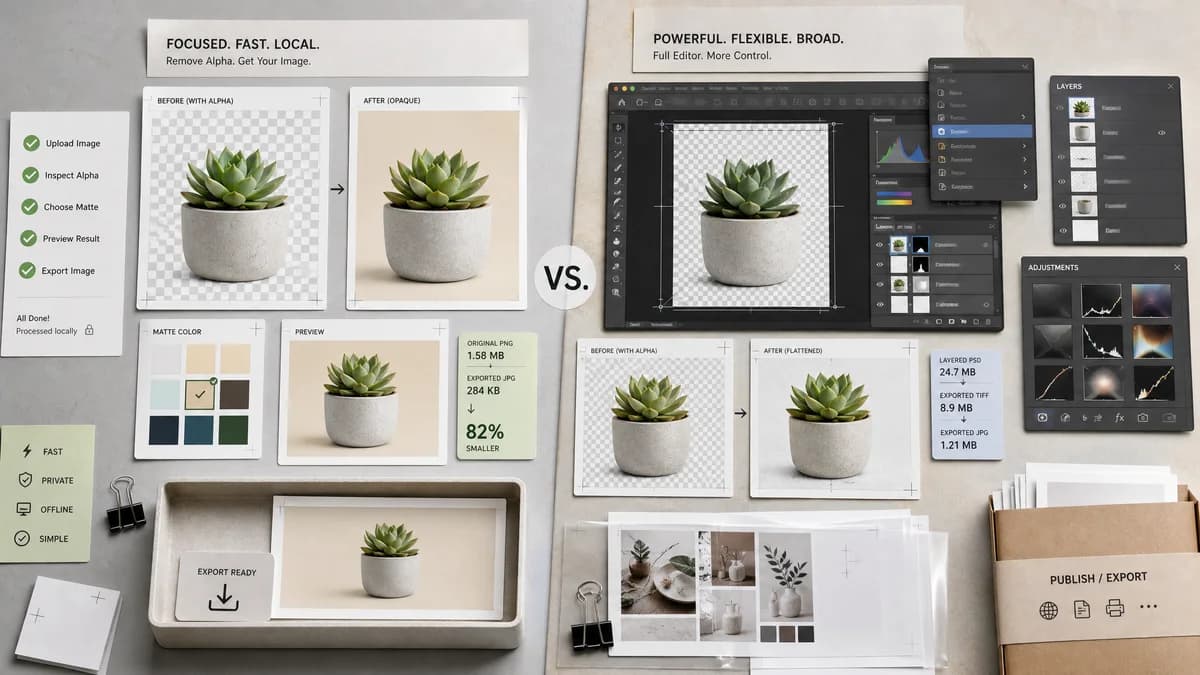
Photoshop is best for professional layered editing. TextFaker compete on speed, simplicity, local browser processing, and transparent result reporting for one-off files.
How Remove Alpha Channel fits
TextFaker offer a focused browser-local alternative for users who do not need a professional editor: upload, inspect alpha, choose matte, preview, and export an opaque file.
How Adobe Photoshop fits
Adobe's official layer help documents Flatten Image under the Layer menu and Layers panel menu. Photoshop is a full professional editor rather than a narrow alpha-channel removal utility.
Side-by-side comparison
| Decision point | Remove Alpha Channel | Adobe Photoshop | Takeaway |
|---|---|---|---|
| Product type | Our workflowSingle-purpose browser tool. | Competitor workflowFull professional image editor. | Different scopes make TextFaker faster for a narrow task. |
| Alpha removal path | Our workflowExplicit remove-alpha workflow with matte color and output format choices. | Competitor workflowFlattening is available through layer workflows. | TextFaker can make the operation more discoverable for non-designers. |
| Transparency reporting | Our workflowCounts and percentages for alpha classes. | Competitor workflowNot positioned as a pixel transparency reporting tool in the researched help page. | Reporting is TextFaker's feature advantage. |
| Cost and setup | Our workflowBrowser-local page with shared access flow only on value-producing conversions. | Competitor workflowCommercial software ecosystem. | TextFaker can serve occasional users more directly. |
| Output formats | Our workflowOpaque PNG and JPEG where browser canvas supports them. | Competitor workflowBroad professional export options depending on document and workflow. | Photoshop has deeper export power; TextFaker keep defaults obvious. |
| Preview | Our workflowBefore/after preview on checkerboard or solid background is built into the tool. | Competitor workflowPhotoshop users can inspect layers and backgrounds within the editor. | TextFaker needs purpose-built preview states. |
Use Remove Alpha Channel when
- Quick alpha removal without opening a full editor
- Users who need a simple web utility
- Users who want alpha statistics before export
Use Adobe Photoshop when
- Professional designers already using Photoshop
- Complex layered documents
- Advanced retouching, masks, and color workflows
Detailed comparison
Positioning
The comparison does not present TextFaker as replacing Photoshop. It position TextFaker as the simpler path when the only goal is making an image opaque.
- Use phrases like quick flattening and browser-local conversion.
- Avoid broad photo-editing claims.
Audience
Photoshop users are often professionals, while TextFaker visitors may be developers, marketplace sellers, social media users, or designers doing QA.
- Highlight no full-editor setup.
- Highlight copyable transparency report.
Workflow
The planned TextFaker flow is more constrained and therefore easier to test end to end.
- Upload through shared drop zone.
- Decode locally.
- Composite over matte.
- Export opaque file.
Content
SEO copy can answer why JPEG removes transparency and why PNG can still be opaque after alpha removal.
- Include FAQ for PNG versus JPEG opaque output.
- Include examples for transparent logo and semi-transparent shadow.
Research notes
- Adobe's official layers help documents Flatten Image access through Layer and the Layers panel menu.
- The researched source supports comparison around flattening, but does not describe a dedicated alpha-statistics workflow.
- Use Photoshop as a commercial editor comparison, not a direct online alpha remover.
Official source
The only outbound competitor link on this page is placed here for source checking after the comparison.
Official Adobe Photoshop source