
Remove Alpha Channel vs ImageMagick
Remove Alpha Channel is the baseline in this comparison: Flatten PNG, WebP, AVIF, BMP, or JPEG images over a matte color and export an opaque PNG or JPEG locally in your browser.
A mature command-line image processing toolkit with alpha-channel operations including removal by compositing over a background color.
Quick verdict
ImageMagick is the best open-source technical reference, while TextFaker is better for non-CLI users who need a visual, browser-local conversion with understandable results.
How Remove Alpha Channel fits
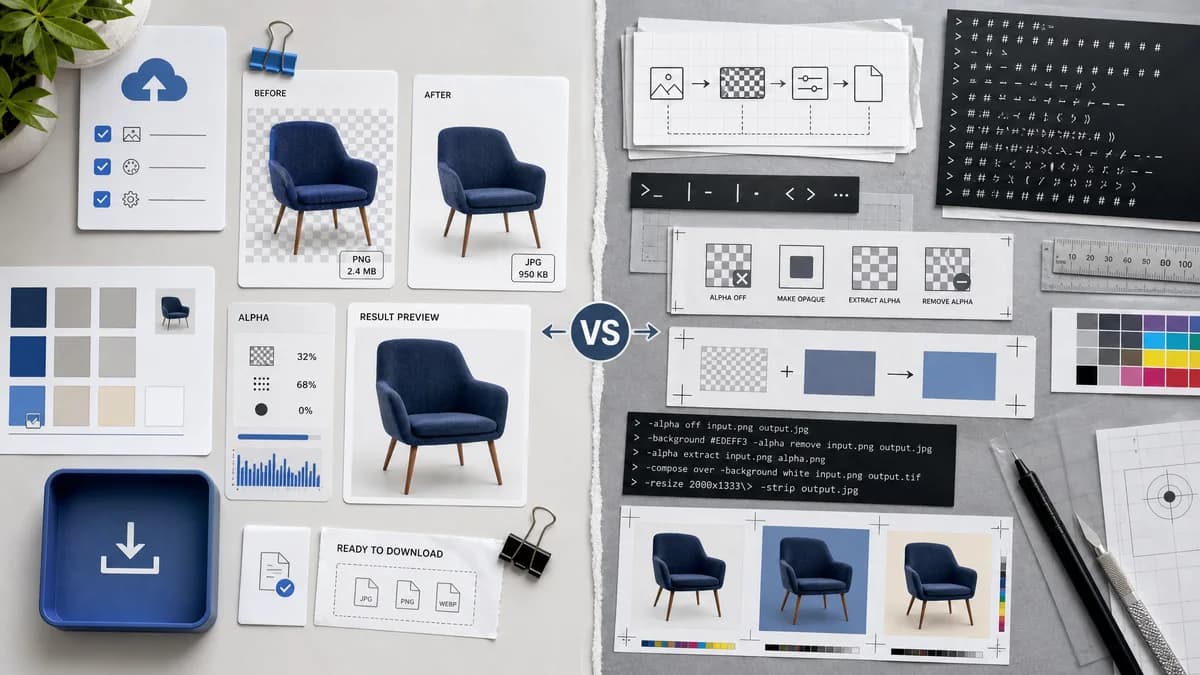
TextFaker bring the core alpha-removal concept into a browser UI: upload, choose matte color, see alpha statistics, preview the result, and export an opaque image without installing anything.
How ImageMagick fits
ImageMagick documents alpha operations such as off, opaque, extract, and remove. Its alpha remove operation composites an image over the background color, making it a strong technical reference for correct flattening behavior.
Side-by-side comparison
| Decision point | Remove Alpha Channel | ImageMagick | Takeaway |
|---|---|---|---|
| Interface | Our workflowBrowser UI with upload, color picker, previews, and download buttons. | Competitor workflowCommand-line options and scripting. | TextFaker trades automation power for accessibility. |
| Alpha operation | Our workflowComposite pixels over a user-selected matte and export with alpha removed. | Competitor workflowAlpha remove composites over the background color per official documentation. | ImageMagick confirms the correct technical model. |
| Transparency stats | Our workflowSource-pixel counts and percentages. | Competitor workflowCan be scripted, but not presented as a default visual report. | TextFaker make reporting automatic. |
| Installation | Our workflowNo install beyond a modern browser. | Competitor workflowRequires ImageMagick installation or an environment where it is available. | Browser-local UX is a practical advantage for casual users. |
| Batch support | Our workflowSingle-tool page focused on one image at a time unless future scope expands. | Competitor workflowStrong batch and automation capabilities. | ImageMagick remains superior for repeated production pipelines. |
| SEO fit | Our workflowCan explain make PNG opaque and flatten transparent image in user-facing terms. | Competitor workflowDocumentation is operator-oriented. | TextFaker translate the same operation into plain-language SEO content. |
Use Remove Alpha Channel when
- Non-technical users flattening one image
- Design QA users who need counts and previews
- Users who do not want to install command-line software
Use ImageMagick when
- Developers automating many image conversions
- Server-side pipelines
- Users who need scriptable alpha, mask, and channel operations
Detailed comparison
Technical Model
ImageMagick is the strongest source for the operation semantics: alpha removal composite over a background color, not merely hide the alpha channel.
- Use premultiplied-alpha-safe canvas compositing.
- Verify semi-transparent pixels blend with matte color, not simply become fully opaque with original RGB.
Open Source Angle
This comparison also appear in open-source alternative content because ImageMagick is widely used for scriptable image conversion.
- Include a short note that developers may prefer ImageMagick for batch jobs.
- Avoid providing long command tutorials on a comparison page.
Product Gap
ImageMagick is powerful but not a guided browser tool. TextFaker surface the exact result a user needs before export.
- Show before/after preview.
- Show alpha distribution.
- Add copy-all report.
Risk
The main implementation risk is incorrect treatment of semi-transparent edge pixels. The matte compositing formula must be tested.
- Test 50 percent alpha red over white.
- Test fully transparent pixels over chosen color.
- Test opaque pixels remain unchanged.
Research notes
- Official ImageMagick docs list alpha remove as compositing over the background color.
- Official examples include alpha removal with a white background.
- This is the primary technical reference for correctness and open-source alternatives.
Official source
The only outbound competitor link on this page is placed here for source checking after the comparison.
Official ImageMagick source