
Remove Alpha Channel vs Photopea
Remove Alpha Channel is the baseline in this comparison: Flatten PNG, WebP, AVIF, BMP, or JPEG images over a matte color and export an opaque PNG or JPEG locally in your browser.
A browser-based image editor with broad file-format support, layers, masks, channels, and PSD workflows.
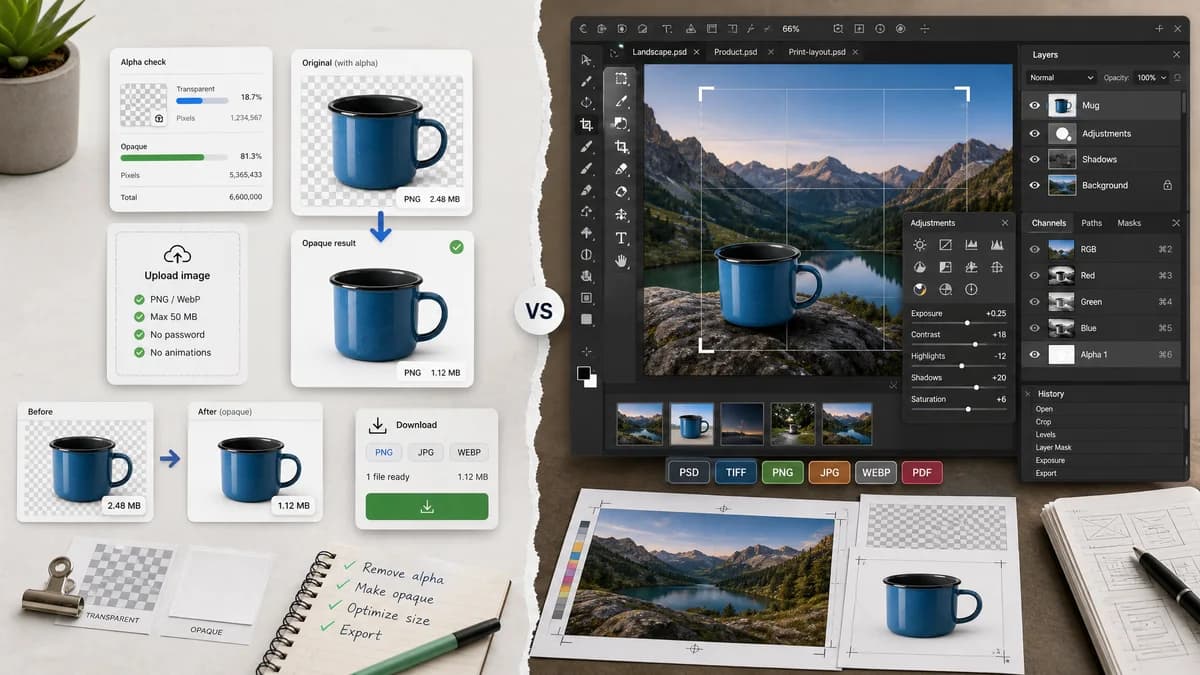
Quick verdict
Photopea is better for full editing in the browser. TextFaker can win on single-purpose clarity, transparency counts, and a conversion flow that does not require learning an editor interface.
How Remove Alpha Channel fits
TextFaker provide a smaller, task-specific UI for flattening transparency from uploaded images with alpha statistics and opaque export.
How Photopea fits
Photopea is an online image editor. Its official materials describe support for complex formats such as PSD and many raster formats, plus layers, masks, channels, paths, and other editor features.
Side-by-side comparison
| Decision point | Remove Alpha Channel | Photopea | Takeaway |
|---|---|---|---|
| Interface complexity | Our workflowGuided upload-to-export utility. | Competitor workflowFull editor workspace with layers and tools. | TextFaker is easier for one narrow job. |
| File-format breadth | Our workflowBuilt around browser-decodable image inputs and opaque image exports. | Competitor workflowOfficial repository lists many complex, raster, raw, and animated formats. | Photopea is broader; TextFaker be more focused. |
| Alpha diagnostics | Our workflowBuilt-in counts and percentages for transparent, semi-transparent, and opaque pixels. | Competitor workflowHas channels and layer tools but no researched dedicated report flow. | TextFaker can be stronger for QA. |
| Flattening | Our workflowDedicated alpha-removal action with explicit matte choice. | Competitor workflowFlattening and layer workflows are part of the editor experience. | TextFaker makes the intent obvious. |
| Privacy model | Our workflowLocal browser decoding and canvas processing. | Competitor workflowBrowser editor; official repository describes it as an online editor but privacy details are not the focus of the cited source. | TextFaker document local processing clearly. |
| Result copy | Our workflowOne copy-all result button with counts, matte, output format, and file details. | Competitor workflowGeneral editor export workflow. | Copyable results can differentiate TextFaker for documentation and QA. |
Use Remove Alpha Channel when
- Users who only need to make one image opaque
- Users who need a quantified transparency report
- Users who want a clean comparison page and focused tests
Use Photopea when
- Users editing layered files in a browser
- Users who need PSD-like workflows
- Users who want masks, channels, and broader design tools
Detailed comparison
Positioning
Photopea is an adjacent browser editor, not a direct alpha-removal utility. The comparison focus on task completion rather than editor feature count.
- State that Photopea is better for editing layered designs.
- State that TextFaker is better for quick flattening and reporting.
Overlap
Both can run in a browser and handle image files, but the user experience differs sharply.
- Photopea exposes a workspace.
- TextFaker expose an upload, result, and export pipeline.
SEO
Searchers who type remove alpha channel may not want a Photoshop-like editor. Use comparison copy to guide them to the focused tool.
- Include remove alpha channel from image.
- Include flatten transparent PNG.
- Include make PNG opaque.
Verification
Browser smoke tests ensure the preview is nonblank and that UI labels do not overlap on mobile.
- Test checkerboard preview.
- Test solid preview.
- Test download buttons after successful conversion.
Research notes
- Photopea's official repository describes broad complex, raster, raw, and animated format support.
- The repository says Photopea is not fully open source and serves as a place for bug reports and feature requests.
- Use Photopea as a browser editor comparison and keep alpha removal framed as a specialized workflow.
Official source
The only outbound competitor link on this page is placed here for source checking after the comparison.
Official Photopea source