
SRT to VTT Converter vs Rev SRT Caption Converter
SRT to VTT Converter is the baseline in this comparison: Convert .srt subtitles to WebVTT locally in your browser with validation, cue counts, warnings, copy-ready VTT text, and a downloadable .vtt file.
Compare TextFaker with Rev's free SRT caption converter.
Quick verdict
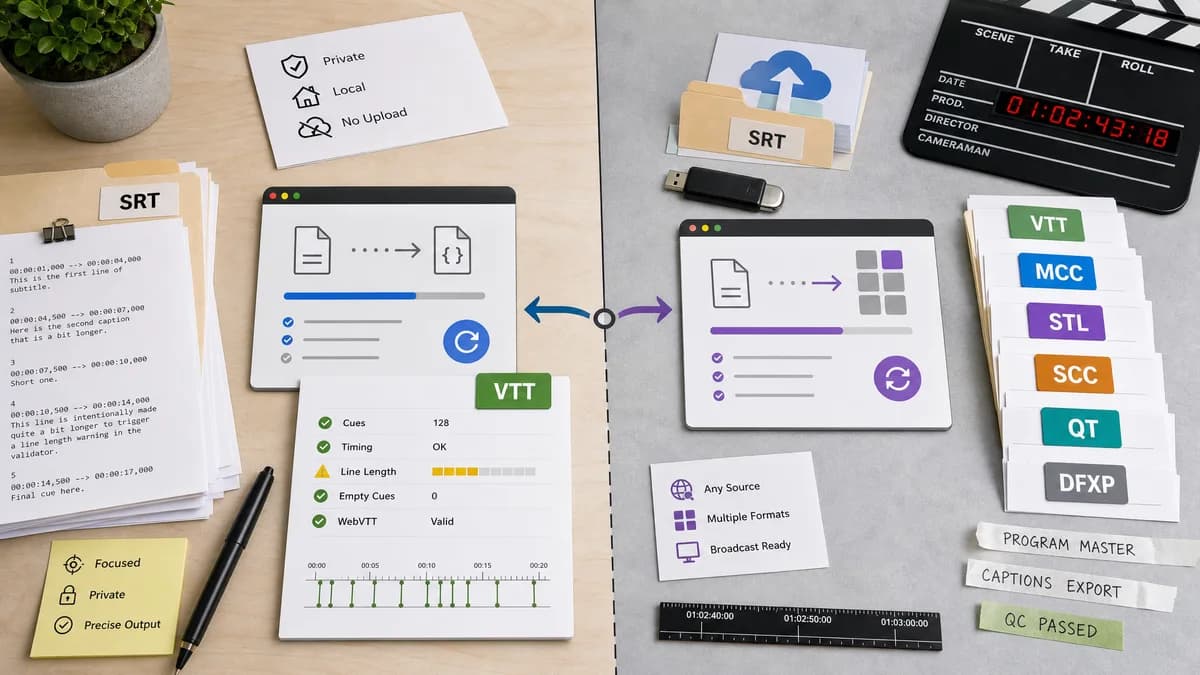
Rev is better for broadcast and multi-format caption conversion, while TextFaker is better for private WebVTT conversion with visible output and warnings.
How SRT to VTT Converter fits
TextFaker should convert SRT to WebVTT locally and expose precise validation signals for users preparing captions for web players and publishing platforms.
How Rev SRT Caption Converter fits
Rev's free caption converter accepts SRT and converts to multiple caption formats, including VTT, MCC, STL, SCC, QT, and DFXP, with local and cloud-storage upload options.
Side-by-side comparison
| Decision point | SRT to VTT Converter | Rev SRT Caption Converter | Takeaway |
|---|---|---|---|
| Format scope | Our workflowSRT to VTT only for first release. | Competitor workflowConverts SRT to several caption formats including VTT and broadcast-oriented formats. | Rev wins format breadth; TextFaker can win focused privacy and clarity. |
| Upload sources | Our workflowLocal file picker and paste input only. | Competitor workflowSupports computer upload and cloud storage sources. | TextFaker should avoid integrations until core conversion is excellent. |
| Output inspection | Our workflowShow complete VTT text in the browser. | Competitor workflowConverter is oriented around uploaded input and converted file output. | Visible output helps users troubleshoot before platform upload. |
| Privacy | Our workflowNo subtitle upload is required. | Competitor workflowA hosted converter handles uploaded files. | Local processing addresses proprietary content concerns. |
| Validation | Our workflowWarnings for timestamp and cue issues should be first-class UI. | Competitor workflowPublic page emphasizes conversion formats. | TextFaker can support QA, not just conversion. |
| Audience | Our workflowGeneral creators, educators, web publishers, and support teams. | Competitor workflowCaptioning and transcription service users, including professional caption workflows. | TextFaker should keep wording approachable for non-broadcast users. |
Use SRT to VTT Converter when
- WebVTT-only conversion
- Private internal captions
- Users who need text output for copy and review
- Simple automated testing of conversion logic
Use Rev SRT Caption Converter when
- Users needing broadcast caption formats
- People converting from cloud storage files
- Rev customers or users familiar with captioning services
Detailed comparison
Market Evidence
Rev's free converter shows that caption-format conversion is a recognized lead-in utility even for professional captioning brands.
- VTT appears alongside professional caption formats.
- Users may need only a simple sidecar conversion.
- A free tool is expected in the market.
Product Difference
TextFaker should not try to cover every broadcast format. Its better first wedge is a correct WebVTT output for common web and learning workflows.
- WebVTT header
- Timestamp separator conversion
- Cue count
- Warnings
User Trust
For internal training, legal, healthcare, or client work, local conversion can be more compelling than a hosted free converter.
- State local processing clearly.
- Avoid hidden server calls for subtitle text.
- Keep download generation client-side.
Validation Path
Fixtures should include common Rev-compatible SRT basics plus malformed user input cases.
- Basic numbered SRT converts cleanly.
- Unnumbered SRT converts with warning or accepted mode.
- Bad time order produces a warning.
Research notes
- Rev is a strong multi-format competitor and should be included in comparison pages.
- A Reddit editors thread mentions Rev's converter as a practical option, showing peer-to-peer awareness.
- TextFaker can still compete by staying local and inspectable.
Official source
The only outbound competitor link on this page is placed here for source checking after the comparison.
Official Rev SRT Caption Converter source