
SRT to VTT Converter vs VEED SRT to VTT Converter
SRT to VTT Converter is the baseline in this comparison: Convert .srt subtitles to WebVTT locally in your browser with validation, cue counts, warnings, copy-ready VTT text, and a downloadable .vtt file.
Compare TextFaker with VEED's SRT to VTT converter and video subtitle tooling.
Quick verdict
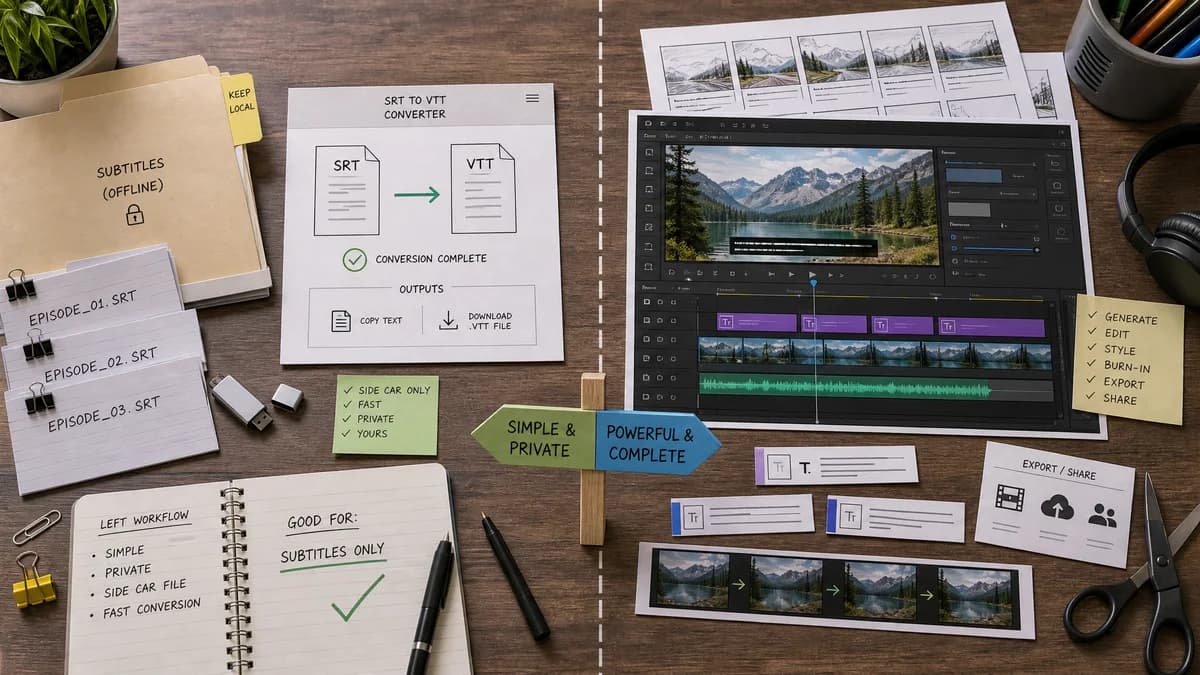
VEED is stronger when the user wants a video editor, while TextFaker is better for the narrower job of private subtitle sidecar conversion.
How SRT to VTT Converter fits
TextFaker should convert existing SRT files to VTT locally and provide direct text/file outputs without requiring a video editing workspace.
How VEED SRT to VTT Converter fits
VEED converts SRT files to VTT and also offers subtitle generation, editing, and hardcoded-video subtitle workflows inside a broader online video editor.
Side-by-side comparison
| Decision point | SRT to VTT Converter | VEED SRT to VTT Converter | Takeaway |
|---|---|---|---|
| Required asset | Our workflowOnly an SRT text file or pasted SRT text is needed. | Competitor workflowSupports subtitle files and broader audio/video subtitle workflows. | TextFaker removes unnecessary media-editor overhead for sidecar conversion. |
| Output | Our workflowCopyable VTT text plus downloadable .vtt file. | Competitor workflowDownload VTT and use surrounding subtitle/video tools. | TextFaker should serve CMS and web workflows well. |
| Privacy | Our workflowCaption text stays local in the browser. | Competitor workflowOnline editor and converter workflows are hosted. | Local conversion is important for internal or client captions. |
| Complexity | Our workflowSingle-screen utility with validation summary. | Competitor workflowPart of a larger video editing product. | A narrower UI can be faster on mobile and for quick tasks. |
| Validation | Our workflowReport cue count, parse warnings, and exact output status. | Competitor workflowPage emphasizes conversion and subtitle creation capabilities. | Validation is the feature that makes TextFaker more than a file button. |
| Accessibility workflow | Our workflowPrepare WebVTT for HTML track, Vimeo, LMS, or PowerPoint workflows. | Competitor workflowSupports subtitles for video editing and distribution. | TextFaker should mention platform-ready sidecar files without overclaiming platform certification. |
Use SRT to VTT Converter when
- Users who already have finished captions
- People who do not need to upload video
- Fast conversion before uploading to an LMS or video host
- Checking syntax before using a VTT file in HTML
Use VEED SRT to VTT Converter when
- Users who need to create captions from audio or video
- Creators who want to burn subtitles into a video
- Teams already editing video in VEED
Detailed comparison
Audience Split
VEED serves creators who may still be editing videos. TextFaker should target users who have moved past editing and only need the correct caption file format.
- Video editors exporting sidecar files
- Educators uploading captions to course platforms
- Web publishers adding track files to HTML video
Privacy Angle
Community posts from Adobe users explicitly mention proprietary information. A no-upload tool is a direct answer to that need.
- No account
- No video upload
- No subtitle upload
Feature Focus
The first release should be intentionally small and exact.
- SRT parser
- WebVTT emitter
- Warnings panel
- Copy and download buttons
Validation Path
Run fixtures through parser and compare exact output strings. Browser tests can also verify that the download filename ends in .vtt.
- Valid fixture: no warnings.
- Malformed timestamp fixture: validation warning.
- Cue overlap fixture: warning but output still available when possible.
Research notes
- VEED's page proves subtitle conversion demand overlaps with video editor audiences.
- TextFaker should not compete on video editing; it should compete on speed, local privacy, and deterministic output.
- Official WebVTT documentation supports the need for standards-oriented output.
Official source
The only outbound competitor link on this page is placed here for source checking after the comparison.
Official VEED SRT to VTT Converter source