
Transparent Margin Trimmer vs PicEditor Trim Transparent Pixels
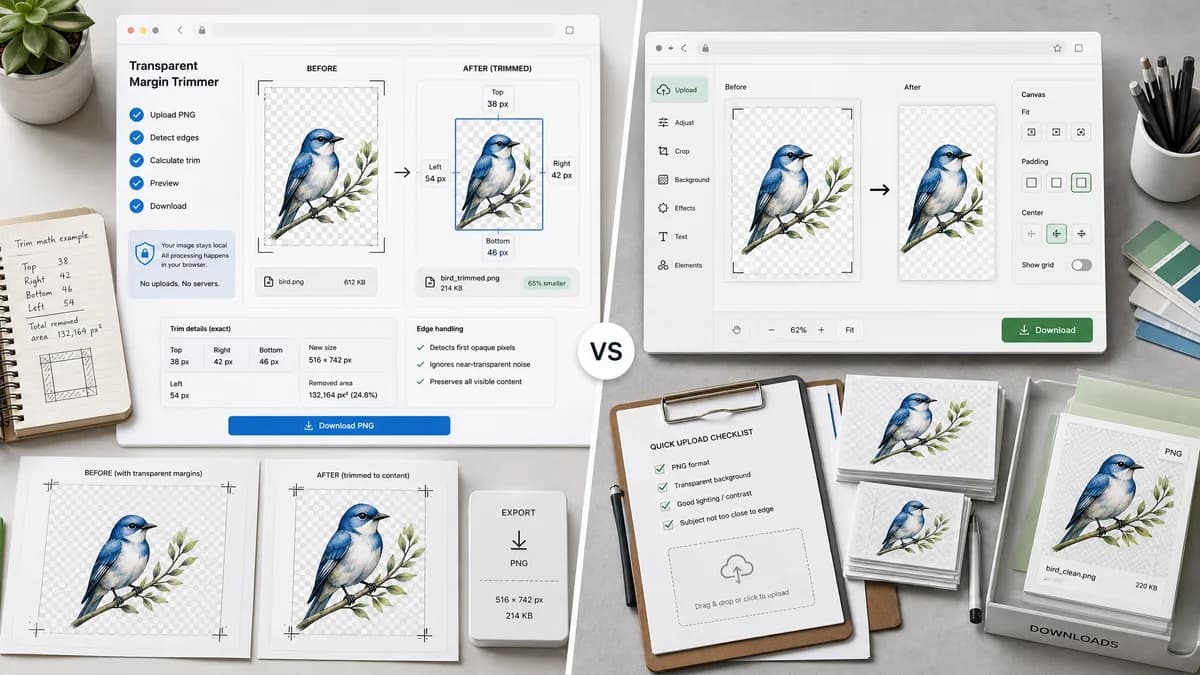
Transparent Margin Trimmer is the baseline in this comparison: Remove empty transparent space around logos, stickers, sprites, screenshots, and product cutouts without uploading the image.
PicEditor offers a focused online tool for trimming transparent edges from PNG images.
Quick verdict
TextFaker can compete by being more transparent about calculations, edge cases, and privacy, while keeping the UI as simple as dedicated trimmers.
How Transparent Margin Trimmer fits
Transparent Margin Trimmer should cover the same quick cleanup need while reporting exact trim measurements and keeping processing local to the browser.
How PicEditor Trim Transparent Pixels fits
PicEditor positions the feature as a quick way to keep PNG images clean and focused by trimming transparent edges.
Side-by-side comparison
| Decision point | Transparent Margin Trimmer | PicEditor Trim Transparent Pixels | Takeaway |
|---|---|---|---|
| Primary workflow | Our workflowUpload locally, auto-detect transparent margins, review metrics, download. | Competitor workflowTrim transparent edges from PNG images online. | The workflows overlap; TextFaker's metrics are the differentiator. |
| Privacy | Our workflowNo upload required for supported images. | Competitor workflowThe public page is an online editor experience. | State local processing clearly. |
| Deterministic metrics | Our workflowShow trim bounds, margins, final dimensions, output bytes, and MIME. | Competitor workflowThe page emphasizes easy trimming, not detailed computed values. | Metrics support both trust and automated tests. |
| Edge cases | Our workflowClear validation for no transparent pixels, all-transparent file, missing alpha, or decode failure. | Competitor workflowThe public copy is centered on successful PNG trimming. | TextFaker should reduce confusion for unsupported inputs. |
| Mobile | Our workflowAutomatic trimming avoids precision touch manipulation. | Competitor workflowThe page is web-based, but mobile-specific deterministic reporting is not the main message. | Mobile-first layout can be a practical advantage. |
| Advanced control | Our workflowOptional alpha threshold and optional keep padding after trim. | Competitor workflowThe competitor appears to offer a simple direct trimming flow. | Keep advanced settings small and testable. |
Use Transparent Margin Trimmer when
- Users who need a measurable cleanup result
- People handling private logos, icons, or product assets
- Testing workflows where output dimensions must be asserted
Use PicEditor Trim Transparent Pixels when
- Quick PNG transparent-edge cleanup
- Users who want a minimal online tool
- Simple design asset polishing
Detailed comparison
Demand signal
Users in public support forums describe exactness as the problem: manual crop is possible, but it is not as exact as a trim command. A dedicated browser-local trimmer directly addresses that complaint.
- Manual cropping is tedious for invisible transparent pixels.
- Users want the canvas to match visible content.
- Users need transparency preserved after export.
Positioning
PicEditor-style simplicity is good for conversion, but TextFaker should avoid hiding the result. The report should make it clear what was removed.
- Use concise metric cards.
- Offer copy result summary.
- Keep preview available but not required for verification.
Implementation guidance
Use alpha-aware scanning and crop via an offscreen canvas. Preserve PNG transparency by default, and only offer other formats when the format behavior is explicit.
- PNG output should preserve alpha.
- JPEG export should be omitted or require flattening controls.
- WebP export should be verified by Blob type.
QA guidance
Automated tests can generate a small PNG data URL with known transparent margins, upload it, and assert exact displayed values.
- Assert original dimensions.
- Assert removed margins.
- Assert output dimensions.
Research notes
- PicEditor is a dedicated competitor, but public snippets do not show detailed trim reports.
- Adobe Elements community feedback explicitly says manual crop is not exact enough, supporting TextFaker's deterministic angle.
- The feature should avoid aesthetic claims and focus on measurable cleanup.
Official source
The only outbound competitor link on this page is placed here for source checking after the comparison.
Official PicEditor Trim Transparent Pixels source