
WebP to PNG Converter
WebP to PNG Converter turns WebP images into PNG files in your browser without uploading the image.
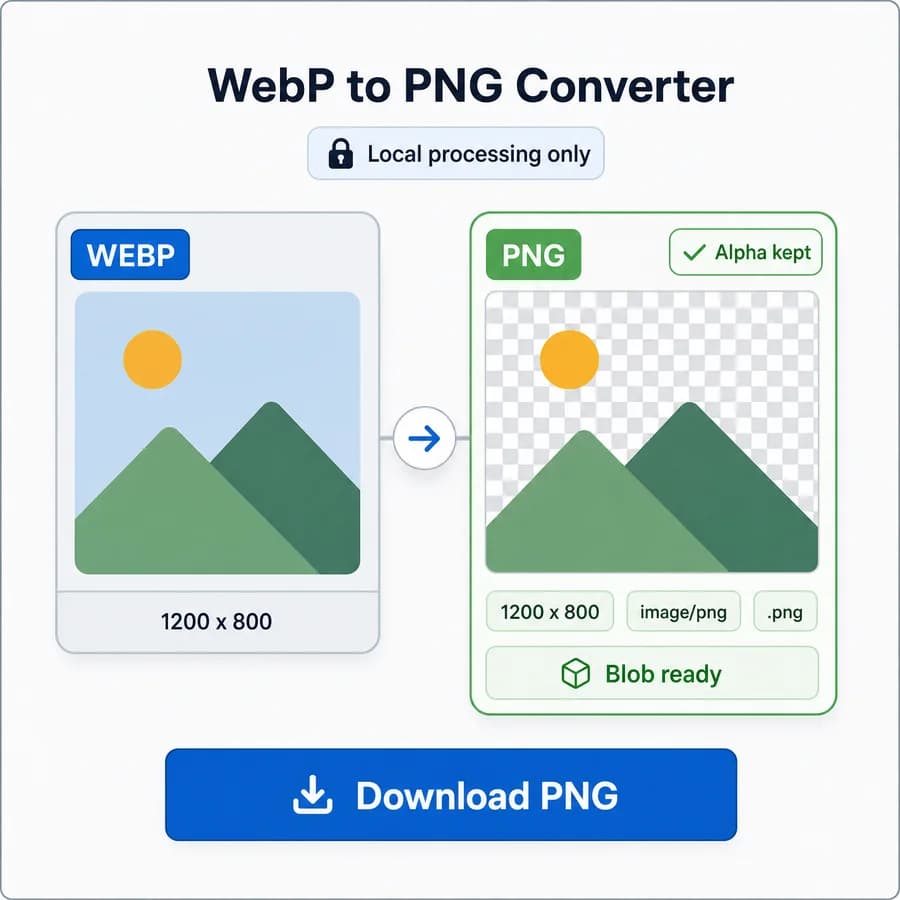
Use it to convert WebP to PNG for editors, design handoff, compatibility, screenshots, icons, and transparent assets while checking the output MIME type, filename, dimensions, and downloadable Blob.
Choose a WebP image
WebP images up to 50 MB. Transparent pixels stay transparent in the PNG output without a JPEG matte.
PNG output is locked for this dedicated WebP to PNG Converter.
image/png .png
PNG conversion result
image/png MIME, .png extension, preserved dimensions, file size, filename, alpha-preserving PNG output, and Blob checks.
No image selected
Choose a WebP image to create a verified PNG output file.
WebP input and PNG output checks
Source images
Output checks
- MIME type matches the selected encoder.
- Download extension matches the output MIME.
- Decoded output dimensions match the source pixels.
- Blob generation succeeds with a nonzero file size.
WebP to PNG conversion guide
When to convert WebP to PNG
WebP is efficient for web delivery, but PNG is still useful when an app, asset pipeline, editor, CMS, or upload form expects a .png file. This dedicated converter should focus on one direction only: WebP input to PNG output.
The result should preserve the decoded image dimensions and export a PNG file that is easier to inspect, archive, edit, or pass into workflows that do not accept WebP.
- Use PNG when the destination tool rejects WebP but accepts image/png.
- Use PNG for transparent logos, UI assets, stickers, screenshots, and design handoff files.
- Expect PNG files to often be larger than WebP because PNG prioritizes lossless compatibility rather than modern web compression.
Privacy and browser-local processing
The page should make the processing model concrete: the browser decodes the selected WebP image, draws it to the shared conversion canvas, and creates a PNG Blob locally. No server upload is needed for the supported static WebP path.
This is the strongest difference from hosted converters. The copy should avoid vague privacy promises and instead state the exact local workflow users can verify from the result panel.
- Show the selected source file name and detected input type.
- Show that the output Blob exists before enabling download.
- Keep competitor and proprietary product links out of body copy and only in dedicated source fields.
Output checks to show after conversion
The result panel should behave like a small QA checklist, not only a download button. Users converting assets for another system need to know that the output is actually PNG and that the filename changed correctly.
Use deterministic labels and button text so copy, download, and tests stay stable across the dedicated converter family.
- Output MIME: image/png.
- Output extension: .png.
- Filename: replace the final .webp extension with .png, with a predictable fallback for unnamed files.
- Dimensions: output width and height match the decoded WebP source.
- Blob: generated Blob is non-empty and ready for download.
Transparent WebP handling
Transparent WebP files are a key acceptance case for this tool. Unlike WebP to JPG conversion, WebP to PNG should preserve alpha instead of flattening transparent pixels over a matte color.
The implementation should include a transparent WebP fixture and verify that the PNG output keeps transparent or semi-transparent pixels after decode and export. The page should explicitly distinguish this behavior from JPEG conversion, where alpha cannot be preserved.
- Do not expose a matte color control for this dedicated WebP to PNG flow.
- Do not flatten transparent WebP input against white, black, or checkerboard pixels.
- Use a checkerboard preview only as a visual background; it must not become part of the PNG pixels.
- Call out that PNG supports alpha and is the right target when transparency must survive conversion.
Implementation fit with the converter family
This should reuse src/lib/image-format-converter.ts and the dedicated converter adapter pattern already used by JPG to PNG, PNG to JPG, JPG to WebP, PNG to WebP, and WebP to JPG. The new page should be a narrow adapter/config, not a separate conversion engine.
The dedicated SEO page should point to WebP input and PNG output only, while the generic Image Format Converter can continue to serve broader multi-format intent.
- Accept WebP input support through the same browser-decodable image path used by the shared converter.
- Set the fixed output MIME to image/png.
- Set the fixed output extension to .png.
- Hide JPEG quality and matte controls because PNG output should preserve alpha.
- Keep copy/download text deterministic for unit and page verification.
Compare WebP to PNG Converter
Review this tool beside related online utilities, dedicated apps, and adjacent workflows.
Compare WebP to PNG Converter with other toolsOpen Source Alternatives
Compare this focused browser workflow with proprietary software and online tools that solve similar jobs.
View WebP to PNG Converter open source alternatives