
Average Color Finder vs PineTools Get Colors From Image
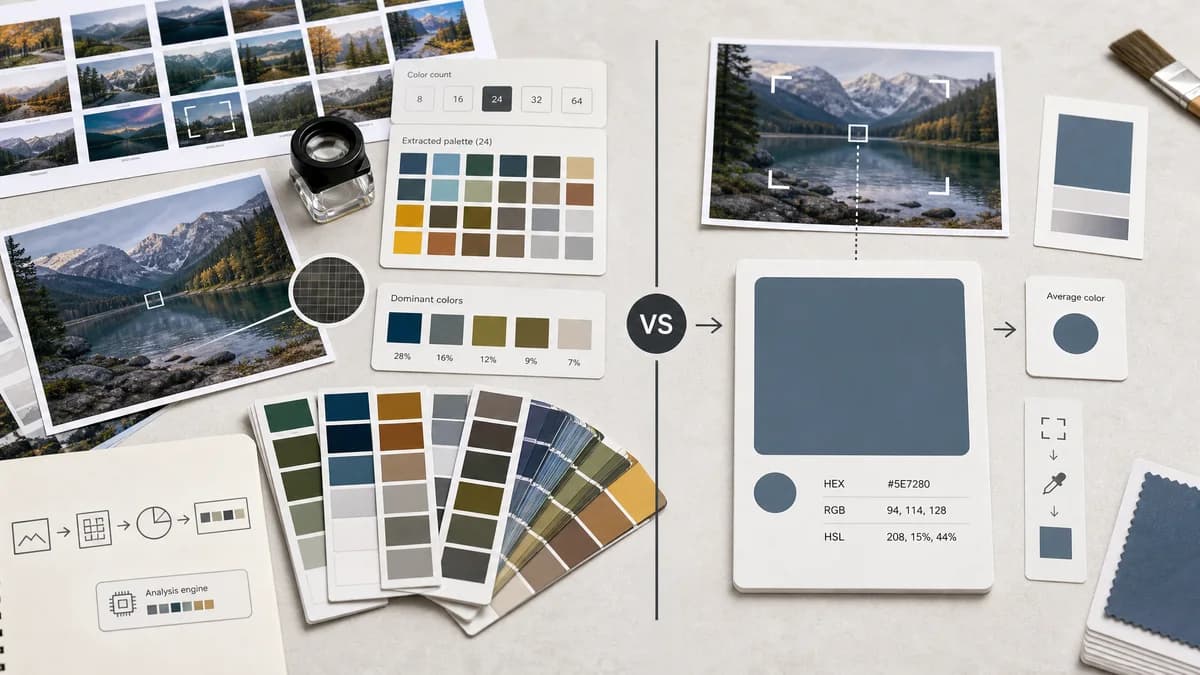
Average Color Finder is the baseline in this comparison: Find the average color of an image locally in your browser and copy HEX, RGB, HSL, and alpha-aware results.
PineTools extracts a palette of important colors from an image rather than focusing on one mathematical average color.
Quick verdict
Average Color Finder not compete by copying palette extraction into the average page. It explains that average color and palette extraction solve different jobs.
How Average Color Finder fits
TextFaker Average Color Finder is positioned as the right tool when one representative color is needed, while TextFaker's existing palette tools cover PineTools-style multi-color extraction.
How PineTools Get Colors From Image fits
PineTools is an adjacent competitor for image-derived colors. It lets users choose how many colors to detect and displays an important-color palette, with Color Thief credited as an underlying tool.
Side-by-side comparison
| Decision point | Average Color Finder | PineTools Get Colors From Image | Takeaway |
|---|---|---|---|
| Core output | Our workflowOne average color. | Competitor workflowA palette based on important colors in the image. | The tools answer different color questions. |
| User control | Our workflowShould need little or no configuration for the main result. | Competitor workflowLets users set how many colors to detect. | PineTools is more configurable for palettes. |
| Algorithm family | Our workflowShould use a documented averaging method. | Competitor workflowCredits Color Thief, a dominant-color palette extraction library. | Palette extraction is not the same as averaging. |
| Best design use | Our workflowImage placeholders, single backgrounds, quick tonal summaries. | Competitor workflowPalette creation and important color discovery. | Average Color Finder clarifies use cases in comparison copy. |
| Output formats | Our workflowShould expose common color-code formats for the average swatch. | Competitor workflowPalette tools typically emphasize swatches and color codes. | Format support matters, but output count differs. |
| Adjacent TextFaker fit | Our workflowAverage Color Finder can link to Color Palette Generator and Dominant Colors Extractor. | Competitor workflowCombines palette discovery in one PineTools utility. | TextFaker can use separate specialized pages. |
Use Average Color Finder when
- Users who need a single placeholder or background color
- Developers generating one image-derived theme variable
- People who want a mathematical color summary
Use PineTools Get Colors From Image when
- Users who want several important colors
- Designers building a palette from a photo
- People who want configurable color count
Detailed comparison
Positioning
PineTools is adjacent rather than a direct average-color competitor. Users searching average color may still land on palette tools when they are unsure whether they need a mean color or prominent colors.
Feature Gap
The TextFaker page includes short education that a photo with small bright accents may have an average color that differs from its most noticeable colors. That helps route users to the correct TextFaker tool.
- Explain average versus dominant color.
- Link to existing palette tools.
- Avoid showing multiple palette swatches as the primary result.
SEO Angle
This comparison addresses for users comparing average color finder with image palette extraction. The page uses examples rather than technical jargon alone.
Product Notes
PineTools' color-count control is not needed for an average finder. A better advanced option for TextFaker is transparency handling or sampling method, if implemented.
- Keep controls sparse.
- Make related tools discoverable after result generation.
- Do not duplicate existing TextFaker palette logic unnecessarily.
Research notes
- PineTools describes the tool as displaying a palette based on important colors identified in an image.
- The page includes a control for how many colors to detect.
- The page credits Color Thief among tools it uses.
Official source
The only outbound competitor link on this page is placed here for source checking after the comparison.
Official PineTools Get Colors From Image source