
Open Source Alternatives to ImageColorPicker.com
Average Color Finder is a browser-based alternative for users who need this focused result without installing a proprietary desktop app or entering a larger hosted workflow.
This research compares that workflow with ImageColorPicker.com while keeping the outbound source link at the bottom after the analysis.
Why Average Color Finder fits
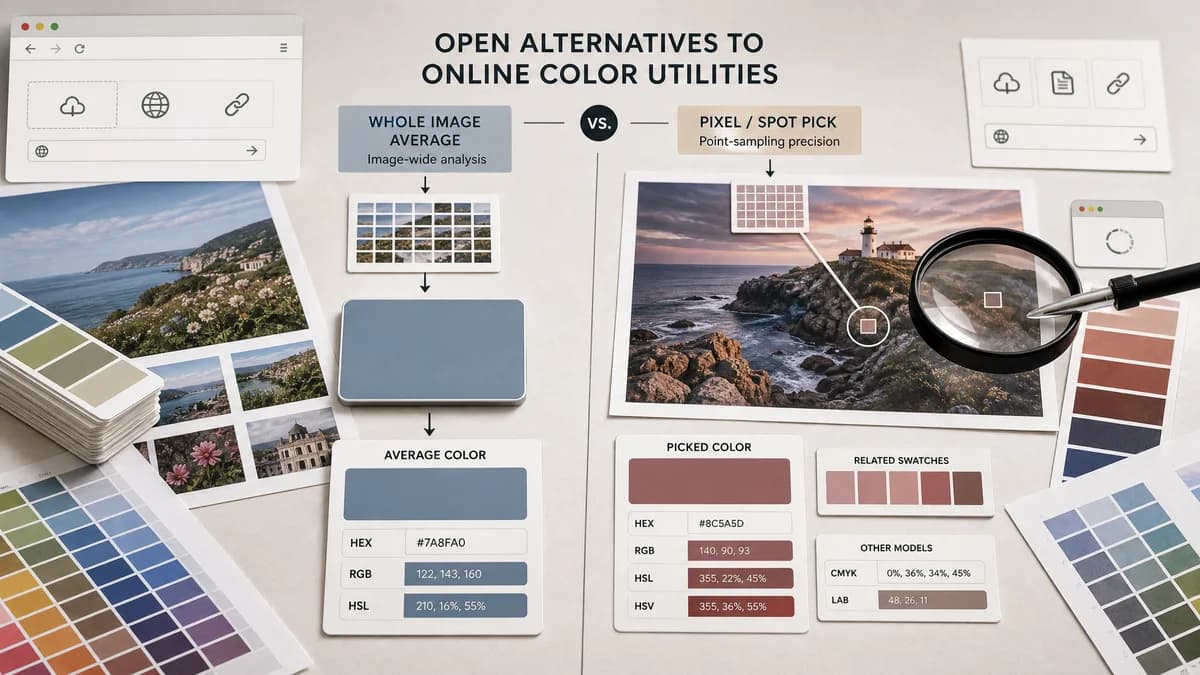
TextFaker Average Color Finder can serve users who need an image-wide average color, while ImageColorPicker.com is centered on choosing a color from a specific part of an image.
What ImageColorPicker.com offers
ImageColorPicker.com lets users upload, paste, or enter a URL for an image, click the image to pick a color, and view HEX, RGB, HSL, HSV, and related color information. The page states that the magic happens in the browser.
Open alternative signals
Measurement
Average Color FinderAverage across the whole image or selected inclusion rules.
ImageColorPicker.comClicked pixel or user-selected image area.
Input modes
Average Color FinderLocal file upload is the safest default.
ImageColorPicker.comUpload, paste, image URL, and website URL thumbnail workflow.
Privacy
Average Color FinderBrowser-local file processing can be emphasized.
ImageColorPicker.comOfficial page states no data are sent and processing happens in the browser.
Best output
Average Color FinderOne representative average color.
ImageColorPicker.comA selected color code from the image.
Decision guide
Use TextFaker when users need the average color of the entire image rather than a clicked pixel color.
Use ImageColorPicker.com when users need a simple eyedropper-style picker with upload, paste, or URL input.
Side-by-side open source alternative comparison
| Decision point | Average Color Finder | ImageColorPicker.com | Takeaway |
|---|---|---|---|
| Core task | Our workflowFinds average color from the full image. | Proprietary workflowLets users click the image to pick a specific color. | These tools solve neighboring but different jobs. |
| URL input | Our workflowShould avoid URL input unless the privacy and CORS model are well designed. | Proprietary workflowSupports image URL and website URL thumbnail input. | TextFaker can keep privacy simpler by starting with local files. |
| Output formats | Our workflowHEX, RGB, HSL, alpha, and CSS output are enough for average color. | Proprietary workflowShows HEX, RGB, HSL, HSV, and color detail pages. | Average Color Finder includes HSL and RGB at minimum. |
| Privacy | Our workflowLocal file never needs to leave the browser for average calculation. | Proprietary workflowOfficial page states browser processing and no data sent. | Privacy is table stakes for image color tools. |
| User control | Our workflowControls focuses on alpha, exact/sampled mode, and background compositing. | Proprietary workflowControl is based on where the user clicks or what URL they provide. | Different controls reflect different tasks. |
| Best fit | Our workflowRepresentative tone, placeholders, and automatic theming. | Proprietary workflowManual color matching from a visual reference. | The comparison page guides users to the right TextFaker color tool. |
Detailed research
Opportunity
ImageColorPicker.com has strong simple-tool positioning. TextFaker can compete by being equally simple while answering the average-color query specifically.
- Put the average result immediately after upload.
- Do not make the user click the image to get the main value.
- Show related exact picker only as a secondary link.
Privacy Notes
If TextFaker later adds URL input, privacy copy must distinguish local file processing from remote fetching. A local-file-only MVP is easier to explain and safer for user trust.
- Start with drag-and-drop upload.
- Avoid automatic remote image loading in the first version.
- Clearly state when the browser reads pixels locally.
Feature Notes
Users may compare the average swatch with colors they clicked in a picker. The UI explains why they differ.
- Clicked colors are local samples.
- Average color blends all included pixels.
- Large contrasting regions can produce a muted average.
SEO Fit
The comparison can capture image color picker alternative searches while routing pixel-picking intent to TextFaker's existing Image Color Picker.
- Use the competitor name in the title and metadata.
- Keep average color as the differentiator.
- Cross-link exact picker and dominant colors pages.
Research notes
- Official page says users can upload, paste, or enter a URL to extract colors with HEX, RGB, and more.
- Official page says no data are sent and that processing happens in the browser.
- Official page describes clicking the image to get the HTML color code, HEX, RGB, and HSV values.
- Treat as proprietary software unless public source and license are proven.
Official source
The proprietary product link is included once here for source checking after the alternative analysis.
Official ImageColorPicker.com source