
Open Source Alternatives to ImageNurse Average Color Calculator
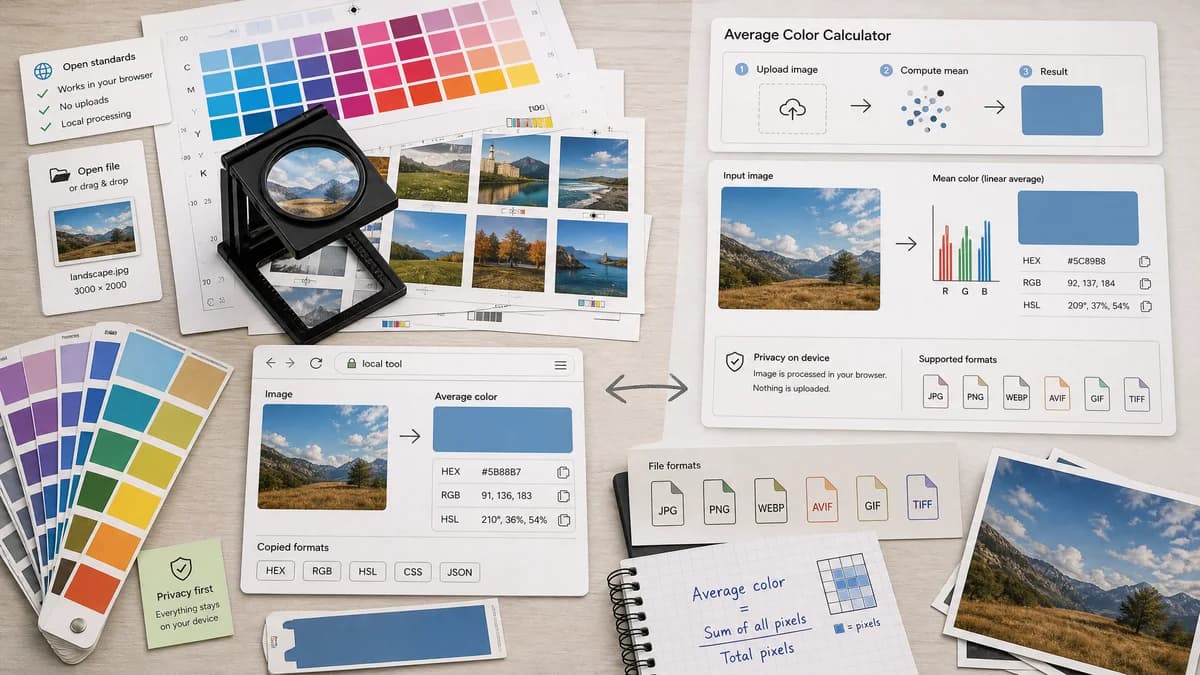
Average Color Finder is a browser-based alternative for users who need this focused result without installing a proprietary desktop app or entering a larger hosted workflow.
This research compares that workflow with ImageNurse Average Color Calculator while keeping the outbound source link at the bottom after the analysis.
Why Average Color Finder fits
Average Color Finder focuses on a single local workflow: upload an image, calculate one representative average color from pixel data, and copy values in common formats without pushing users into a broader design suite.
What ImageNurse Average Color Calculator offers
ImageNurse offers a dedicated Average Color Calculator that computes mean image color, discusses linear color averaging, supports common modern image formats, and says images stay on the user's device.
Open alternative signals
Main output
Average Color FinderSingle average color with copyable HEX, RGB, HSL, and explainable calculation notes.
ImageNurse Average Color CalculatorSingle average color with HEX, RGB, and HSL values.
Privacy posture
Average Color FinderBrowser-based processing is explicit and central to the page copy.
ImageNurse Average Color CalculatorOfficial page states images never leave the device.
Workflow depth
Average Color FinderStays narrow and fast for one-off image averaging.
ImageNurse Average Color CalculatorDedicated page also ties into related ImageNurse tools.
Account dependency
Average Color FinderNo account is required for the core calculation.
ImageNurse Average Color CalculatorNo account requirement was visible in the researched page content.
Decision guide
Use TextFaker when the priority is a minimal, merge-ready browser tool that pairs average color with transparent explanation, copy buttons, and no account flow.
Use ImageNurse when users want its existing single-purpose average color page and its surrounding ImageNurse metadata and color utilities.
Side-by-side open source alternative comparison
| Decision point | Average Color Finder | ImageNurse Average Color Calculator | Takeaway |
|---|---|---|---|
| Average color calculation | Our workflowDocuments whether alpha pixels are included, ignored, or composited and whether averaging is gamma-aware. | Proprietary workflowDescribes mean pixel calculation and mentions linear color space as an accuracy option. | ImageNurse sets a useful bar for explaining color math; Average Color Finder should be equally explicit. |
| Formats | Our workflowShould support browser-decodable images and clearly report unsupported formats. | Proprietary workflowLists PNG, JPG, WebP, HEIC, SVG, and GIF. | Format support is a differentiator only if TextFaker reports failures clearly. |
| Output formats | Our workflowShould include HEX, RGB, HSL, and possibly CSS variable export. | Proprietary workflowShows HEX, RGB, and HSL as immediate result formats. | Match the standard formats and add developer-oriented copy affordances. |
| Positioning | Our workflowOpen-source-powered, browser-based utility for deterministic average color. | Proprietary workflowDedicated average color utility in a larger image-tool collection. | The page competes on clarity, transparency, and repeatability. |
| Privacy | Our workflowLocal Canvas-based processing can avoid file upload for normal use. | Proprietary workflowOfficial copy says images never leave the device. | Privacy claims need to be concrete, not generic. |
| Best fit | Our workflowQuickly deriving a placeholder color, UI background, or overall tone. | Proprietary workflowSimilar use cases plus ImageNurse ecosystem navigation. | Average Color Finder keeps the job fast and not blur into palette generation. |
Detailed research
Opportunity
ImageNurse is the closest direct comparison because it already frames average color as distinct from dominant color extraction. TextFaker can compete by being highly transparent about the exact averaging rules and keeping the interface focused.
- Explain mean RGB versus gamma-aware averaging in plain language.
- Show image dimensions and sampled pixel count so users trust the result.
- Offer one-click copy for HEX, RGB, HSL, and CSS usage.
Page Angle
The alternative page does not claim TextFaker is open source unless that is proven. Use language such as browser-based, open-source-powered, and based on open web APIs.
- Position against cloud design suites and broader palette tools.
- Emphasize no signup, no upload requirement, and deterministic output.
- Clarify that average color is not the same as dominant colors or a palette.
Implementation Notes
A browser implementation can decode the image, draw it to a canvas, read pixel data, and compute channel means. The UI handles transparent pixels explicitly because alpha can materially change the result.
- Offer alpha handling: include, ignore fully transparent pixels, or composite on a chosen background.
- Warn when EXIF orientation or color profile behavior may affect visual interpretation.
- Downsample only as an optional performance mode and label it as approximate.
SEO Fit
Search intent is practical: users want a single color value from an image for placeholders, backgrounds, theming, or visual analysis. The comparison page leads with that concrete outcome.
- Use examples like image placeholder color, average logo color, and average photo color.
- Avoid presenting palette generation as the main promise.
- Compare exact average output against tools that primarily generate multi-color palettes.
Research notes
- Official page says the tool calculates the true average color of an image by computing mean color values across pixels.
- Official page says images never leave the device and lists PNG, JPG, WebP, HEIC, SVG, and GIF support.
- This is proprietary software from the user's perspective unless public source and license are proven; avoid claiming it is open source.
Official source
The proprietary product link is included once here for source checking after the alternative analysis.
Official ImageNurse Average Color Calculator source