
Open Source Alternatives to ImageOnline Image Average Color Finder
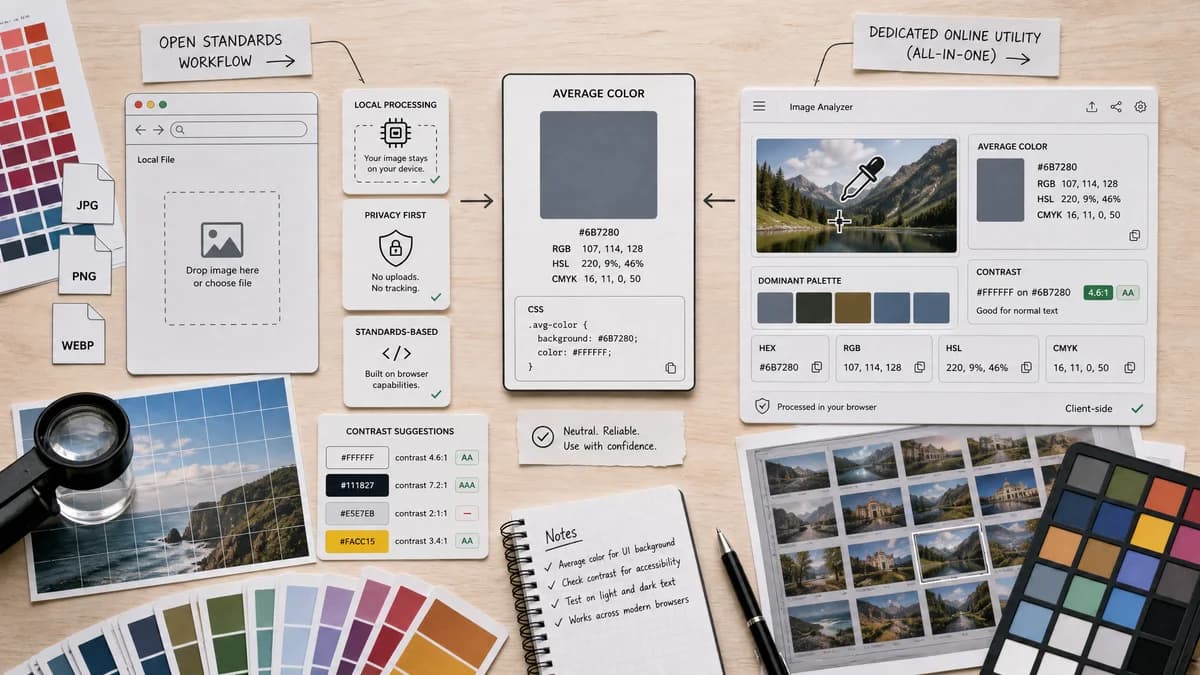
Average Color Finder is a browser-based alternative for users who need this focused result without installing a proprietary desktop app or entering a larger hosted workflow.
This research compares that workflow with ImageOnline Image Average Color Finder while keeping the outbound source link at the bottom after the analysis.
Why Average Color Finder fits
TextFaker Average Color Finder can stay centered on a reliable average color result while optionally showing supporting values such as contrast-friendly text suggestions and copy-ready CSS snippets.
What ImageOnline Image Average Color Finder offers
ImageOnline's page combines average color detection, a dominant palette, eyedropper selection, text contrast guidance, and HEX, RGB, HSL, and CMYK outputs, while stating that photos are processed client-side.
Open alternative signals
Tool scope
Average Color FinderFocused average color finder with optional supporting metadata.
ImageOnline Image Average Color FinderAverage finder plus palette generator, eyedropper, and contrast check.
Color formats
Average Color FinderShould provide HEX, RGB, HSL, and possibly alpha-aware CSS output.
ImageOnline Image Average Color FinderProvides HEX, RGB, HSL, and CMYK.
Privacy posture
Average Color FinderLocal processing is prominent in the upload area and FAQ.
ImageOnline Image Average Color FinderOfficial page states images are processed in the browser.
User intent
Average Color FinderBest for users who want one representative color from an image.
ImageOnline Image Average Color FinderBest for users who want broader color intelligence from one upload.
Decision guide
Use TextFaker when users need one clear average result with transparent rules and minimal surrounding tools.
Use ImageOnline when users want average color, dominant palette, eyedropper, and contrast suggestions in the same interface.
Side-by-side open source alternative comparison
| Decision point | Average Color Finder | ImageOnline Image Average Color Finder | Takeaway |
|---|---|---|---|
| Average versus palette | Our workflowAverage color remains the primary result and stays visually prominent. | Proprietary workflowAverage color is one part of a broader color intelligence page. | TextFaker can be simpler for users who do not need a palette. |
| Eyedropper | Our workflowOptional pixel picker could be secondary or delegated to TextFaker's existing Image Color Picker. | Proprietary workflowIncludes an interactive eyedropper on the same page. | Avoid duplicating too much of another TextFaker tool unless it directly supports average validation. |
| Accessibility | Our workflowAdds black-or-white text recommendation based on contrast with the average color. | Proprietary workflowIncludes a text contrast check. | A small contrast note is useful without turning the tool into a full contrast checker. |
| Privacy | Our workflowBrowser-local Canvas processing can keep files on device. | Proprietary workflowStates client-side processing and no server upload. | Both tools can compete on privacy, so TextFaker needs specific processing language. |
| Export | Our workflowCopy individual values and export a tiny JSON or CSS block. | Proprietary workflowMentions copying HEX and getting CSS code. | Developer-friendly export is important for this search intent. |
| Best fit | Our workflowFast average color for placeholders, UI theming, and image tone checks. | Proprietary workflowA broader analysis page for average, palette, eyedropper, and contrast. | Average Color Finder should be framed as the narrower, more predictable choice. |
Detailed research
Opportunity
ImageOnline bundles adjacent color tasks into one tool. TextFaker already has related color tools, so the average color finder can cross-link rather than overcrowd the interface.
- Link to Image Color Picker for exact pixel color selection.
- Link to Dominant Colors Extractor for ranked swatches.
- Keep average color as the hero output.
Content Risks
The comparison needs to avoid implying that average color, dominant color, and selected pixel color are interchangeable. They answer different questions.
- Define average color as the mathematical blend of image pixels.
- Define dominant colors as frequent or representative clusters.
- Define eyedropper color as a sampled point or area.
Feature Notes
Users will expect practical outputs, not just a swatch. The average swatch is paired with copyable values and clear contrast against the page background.
- Add copy buttons beside each value.
- Show a large preview swatch and a small checkerboard for alpha context.
- Include file name, dimensions, and pixel count.
SEO Fit
The page can target users searching for a direct average color finder while still acknowledging that many competitor pages are mixed color analysis tools.
- Use terms like average color from image, image average color, and average HEX color.
- Mention palette tools only as adjacent alternatives.
- Avoid overpromising AI if the algorithm is deterministic.
Research notes
- Official page lists average color detection, smart palette generation, interactive eyedropper, multi-format support, accessibility check, and client-side privacy.
- Official page says the workflow is upload, automatic average and palette calculation, then optional eyedropper selection.
- This is proprietary software from the user's perspective unless public source and license are proven.
Official source
The proprietary product link is included once here for source checking after the alternative analysis.
Official ImageOnline Image Average Color Finder source