
Open Source Alternatives to PhotoTones
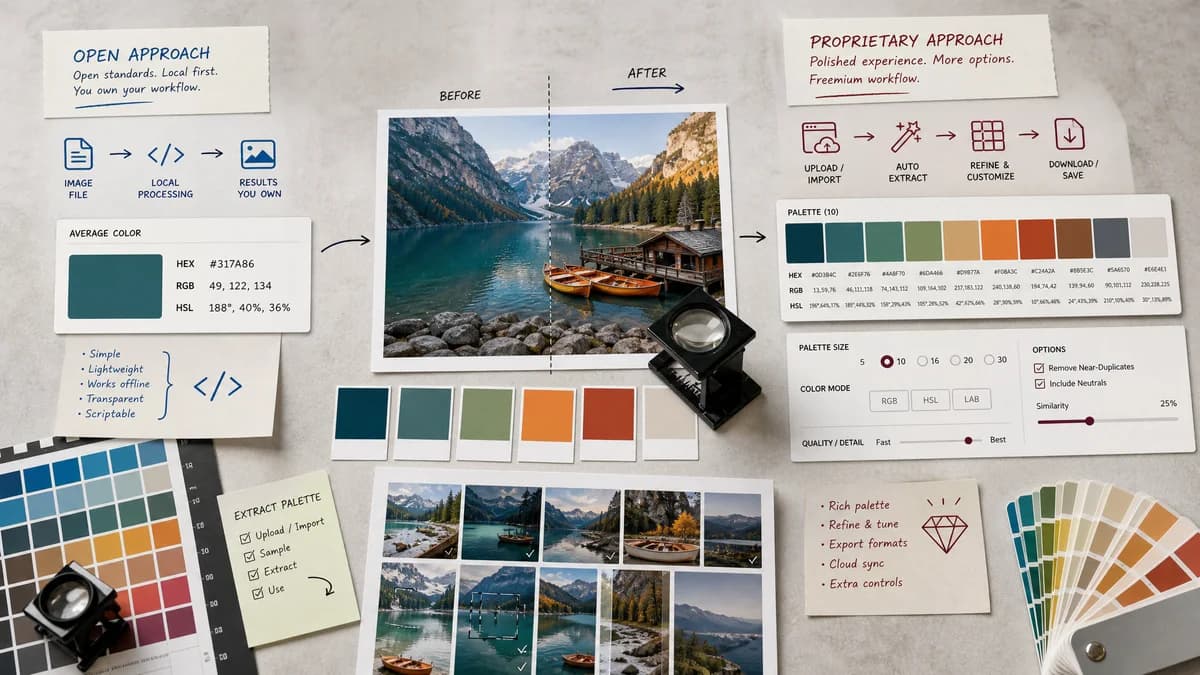
Average Color Finder is a browser-based alternative for users who need this focused result without installing a proprietary desktop app or entering a larger hosted workflow.
This research compares that workflow with PhotoTones while keeping the outbound source link at the bottom after the analysis.
Why Average Color Finder fits
TextFaker Average Color Finder can offer a narrower, average-only result for users who do not need PhotoTones' dominant palette categories or Pro palette-size controls.
What PhotoTones offers
PhotoTones generates color palettes from images in the browser, supports common browser-displayable image formats, exposes HEX, RGB, and HSL codes, and includes Pro options for larger palette sizes.
Open alternative signals
Result count
Average Color FinderOne average color.
PhotoTonesUp to 12 dominant colors depending on plan and controls.
Privacy posture
Average Color FinderBrowser-local processing matches the implementation.
PhotoTonesOfficial page states local browser processing and no upload.
Format support
Average Color FinderBrowser-decodable formats, documented in the UI.
PhotoTonesLists JPG, PNG, GIF, WebP, BMP, SVG, and browser-displayable formats.
Monetization
Average Color FinderCore calculation remains free and accountless.
PhotoTonesPage shows Pro-related palette size controls and subscription state.
Decision guide
Use TextFaker when the job is to calculate a single representative average color and copy it into code or design work.
Use PhotoTones when users want dominant palette extraction, multiple swatch counts, and palette categories from an image.
Side-by-side open source alternative comparison
| Decision point | Average Color Finder | PhotoTones | Takeaway |
|---|---|---|---|
| Average color | Our workflowSingle mean color across included pixels. | Proprietary workflowDominant palette extraction with multiple color categories. | TextFaker is simpler and more exact for average-color intent. |
| Palette controls | Our workflowNo palette size control needed for the main task. | Proprietary workflowPalette size can extend to larger counts with Pro controls. | PhotoTones is better for palette exploration. |
| Privacy | Our workflowKeeps images on device by using browser APIs. | Proprietary workflowOfficial page states browser-local processing and no upload. | Both can compete on privacy; TextFaker must differentiate by task clarity. |
| Formats | Our workflowShould document browser-dependent format support and animated image handling. | Proprietary workflowLists broad browser-displayable format support. | Average Color Finder is explicit about what is decoded and averaged. |
| Output formats | Our workflowHEX, RGB, HSL, CSS variable, and maybe JSON for one color. | Proprietary workflowHEX, RGB, and HSL palette codes. | Single-color export is more compact than palette export. |
| Best fit | Our workflowOne representative tone for placeholders and theming. | Proprietary workflowMood boards, dominant palettes, and color category extraction. | The tools is compared by result type, not just upload flow. |
Detailed research
Opportunity
PhotoTones is privacy-forward and browser-based, so Average Color Finder not rely only on privacy to differentiate. The stronger angle is average-only precision and explanation.
- Explain average color versus vibrant and muted palette categories.
- Show exact calculation details.
- Offer copy-ready developer outputs.
Feature Notes
PhotoTones supports SVG and other browser-displayable formats. Average Color Finder helps users decide whether vector images are supported and explain rasterization behavior if they are.
- If SVG is supported, state that the browser-rendered pixels are averaged.
- If animated GIF is supported, state whether only the first frame is used.
- If color profiles are ignored or normalized by the browser, explain that limitation cautiously.
UX Notes
An average-only tool can avoid palette controls but still offers small advanced options for transparency and sampling.
- Exact mode for smaller images.
- Approximate mode for very large images.
- Transparent pixel handling controls.
SEO Fit
The alternative page can target users comparing browser-based palette tools while clarifying that TextFaker serves the average-color use case.
- Use PhotoTones as a palette comparison.
- Keep the title formula exact.
- Mention average color from image prominently.
Research notes
- Official page says PhotoTones extracts up to 12 dominant colors with HEX, RGB, and HSL codes.
- Official page says everything runs locally in the browser using a JavaScript algorithm and images never leave the device.
- Official page lists JPG, PNG, GIF, WebP, BMP, SVG, and any other image format the browser can display.
- PhotoTones includes a visible Pro state and subscription management, so compare it as freemium proprietary software unless public licensing proves otherwise.
Official source
The proprietary product link is included once here for source checking after the alternative analysis.
Official PhotoTones source