
Open Source Alternatives to Picsart Color Palette from Image
Average Color Finder is a browser-based alternative for users who need this focused result without installing a proprietary desktop app or entering a larger hosted workflow.
This research compares that workflow with Picsart Color Palette from Image while keeping the outbound source link at the bottom after the analysis.
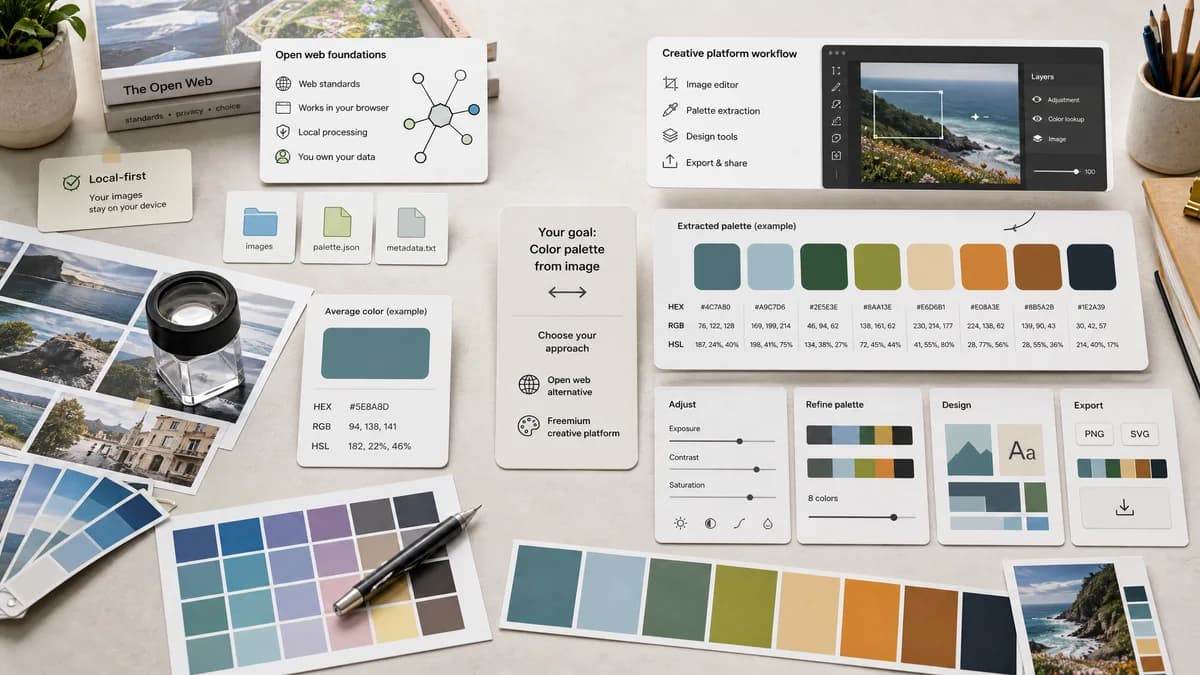
Why Average Color Finder fits
TextFaker Average Color Finder can give users one representative color for an image, with local processing and open web API foundations, instead of a broader creative-platform palette workflow.
What Picsart Color Palette from Image offers
Picsart's Quicktools page offers a free color palette generator from images, states that users can identify a color scheme from a photo or image, and connects the tool to Picsart's broader image editor and creative tools.
Open alternative signals
Output
Average Color FinderOne average image color.
Picsart Color Palette from ImageA color palette from an image.
Workflow
Average Color FinderUpload, compute, copy.
Picsart Color Palette from ImageUpload, generate palette, optionally continue to more Picsart image tools.
Registration
Average Color FinderNo account is required for the core calculation.
Picsart Color Palette from ImageOfficial page says no registration is required for the palette extraction tool.
Privacy wording
Average Color FinderStates local-only processing if no upload occurs.
Picsart Color Palette from ImageOfficial content includes both browser-process language and a brief-save deletion FAQ.
Decision guide
Use TextFaker when the required output is a single average color for code, design QA, thumbnails, or placeholders.
Use Picsart when the goal is to extract a palette and continue into Picsart editing or creative workflows.
Side-by-side open source alternative comparison
| Decision point | Average Color Finder | Picsart Color Palette from Image | Takeaway |
|---|---|---|---|
| Average color task | Our workflowDesigned specifically for image-wide average color. | Proprietary workflowDesigned to identify a color scheme or palette from an image. | TextFaker is a better fit for users who need one computed value. |
| Creative platform | Our workflowStandalone utility with copyable output. | Proprietary workflowPart of Picsart's larger suite of image and design tools. | Picsart is stronger when the user will keep editing. |
| Registration | Our workflowShould remain accountless. | Proprietary workflowOfficial page says no payment or registration is needed for this Quicktools page. | Accountless access alone is not enough; TextFaker needs average-specific clarity. |
| Privacy | Our workflowLocal browser processing avoids uploads for selected files. | Proprietary workflowOfficial wording is interpreted cautiously because it mentions browser processing and temporary saving in different sections. | Average Color Finder uses precise, internally verified privacy copy. |
| Formats | Our workflowSupports browser-decodable image formats and report decode failures. | Proprietary workflowUpload error text references JPG, PNG, and HEIC files. | Format messaging is visible before upload. |
| Best fit | Our workflowAverage color for technical reuse. | Proprietary workflowPalette extraction for creative projects. | Comparison makes the output distinction explicit. |
Detailed research
Opportunity
Picsart validates demand for no-registration image color extraction, but it is palette-oriented. TextFaker can focus on the average color use case and avoid creative-editor complexity.
- Lead with one calculated average color.
- Provide a short explanation of why average differs from palette extraction.
- Offer copy-ready outputs for designers and developers.
Privacy Notes
The TextFaker page only makes privacy claims that match the implementation. If the file never leaves the browser, say that plainly and avoid vague security language.
- Avoid saying competitors upload or store files unless official pages say so unambiguously.
- State what TextFaker does with the image data.
- Mention that closing the tab clears the in-memory result if that is true.
UX Notes
Picsart's audience may be less technical. The TextFaker UI is approachable while keeping calculation details available for users who care.
- Use plain labels: Average color, HEX, RGB, HSL.
- Hide advanced alpha and gamma notes behind details.
- Make the swatch visually prominent.
SEO Fit
The page can target Picsart alternative searches from users who need image color extraction but not a full editor.
- Use color palette from image as an adjacent term.
- Keep average color finder as the product anchor.
- Cross-link to palette tools for users wanting Picsart-like multi-color output.
Research notes
- Official Picsart page says the tool identifies a color palette from any image in seconds and is free with no registration required.
- Official page says the process happens in the browser, but its FAQ also says Picsart saves files briefly and deletes them shortly after use; wording is handled carefully if comparing privacy.
- Picsart is proprietary software and is compared as a creative platform utility rather than an open-source project.
Official source
The proprietary product link is included once here for source checking after the alternative analysis.
Official Picsart Color Palette from Image source