
Color Palette Generator from Image vs PaletteVault
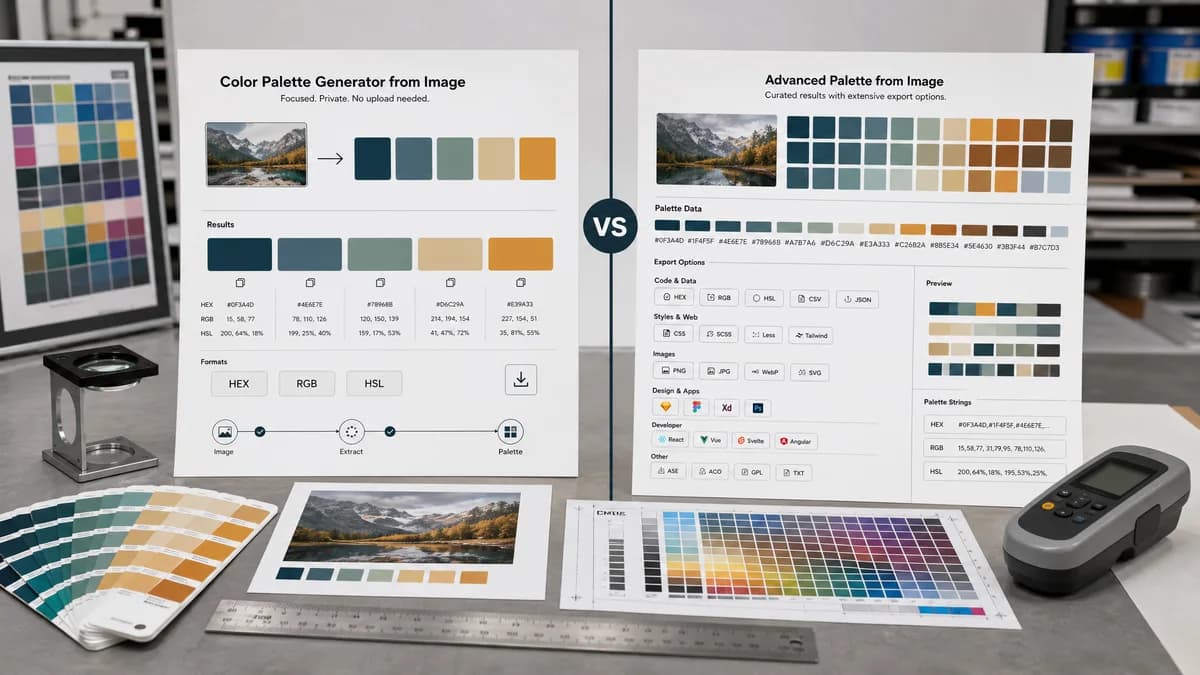
Color Palette Generator from Image is the baseline in this comparison: Upload a photo or graphic and generate a browser-local color palette with dominant swatches, HEX, RGB, HSL values, and copy/download controls.
Compare TextFaker's image palette generator with PaletteVault's export-oriented color palette tool.
Quick verdict
PaletteVault is stronger for users who need many export formats. TextFaker can win with a simpler no-upload experience and the exact mainstream formats most users need.
How Color Palette Generator from Image fits
TextFaker provides a privacy-forward image palette generator with harmonious swatches, HEX/RGB/HSL, copy controls, and practical download options for everyday use.
How PaletteVault fits
PaletteVault generates curated palettes from reference images and emphasizes export breadth, including palette strings, JSON, PNG, CSS, Figma, Tailwind, ASE, and SVG outputs.
Side-by-side comparison
| Decision point | Color Palette Generator from Image | PaletteVault | Takeaway |
|---|---|---|---|
| Export breadth | Our workflowcopy and download options, likely focused on core formats. | Competitor workflowPaletteVault advertises JSON, PNG, CSS, Figma, Tailwind, ASE, and SVG exports. | PaletteVault is stronger for multi-format export. |
| Color formats | Our workflowHEX, RGB, and HSL. | Competitor workflowPaletteVault's researched copy foregrounds export types more than per-swatch format detail. | TextFaker can be clearer on visible color values. |
| Workflow complexity | Our workflowA compact tool for quick extraction. | Competitor workflowA more export-heavy workflow for design systems and assets. | TextFaker is easier for one-off jobs. |
| Privacy | Our workflowBrowser-local processing with no upload. | Competitor workflowThe researched page emphasizes generation and export but does not make the same no-upload claim in the retrieved summary. | Privacy is a TextFaker positioning point. |
| Design handoff | Our workflowUseful for copying values into any tool manually. | Competitor workflowOffers direct handoff formats for Figma and Tailwind. | PaletteVault is better for specialized handoff. |
| Audience | Our workflowGeneral web users, developers, designers, and marketers needing fast codes. | Competitor workflowDesign-system and brand-kit users needing export packages. | TextFaker stay broad and practical. |
Use Color Palette Generator from Image when
- Fast local extraction with minimal decisions
- Users needing HEX, RGB, and HSL immediately
- Simple palette downloads
- Searchers looking for a no-upload online tool
Use PaletteVault when
- Exporting to many design and developer formats
- Figma and Tailwind handoff
- ASE or SVG palette deliverables
- Users building formal design systems or asset packages
Detailed comparison
Export Competitor
PaletteVault's main strength is export breadth. It is not just generating colors; it is packaging them for multiple downstream tools.
TextFaker Baseline
TextFaker does not need every export format to satisfy its core promise. It does need at least a clean download option and copy controls that feel reliable.
- Download a palette PNG or JSON.
- Copy all HEX values.
- Copy a selected swatch as HEX, RGB, or HSL.
Content Differentiator
The comparison can fairly say PaletteVault is better for many export formats, while TextFaker is better for a focused, privacy-forward extraction flow.
Future Growth
If analytics show developer demand, Tailwind and CSS variable exports would be the most useful additions before niche formats.
Research notes
- PaletteVault's official page says users upload a reference image and generate a curated palette.
- PaletteVault advertises copy palette string and downloads for JSON and PNG.
- PaletteVault lists CSS, Figma, Tailwind, ASE, and SVG export options.
- PaletteVault is best treated as an export-heavy adjacent direct competitor.
Official source
The only outbound competitor link on this page is placed here for source checking after the comparison.
Official PaletteVault source