
Color Palette Generator from Image vs PhotoTones
Color Palette Generator from Image is the baseline in this comparison: Upload a photo or graphic and generate a browser-local color palette with dominant swatches, HEX, RGB, HSL values, and copy/download controls.
Compare TextFaker's local color palette generator with PhotoTones' image-based palette and brand-kit workflow.
Quick verdict
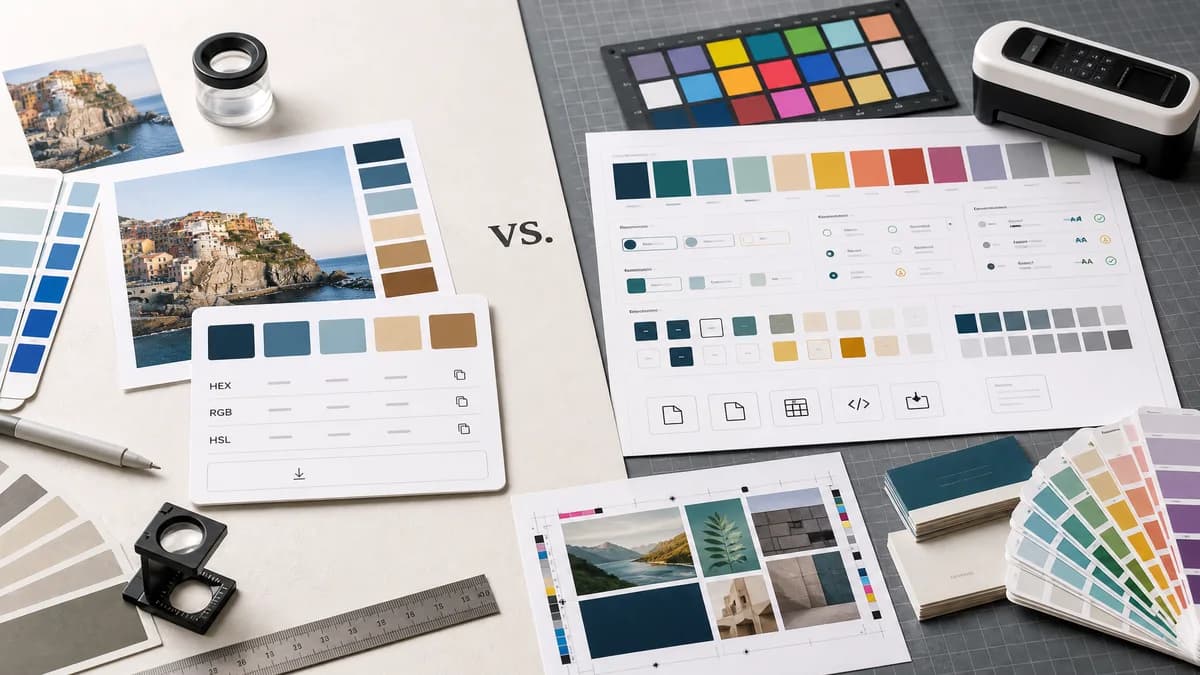
PhotoTones is stronger for brand-kit and design-token deliverables. TextFaker is better if the user only needs a quick local palette with simple copy and download output.
How Color Palette Generator from Image fits
TextFaker offers a compact, free-feeling image palette utility with browser-local processing, harmonious swatches, HEX/RGB/HSL values, copy controls, and downloads.
How PhotoTones fits
PhotoTones generates palettes locally in the browser, extracts up to 12 dominant colors, provides HEX/RGB/HSL, supports many browser-displayable image formats, and offers Pro brand-kit, design token, contrast, and export workflows.
Side-by-side comparison
| Decision point | Color Palette Generator from Image | PhotoTones | Takeaway |
|---|---|---|---|
| Privacy | Our workflowBrowser-local no-upload processing. | Competitor workflowPhotoTones says everything runs locally in the browser and images never leave the device. | Both compete on local processing. |
| Palette depth | Our workflowProvides a practical harmonious set of swatches. | Competitor workflowPhotoTones extracts up to 12 dominant colors and categorizes colors such as vibrant and muted variants. | PhotoTones is more explicit about palette structure. |
| Formats | Our workflowHEX, RGB, and HSL. | Competitor workflowPhotoTones also lists HEX, RGB, and HSL. | TextFaker needs UX simplicity or free export clarity to stand out. |
| Advanced deliverables | Our workflowCopy and download options focused on basic palette reuse. | Competitor workflowPhotoTones Pro includes brand-kit ZIPs, design tokens, Figma variables, theme CSS, contrast grids, and multiple export formats. | PhotoTones is stronger for professional deliverables. |
| Image formats | Our workflowDocuments actual browser-supported formats. | Competitor workflowPhotoTones lists JPG, PNG, GIF, WebP, BMP, SVG, and other browser-displayable images. | TextFaker is transparent about support. |
| Complexity | Our workflowSimpler utility workflow. | Competitor workflowRicher brand-system workflow with free and Pro concepts. | TextFaker can appeal to users who do not need a brand system. |
Use Color Palette Generator from Image when
- Quick color extraction without brand-kit complexity
- Users who need basic HEX, RGB, and HSL values
- Simple palette image or data downloads
- A lightweight tool inside TextFaker's image utility set
Use PhotoTones when
- Brand-kit ZIP and design-token workflows
- Light and dark theme generation
- WCAG contrast grid features
- Advanced exports such as ASE, Tailwind, SCSS, CSS, and Procreate
Detailed comparison
Strong Privacy Competitor
PhotoTones already combines local processing with the same core formats implemented for TextFaker. It raises the bar for a privacy-first palette page.
Scope Choice
TextFaker avoids turning a simple utility into a full brand-kit generator unless that is a deliberate product direction. A lean page can still satisfy the main search job.
- Extract a clear 5 to 8 color palette by default.
- Offer copy and download without account prompts.
- Mention local processing clearly.
Feature Roadmap
If TextFaker later needs to compete with PhotoTones' advanced tier, the best additions would be JSON export, CSS variables, and contrast checks before brand-kit ZIPs.
Comparison Framing
PhotoTones is described as broader and more deliverable-heavy. TextFaker is framed as a quick, accessible, local palette extractor.
Research notes
- PhotoTones says it generates palettes locally in the browser and images never leave the device.
- PhotoTones says it extracts up to 12 dominant colors with HEX, RGB, and HSL codes.
- PhotoTones lists common image formats and browser-displayable formats.
- PhotoTones Pro includes brand-kit, token, Figma, theme CSS, contrast, and export deliverables.
Official source
The only outbound competitor link on this page is placed here for source checking after the comparison.
Official PhotoTones source