
Dominant Colors Extractor vs PineTools Get Colors from Image
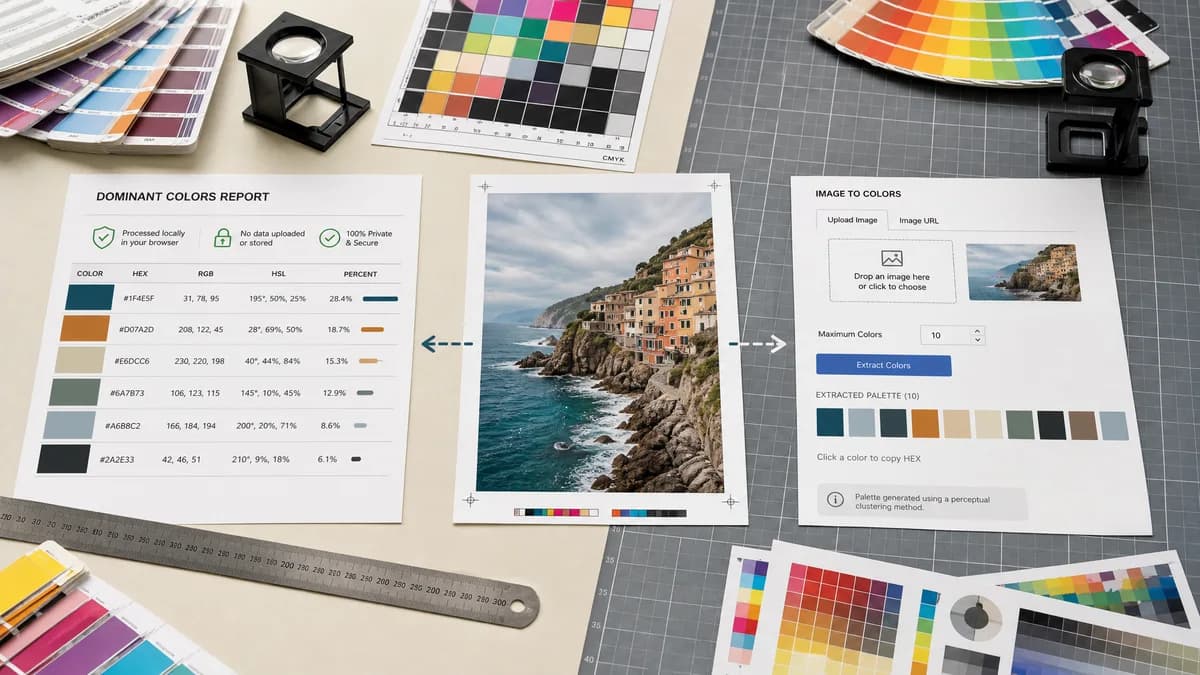
Dominant Colors Extractor is the baseline in this comparison: Upload an image and extract a ranked browser-local color palette with HEX, RGB, HSL, and percentage values without sending the file to a server.
PineTools provides a simple image color extraction utility with upload or URL input and a setting for maximum detected colors.
Quick verdict
Choose TextFaker for a modern, detailed, privacy-forward dominant color report; choose PineTools for a basic no-frills utility site.
How Dominant Colors Extractor fits
Dominant Colors Extractor can offer a more polished dominant-colors report with HEX, RGB, HSL, percentages, and privacy-focused browser-local messaging.
How PineTools Get Colors from Image fits
PineTools' tool displays a color palette based on important colors identified in an image, accepts file or URL input, lets users choose a maximum number of detected colors, and credits Color Thief among its tools.
Side-by-side comparison
| Decision point | Dominant Colors Extractor | PineTools Get Colors from Image | Takeaway |
|---|---|---|---|
| Output richness | Our workflowHEX, RGB, HSL, rank, and percentage per swatch. | Competitor workflowDisplays a palette based on important colors, with simpler utility-style output. | TextFaker provides more structured data. |
| Controls | Our workflowShould include palette size and possibly ignore transparency or near-white options. | Competitor workflowIncludes a max colors setting. | PineTools covers the basic control; Dominant Colors Extractor can add clearer results. |
| Input | Our workflowLocal upload with no-upload positioning. | Competitor workflowFile input and image URL or pasted image URL are available. | PineTools is more flexible for remote images. |
| Algorithm transparency | Our workflowCan explain clustering and percentage ranking in plain language. | Competitor workflowThe page credits Color Thief among tools used. | Dominant Colors Extractor can make methodology user-facing without requiring technical knowledge. |
| Design polish | Our workflowShould match TextFaker's modern image-tool registry and result components. | Competitor workflowPineTools uses a general-purpose utility layout. | Better UX can be a competitive advantage. |
| Privacy clarity | Our workflowBrowser-local no-upload processing is a prominent claim. | Competitor workflowThe page does not center privacy as strongly in the visible text researched. | Dominant Colors Extractor can reduce concern for sensitive photos or client assets. |
Use Dominant Colors Extractor when
- Detailed ranked color output
- HSL and percentage reporting
- Modern UI for copy and export
- SEO landing page clarity
Use PineTools Get Colors from Image when
- Simple utility-site users
- Quick color palette extraction by URL or upload
- Users already using PineTools image tools
- Basic max-color configuration
Detailed comparison
Utility Market
PineTools represents the classic utility-site competitor: direct and functional, but less specialized for modern copy/export workflows.
- Make the result table cleaner than generic utility output.
- Add copy buttons that work per value and per palette.
Algorithm Story
Because PineTools credits Color Thief, users may assume reasonable extraction quality. Dominant Colors Extractor can explain ranked grouping and percentages to establish confidence.
SEO Opportunity
A focused page can answer queries PineTools only partially covers, especially around dominant color percentage, HSL from image, and no-upload palette extraction.
Research Notes
The official PineTools page includes upload controls, a pasted image or URL field, a max-color option, and a note that it uses and thanks Color Thief.
Research notes
- PineTools is a real adjacent utility with an official get-colors-image page.
- The page supports image upload and URL-like input and lets users select how many colors to detect.
- The visible page credits Color Thief, so Dominant Colors Extractor is clear about its own extraction approach.
Official source
The only outbound competitor link on this page is placed here for source checking after the comparison.
Official PineTools Get Colors from Image source