
GPS Coordinates from Video vs ExifTool
GPS Coordinates from Video is the baseline in this comparison: Read GPS and location metadata from MOV, MP4, M4V, 3GP, AVI, MKV, WebM, MPEG, TS, and related videos in the browser, then copy coordinates and map links.
Powerful metadata tool for reading, writing, editing, exporting, and transforming metadata across many file formats.
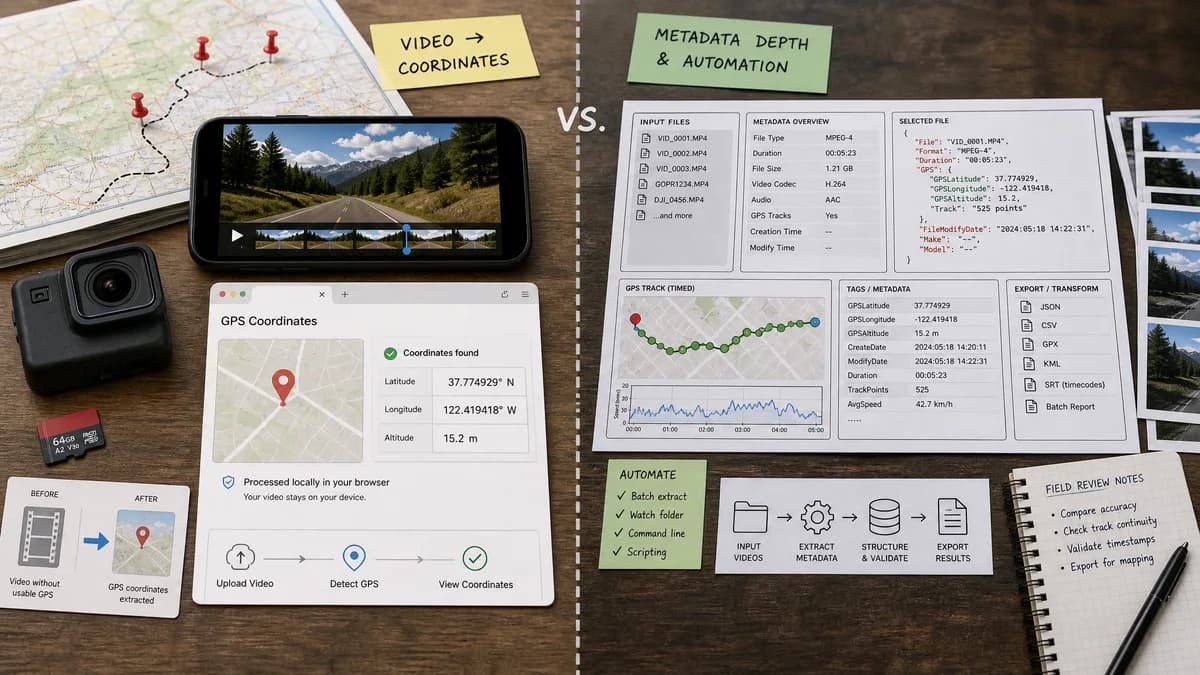
Quick verdict
ExifTool is the benchmark for metadata depth and automation. TextFaker should not compete on power; it should make the common video GPS question accessible, visual, and safe for non-technical users.
How GPS Coordinates from Video fits
GPS Coordinates from Video is a browser-local user-facing tool that should make the common video GPS lookup simple without requiring command-line knowledge.
How ExifTool fits
ExifTool is a comprehensive metadata application and library. Official documentation says it reads, writes, and edits metadata across many formats, supports GPS metadata, reads timed metadata such as GPS tracks from MOV, MP4, M2TS, and AVI videos, and supports JSON output.
Side-by-side comparison
| Decision point | GPS Coordinates from Video | ExifTool | Takeaway |
|---|---|---|---|
| Ease of use | Our workflowBrowser UI with location-first output. | Competitor workflowCommand-line application and Perl library with many options. | TextFaker is easier for casual users. |
| Capability depth | Our workflowFocused parser for practical video location tags and map output. | Competitor workflowVery broad metadata reader, writer, and editor with tens of thousands of tags. | ExifTool is far more powerful. |
| Video GPS support | Our workflowBest for static embedded coordinates from common phone and camera videos, with clear messaging for unsupported cases. | Competitor workflowOfficial page documents timed GPS metadata from MOV, MP4, M2TS, and AVI videos, and QuickTime tag references include many GPS variants. | ExifTool is stronger for advanced or unusual video GPS structures. |
| Privacy model | Our workflowLocal browser processing with no upload or install. | Competitor workflowLocal command-line processing after installation. | Both can keep files local; TextFaker removes setup friction. |
| Editing | Our workflowRead-only by design for safety and simplicity. | Competitor workflowCan read, write, copy, and delete metadata. | ExifTool is better when the file must be changed. |
| Output | Our workflowHuman-readable coordinates and map links. | Competitor workflowFlexible output including text, HTML, XML, and JSON. | ExifTool is better for automation; TextFaker is better for immediate map use. |
| Best workflow | Our workflowOpen one video and answer where it was recorded, if known. | Competitor workflowBatch, script, repair, convert, or deeply inspect metadata across files. | TextFaker should be a friendly front door, not a replacement for ExifTool. |
Use GPS Coordinates from Video when
- People who do not want to install or run command-line tools.
- Fast coordinate and map-link extraction from a single video.
- Plain explanations of missing video GPS metadata.
Use ExifTool when
- Advanced metadata extraction and scripting.
- Reading timed GPS tracks or proprietary video metadata variants.
- Writing, copying, deleting, or transforming metadata across large file sets.
Detailed comparison
Workflow Fit
ExifTool is the strongest technical reference and competitor. It is also too powerful for many users who only need one coordinate from one video.
Coverage
ExifTool documents both regular QuickTime GPS coordinates and timed GPS tracks. TextFaker should be clear about its supported scope and avoid implying that every proprietary dashcam or action-camera GPS track will be parsed.
Safety
A read-only browser viewer avoids accidental metadata edits. ExifTool can edit and delete metadata, which is useful but requires care.
- TextFaker should not modify the selected video.
- TextFaker should show when a result is unavailable rather than guessing.
Positioning
The most honest comparison is simplicity versus power. TextFaker can use official metadata standards and ExifTool behavior as research guidance while presenting a much smaller user surface.
Research notes
- ExifTool officially supports reading, writing, and editing metadata.
- ExifTool documents timed GPS extraction from MOV, MP4, M2TS, and AVI videos.
- ExifTool QuickTime tag references include location.ISO6709 and many timed GPS metadata variants.
Official source
The only outbound competitor link on this page is placed here for source checking after the comparison.
Official ExifTool source